

Exploring the Types of Views in Odoo 18
The moment you start using Odoo 18, you realize that it’s not just a business application; it’s a world of dynamic interfaces that adapt to your preferences for viewing data. Understanding the types of views in Odoo 18 is crucial for anyone seeking to maximize the benefits of this robust ERP platform, whether they are developers, functional consultants, or end-users.
Views in Odoo shape your entire interaction with data. Whether you are handling sales, accounting, inventory, or HR, each module provides the option to select a view custom-made to your specific context. From the highly detailed Odoo 18 form view to the efficient and practical Odoo 18 list view, or the interactive and visual Odoo 18 Kanban view, each layout tells a different story and enables a different kind of decision-making. You’ll also encounter structured layouts, such as the Odoo 18 tree view, analytical dashboards like the Odoo 18 pivot view, and time-focused layouts, like the Odoo 18 calendar view.
What makes this topic fascinating is that these aren’t just static displays; they’re effective, interactive tools that influence how users think, decide, and act. Throughout this guide, you’ll not only discover the Odoo 18 view types but also understand why they matter, how they enhance usability, and the impact they have on real-world processes.
Understanding the Odoo 18 List View – The Default Yet Effective Interface
Among all the types of views in Odoo 18, the Odoo 18 list view is probably the most familiar. If you’ve used Excel or any spreadsheet-like software, you’ll feel at home here. It organizes data into rows and columns, providing a clear overview of all your records. However, don’t mistake simplicity for a lack of depth. The list view in Odoo 18 is equipped with robust features, including sorting, grouping, filtering, and even aligned editing.
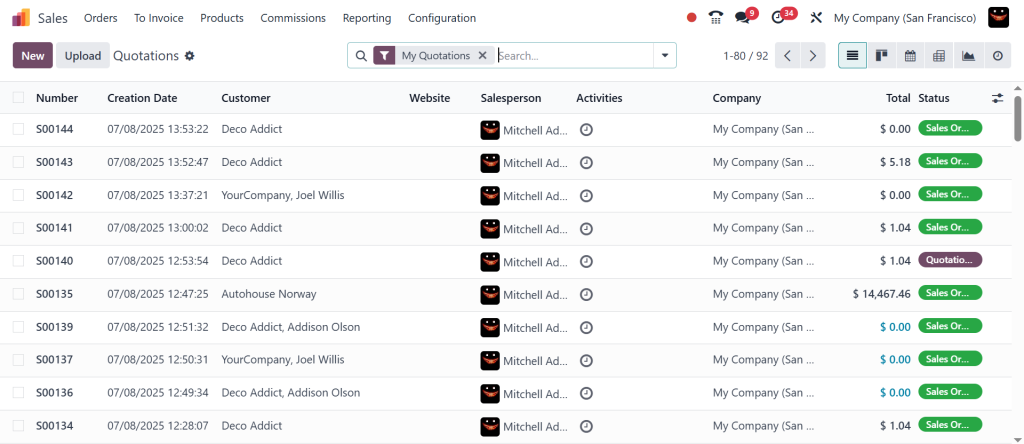
Suppose managing thousands of products in inventory. The Odoo 18 list view helps you scan, update, and analyze that data without clicking into each record individually. It’s fast, functional, and reliable. From sales orders to employee records, it’s the go-to view for any module where volume matters and quick actions are essential.
Helming the Odoo 18 Form View – Where Every Detail Lives
When you’re ready to go deeper into a record, the Odoo 18 form view becomes your best friend. This view is all about precision, providing a full-page layout for working on individual records. Whether you’re filling out a sales quotation, adding a new customer, or adjusting a vendor invoice, the form view in Odoo 18 ensures no detail is missed.
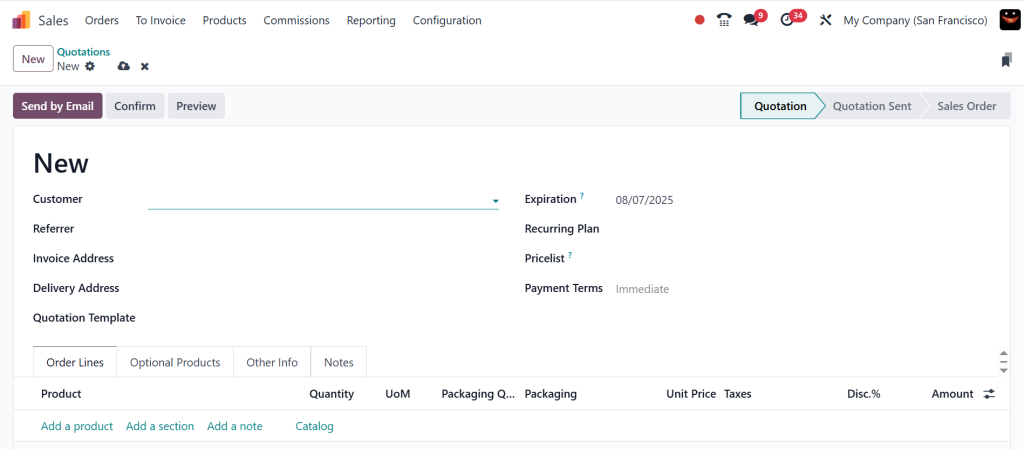
What makes this view interesting is its interactivity? You can have conditional fields, bright buttons, related links, and even embedded mini-views inside it. It’s like a customized dashboard for each record. Every time you click into a record from the list or Kanban views, you’re transported into the form view, where the real magic of data entry and editing takes place.
Visual Workflow with the Odoo 18 Kanban View – From To-Do to Done
In a world where visual thinking is on the rise, the Odoo 18 Kanban view stands out. This view alters records into movable cards, arranged in columns that usually represent stages in a process. Think CRM pipelines, recruitment stages, or project tasks. With the Kanban view in Odoo 18, you’re not just looking at data, you’re interacting with it, moving it, and reshaping it.
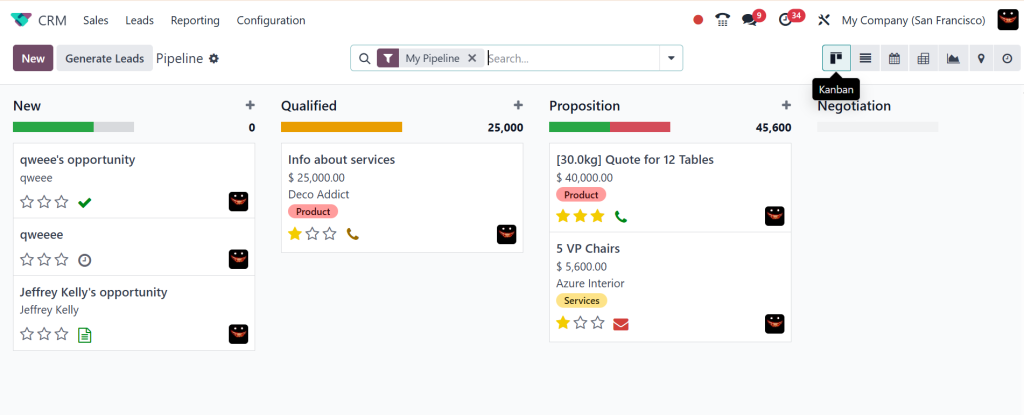
This type of view isn’t just aesthetically pleasing; it’s also practical. You can assign colors, tag records, schedule activities, or drag a card from “New” to “In Progress” and then to “Done.” For teams managing tasks or leads, this visual format makes everything intuitive and easy to understand. The Kanban view reduces friction and increases engagement. And in the world of modern ERP, that’s a win.
Organizing Hierarchies with the Odoo 18 Tree View – Structural Clarity
While the list view and tree view may sound similar, they serve different purposes. The Odoo 18 tree view is designed for hierarchical data. It’s perfect for situations where records are related in a parent-child format, such as accounting charts, nested categories, or bills of materials.
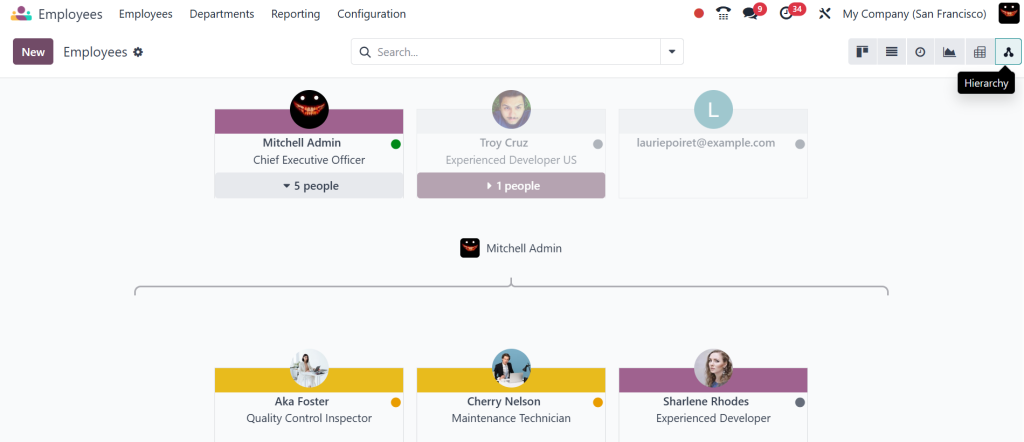
The tree view in Odoo 18 helps visualise these layers. You can expand and collapse nodes, see where one item belongs within a broader structure, and gain clarity in a way that other views can’t provide. It’s convenient in complex setups where understanding relationships is more important than viewing isolated data.
Analyzing Data with the Odoo 18 Pivot View – Insights on Demand
When you need to move from operational to strategic, the Odoo 18 pivot view becomes your go-to. Think of it as a real-time business intelligence tool, embedded right within your ERP. Whether you’re measuring sales performance, product profitability, or timesheet hours, the pivot view in Odoo 18 lets you dissect data with ease.
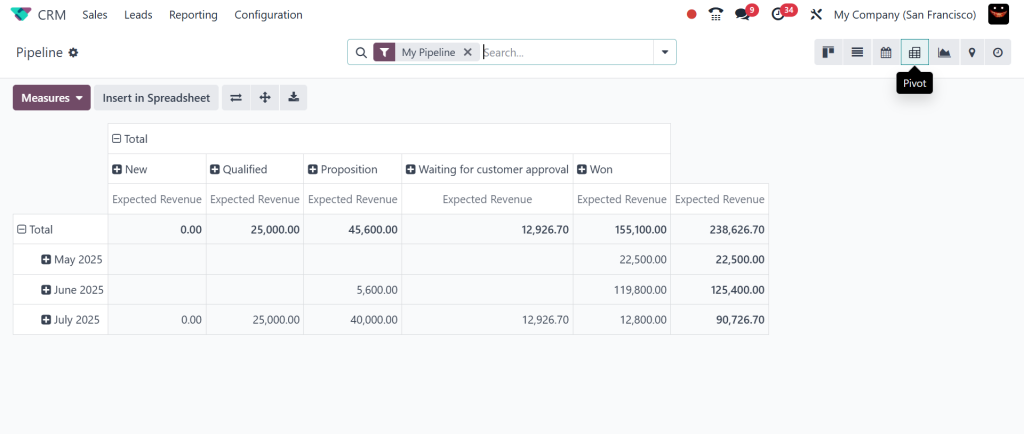
You can choose measures, apply filters, compare dimensions, and generate instant summaries. It’s the perfect example of how ERP isn’t just for data storage; it’s a decision-making engine. The best part? You can export everything to Excel or save your pivot layouts as favorites for future use.
Scheduling with Precision Using the Odoo 18 Calendar View
Time is one of the most valuable resources in business, and the Odoo 18 calendar view ensures it’s managed wisely. Whether you’re scheduling meetings, assigning shifts, or tracking project deadlines, this view gives you the clarity of a calendar with the functionality of an ERP system.
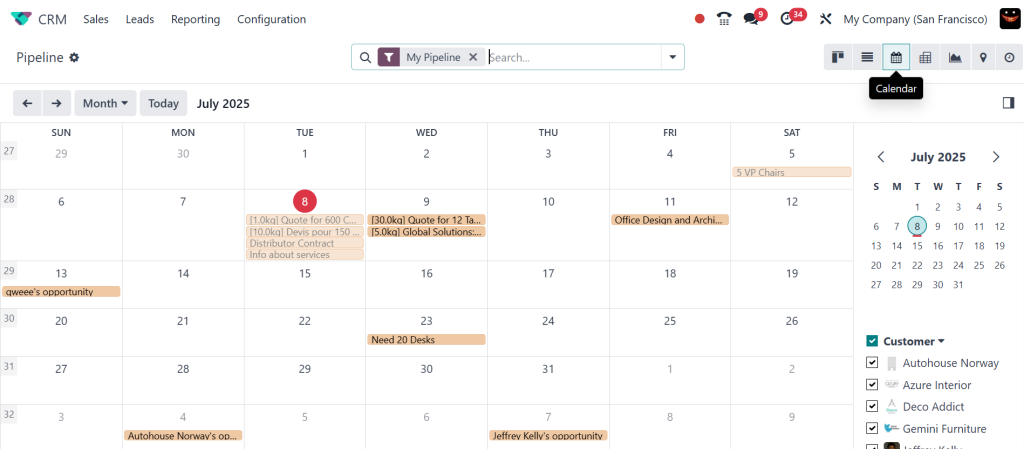
The calendar view in Odoo 18 supports daily, weekly, and monthly perspectives. You can drag events, change durations, set reminders, and even sync with other time-based tools. For HR, project management, or sales follow-ups, this view brings structure and accountability to every minute.
Each Odoo 18 View Type Has Its Role—Why Choosing the Right One Matters
Now that we’ve explored the Odoo 18 list view, form view, Kanban view, tree view, pivot view, and calendar view, it’s clear that each type serves a unique purpose. These aren’t just aesthetic options, they’re productivity enhancers. They align with how different teams operate, how individuals prefer to interact with data, and the decision-making process.
In practice, switching between these Odoo 18 view types often happens flawlessly. One moment you’re scanning a list view, the next you’re editing in the form view, before sliding a task across the Kanban board or checking deadlines in the calendar view. Odoo’s strength lies in giving you options, and knowing when to use each one can make your team faster, more innovative, and more efficient.
Beyond the Core Views – Other Odoo 18 View Types to Watch
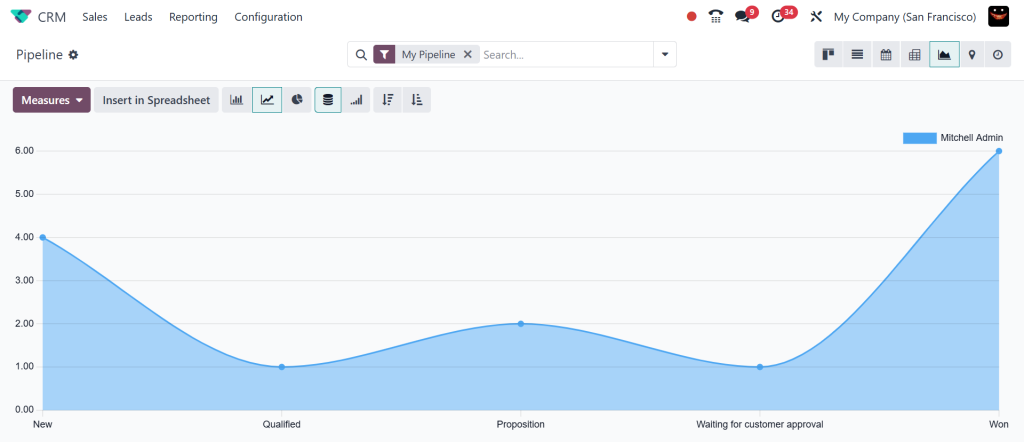
While the six main views dominate daily usage, there are a few other interesting types of views in Odoo 18 worth mentioning. The graph view allows you to visualize trends using bar, pie, or line charts.
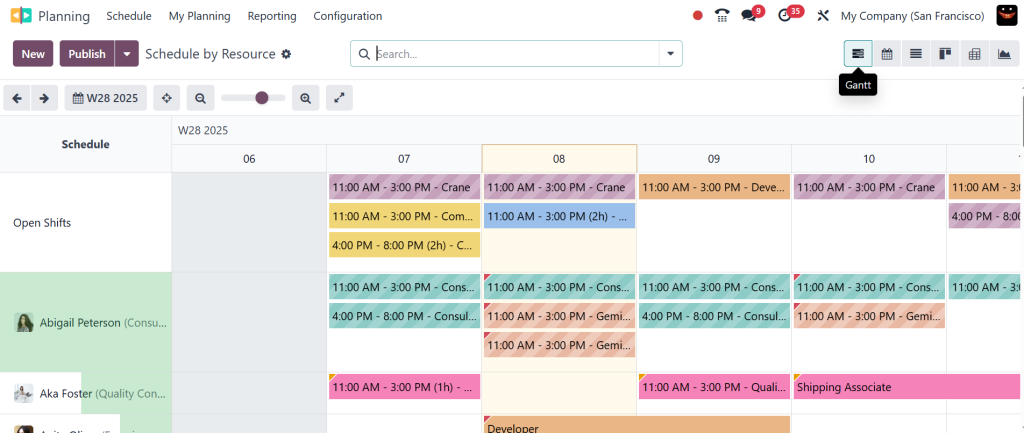
The Gantt view is invaluable for long-term planning, as it clearly shows task durations and dependencies.
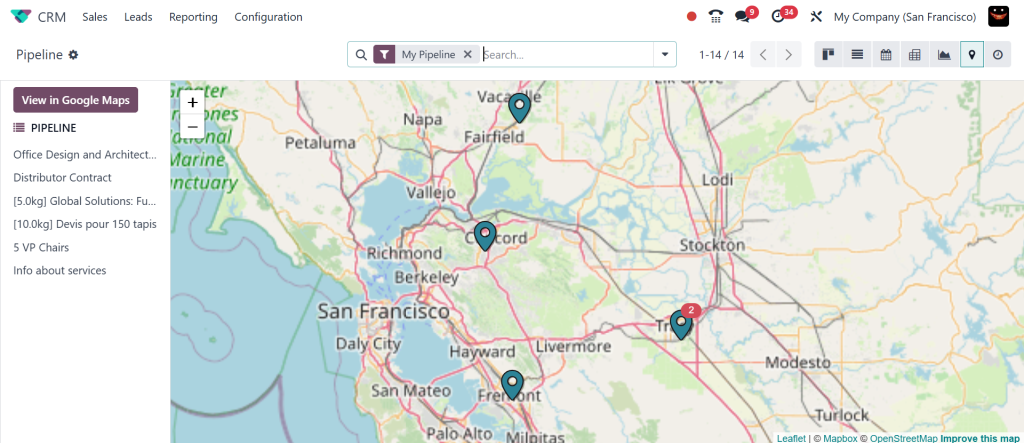
The map view is beneficial when location-based decisions are crucial, such as planning delivery routes or mapping customer locations.
Odoo doesn’t restrict you, it entrusts you. And the more you explore these Odoo 18 view types, the more you start appreciating just how flexible this system is.
Learning the Types of Views in Odoo 18 for Business Success
Whether you’re new to Odoo or a seasoned user, understanding the types of views in Odoo 18 is not only helpful but also necessary. Each view provides a lens, a way of seeing and acting on information that suits different roles and responsibilities. From the data-heavy Odoo 18 list view to the interactive Kanban view, the analytical pivot view, the structured tree view, the detailed form view, and the time-sensitive calendar view, you’re never locked into one way of working.
In a world where agility, insight, and accuracy matter more than ever, having the right interface for the right task can be a turning point. And that’s what Odoo 18 delivers. At Netilligence, we help businesses maximize the benefits of these tools, guiding them in customizing and integrating the right Odoo 18 view types personalized to their specific needs.
Ready to enhance your workflow with the best types of views in Odoo 18? Let Netilligence help you create custom-made interfaces that boost productivity, clarity, and collaboration.




