

Understanding Stock Input and Stock Output Accounts in Odoo 19
If you have worked with inventory accounting in previous versions of Odoo, you probably remember the stock input and stock output accounts. These accounts played a very important role in tracking the movement of products between purchasing, inventory, and accounting.
But when businesses started exploring Odoo 19, many users noticed something surprising. They could not easily find the stock input and stock output accounts the way they used to. This led to a common question among accountants and ERP users: where is the stock input account in Odoo 19, and where is the stock output account in Odoo 19?
In earlier versions of Odoo, these accounts were commonly known as interim accounts. They temporarily recorded the value of goods received or delivered before the accounting process was fully completed. However, many users noticed that Odoo 19 interim stock accounts removed the traditional structure and introduced a different approach.
Because of this change, businesses now want to understand the Odoo 19 replacement for stock input and output and how inventory transactions are recorded in the new system. Another important concern is how the inventory valuation account in Odoo 19 works and how it connects with accounting entries.
In this guide, we will clearly explain how stock input and stock output accounts work in Odoo 19, what replaced them, how the stock variation account in Odoo 19 functions, and how the Odoo 19 stock valuation accounts mapping works in the new inventory accounting system.
By the end of this article, you will have a complete understanding of inventory accounting changes in Odoo 19.
Understanding Inventory Accounting in Odoo
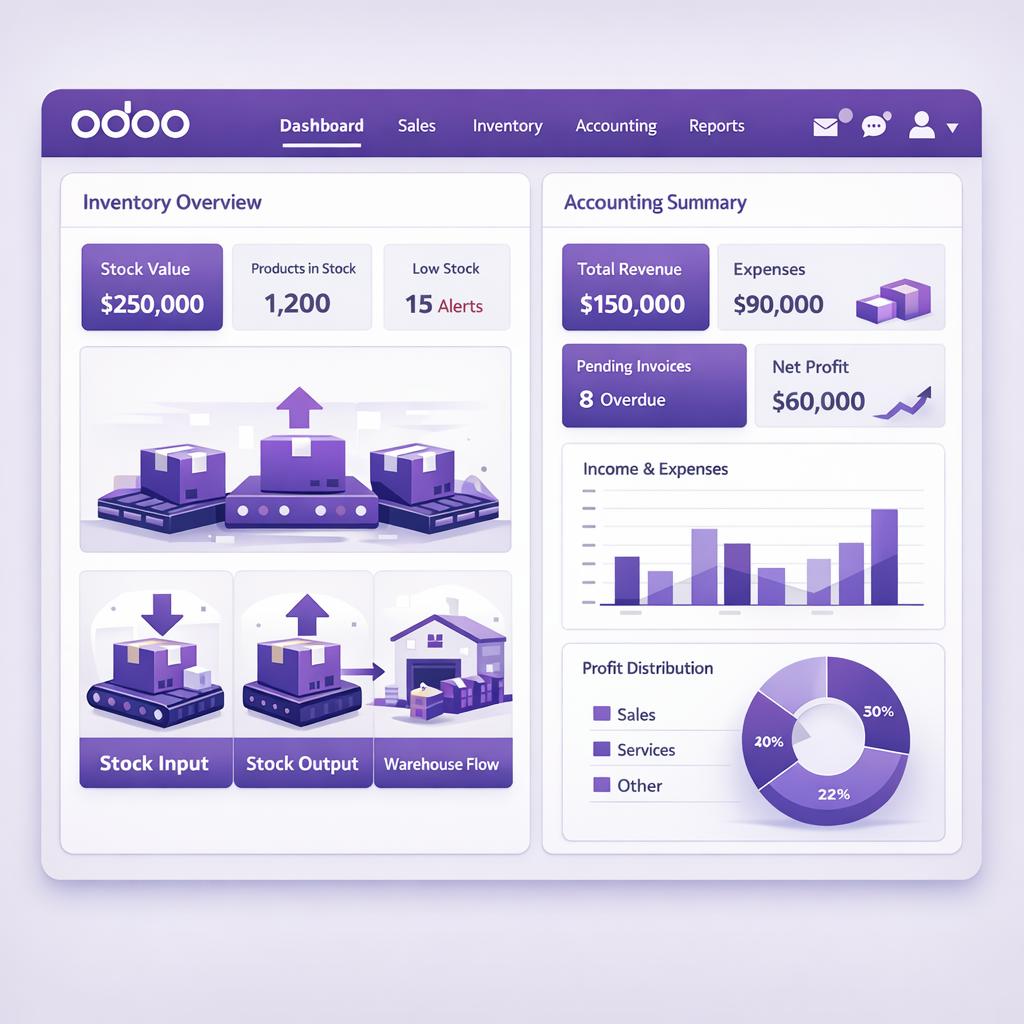
Before we talk about the changes in Odoo 19, it is important to understand how inventory accounting works in general. Inventory accounting connects three main business operations:
- Purchasing products
- Storing products in inventory
- Selling products
When goods move in or out of the warehouse, their financial value must also move in accounting. For example:
- When you receive goods from a vendor, the inventory value increases.
- When you deliver goods to a customer, the inventory value decreases.
To track these financial movements, accounting entries are automatically created in Odoo. These entries are linked with different accounts, including:
- Inventory valuation accounts
- Cost of goods sold
- Stock input accounts
- Stock output accounts
In earlier versions, the stock input and stock output accounts acted as temporary accounts between purchasing, inventory, and sales processes.
What Were Stock Input and Stock Output Accounts in Previous Odoo Versions?
Before Odoo 19, inventory accounting used two important interim accounts:
Stock Input Account
The stock input account was used when goods were received from a vendor, but the vendor bill had not yet been recorded. Process example:
- The purchase order is confirmed
- Goods are received in the warehouse
- Inventory value increases
- Accounting entry posts to the stock input account
Later, when the vendor bill was validated, the value moved from the stock input account to accounts payable. This helped businesses maintain accurate accounting even if invoices were received later.
Stock Output Account
The stock output account worked in the opposite direction. It was used when goods were delivered to a customer, but the customer’s invoice had not yet been created. Process example:
- Sales order confirmed
- Products delivered to the customer
- Inventory value decreases
- Accounting entry posted to stock output account
Later, when the invoice was validated, the value moved to cost of goods sold. These accounts were essential for businesses using real-time inventory valuation.
Why Odoo 19 Changed Inventory Accounting
Many businesses noticed that Odoo 19 interim stock accounts removed the traditional configuration that earlier versions used. The reason for this change was mainly to simplify inventory accounting. Many users found the earlier structure confusing because:
- Too many interim accounts were involved
- Accounting flows were difficult to understand
- Configuration mistakes were common
Odoo redesigned the system so that inventory accounting becomes easier to manage and understand. Instead of depending heavily on stock input and stock output accounts, Odoo 19 focuses more on inventory valuation accounts mapping and simplified financial flows.
Where is Stock Input Account in Odoo 19?
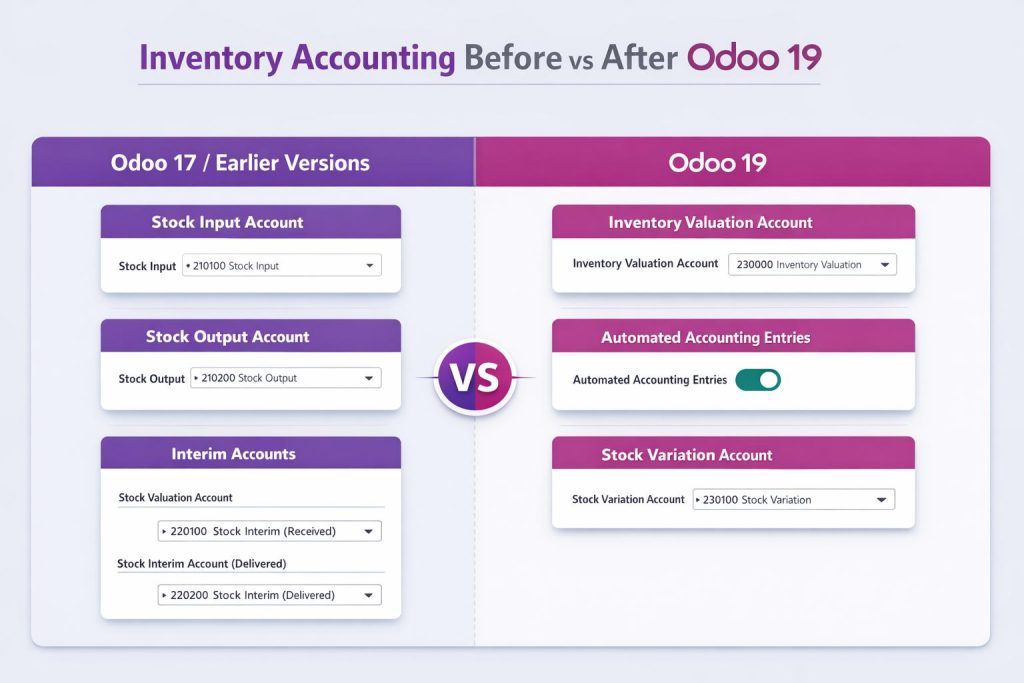
In Odoo 19, the traditional stock input account is no longer configured the same way as before. The system now manages inventory accounting using direct valuation mapping and product category accounts.
Instead of assigning separate interim accounts manually, Odoo now relies on the inventory valuation account in Odoo 19 combined with automated journal entries. When goods are received:
- Inventory valuation account increases
- Vendor liability or bill entries are recorded later
- The system handles adjustments automatically
This means the traditional stock input account behaviour is now integrated within the inventory valuation structure. This is one of the major parts of the Odoo 19 replacement for stock input output accounts.
Where is Stock Output Account in Odoo 19?
Just like the input account, the stock output account is also not configured as a separate interim account in many Odoo 19 setups. Instead, inventory reduction and accounting entries now rely on:
- Inventory valuation account
- Cost of goods sold account
- Automated accounting rules
When products are delivered:
- Inventory value decreases
- Accounting entry posts to cost of goods sold
- The inventory valuation account is credited
Because of this simplified flow, the stock output account may not appear the same way as it did in earlier versions. This is another key change introduced in the Odoo 19 stock valuation accounts mapping system.
Understanding Inventory Valuation Account in Odoo 19
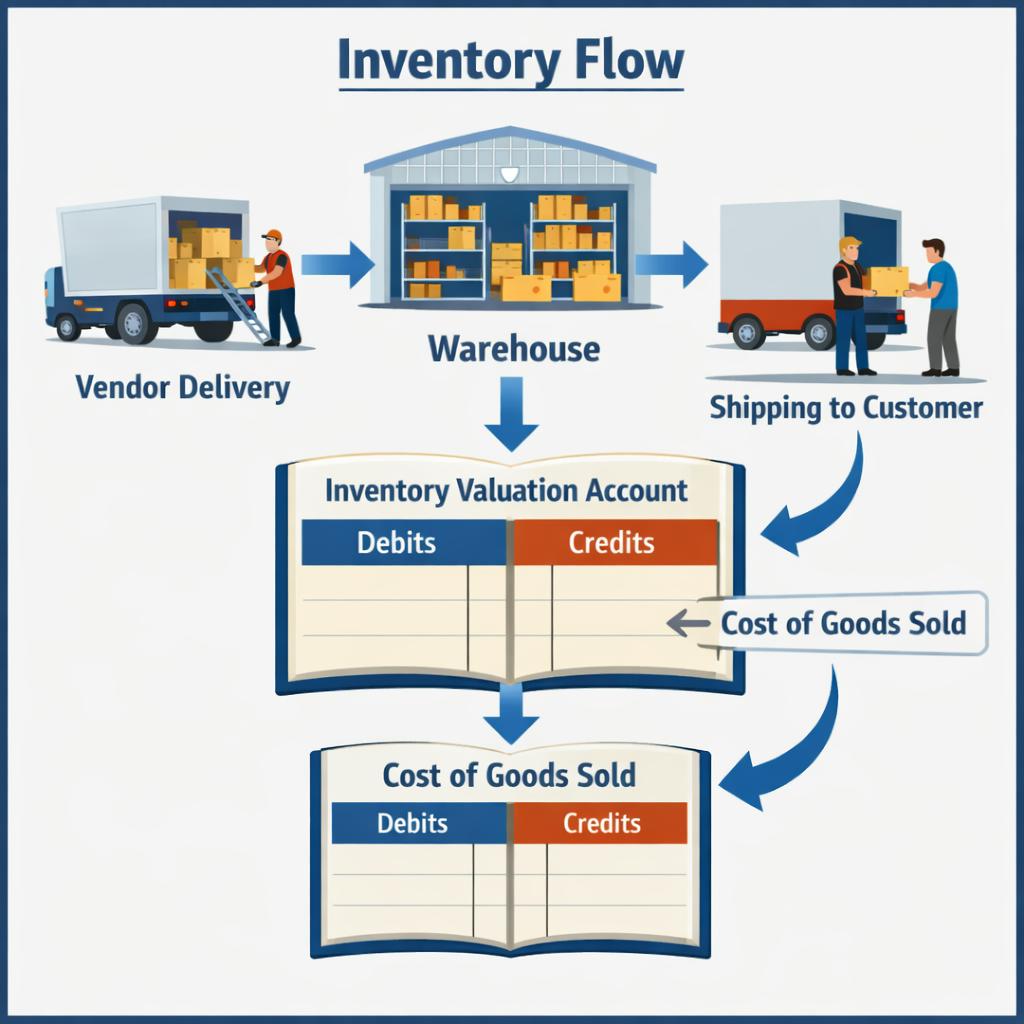
The inventory valuation account in Odoo 19 is now the central account for managing inventory value. This account represents the financial value of all products stored in your warehouse. Whenever inventory moves, Odoo automatically updates this account. Examples:
Receiving Products
- Debit: Inventory valuation account
- Credit: Purchase related account
Delivering Products
- Debit: Cost of goods sold
- Credit: Inventory valuation account
Because of this structure, the inventory valuation account in Odoo 19 replaces several accounting steps that previously involved stock input and output accounts.
Odoo 19 Stock Valuation Accounts Mapping
Another important concept introduced in the new system is Odoo 19 stock valuation accounts mapping. This mapping defines how inventory transactions connect with accounting accounts. The configuration usually happens in Product Categories.
Inside product categories, businesses can define:
- Inventory valuation account
- Expense account
- Income account
- Cost accounts
Once these accounts are mapped correctly, Odoo automatically posts accounting entries whenever stock moves. This automation reduces the need for manually configuring stock input and stock output accounts.
Stock Variation Account in Odoo 19
Another account that often appears in inventory accounting is the stock variation account in Odoo 19. This account records changes in inventory value caused by:
- Inventory adjustments
- Stock corrections
- Cost updates
- Valuation differences
For example, if the physical quantity in the warehouse does not match the system quantity, an inventory adjustment is performed.
When this happens:
- Inventory value changes
- Accounting entry is created
- Difference recorded in stock variation account Odoo 19
This helps businesses track financial differences between recorded and actual inventory.
Odoo 19 Replacement for Stock Input Output
Many businesses ask about the Odoo 19 replacement for stock input and output accounts. The replacement is not a single account. Instead, Odoo introduced a simplified inventory accounting structure that includes:
- Inventory valuation account
- Cost of goods sold
- Expense accounts
- Automated accounting entries
The system automatically manages the movement of values without requiring dedicated stock input and stock output accounts. This makes the accounting process easier, especially for companies that want a simpler setup.
How Inventory Transactions Work in Odoo 19
Let’s understand how inventory accounting flows now work in Odoo 19.
Purchasing Products
When products are received from a vendor:
- Inventory valuation account increases
- Vendor bill records the liability
This removes the need for separate stock input accounts.
Selling Products
When products are delivered:
- Inventory valuation account decreases
- Cost of goods sold increases
This replaces the traditional stock output account structure.
Inventory Adjustments
When inventory differences occur:
- Stock variation account records the change
- The inventory valuation account adjusts accordingly
This ensures accounting always reflects the real value of inventory.
Benefits of the New Odoo 19 Inventory Accounting System
The changes introduced in Odoo 19 provide several benefits.
Simpler Accounting Configuration
Businesses no longer need to configure multiple interim accounts. The inventory valuation account in Odoo 19 handles most inventory value tracking.
Fewer Accounting Errors
With fewer accounts involved, the chances of configuration mistakes are reduced. This is especially helpful for small and medium-sized businesses.
Clear Financial Reporting
The Odoo 19 stock valuation accounts mapping structure ensures that financial reports remain accurate and easier to understand.
Better Automation
Odoo now handles accounting entries automatically when stock moves, reducing manual work.
Common Mistakes Businesses Make in Odoo 19 Inventory Accounting
Even with the simplified structure, some mistakes still happen.
Incorrect Product Category Setup
If the product category accounts are not configured correctly, inventory entries may not post correctly.
Wrong Inventory Valuation Method
Businesses must select the correct valuation method, such as:
- FIFO
- Average cost
This affects accounting entries.
Ignoring Stock Variation Accounts
The stock variation account in Odoo 19 is important for tracking inventory differences. Ignoring this account can create confusion in financial reports.
Best Practices for Managing Inventory Accounting in Odoo 19
To ensure smooth inventory accounting, businesses should follow a few best practices.
Configure Product Categories Carefully
Always review the Odoo 19 stock valuation accounts mapping inside product categories.
Monitor Inventory Valuation Reports
Regularly check inventory valuation reports to ensure accounting matches stock levels.
Perform Regular Inventory Counts
This helps reduce large differences in the stock variation account in Odoo 19.
Train Accounting and Inventory Teams
Teams should understand how the Odoo 19 replacement for stock input output works so they can interpret financial reports correctly.
What You Should Remember About Stock Input and Output Accounts in Odoo 19
By now, it should be clear why many users get confused when they try to find stock input and stock output accounts in Odoo 19. In earlier Odoo versions, these accounts worked as interim accounts that temporarily recorded the value of goods moving between purchasing, inventory, and sales processes.
However, the structure has changed in Odoo 19. Instead of relying on multiple interim accounts, the system now focuses more on the inventory valuation account in Odoo 19, along with improved Odoo 19 stock valuation accounts mapping inside product categories. This change came after Odoo 19 interim stock accounts removed the traditional configuration that many users were familiar with.
Now, when products are received or delivered, Odoo automatically creates accounting entries using the inventory valuation account and cost-related accounts. Any differences caused by stock adjustments or valuation updates are handled through the stock variation account in Odoo 19. Because of this updated structure, the Odoo 19 replacement for stock input output works automatically behind the scenes and simplifies the overall inventory accounting process.
In simple terms, businesses no longer need to worry about manually managing stock input and stock output accounts like before. Once the product category accounts and the inventory valuation account in Odoo 19 are configured correctly, Odoo manages most of the accounting entries automatically, helping companies maintain accurate inventory values and financial records.
Want to learn more practical Odoo tips like this or need help with Odoo implementation, customization, or accounting setup?
Visit Netilligence for more Odoo insights, or contact our team to get expert support for your Odoo projects.




