

When it comes to managing work efficiently, especially in teams, we all want to break tasks into smaller ones. That’s precisely where Sub-Tasks in Odoo 18 help us. If you’ve ever felt overwhelmed by big project goals or tight deadlines, Odoo gives you a smart way to handle them. Instead of assigning huge tasks that are hard to track, you can now break them into smaller, focused sub-tasks. These little pieces make the whole project feel easier to manage, and that’s where the real thing begins.
With the latest updates in Odoo 18 Project Management, you’ll see a cleaner interface, more flexibility, and better control over how tasks are created and followed up on. You don’t need to be a technical expert to get started, and once you understand the basics, configuring sub-tasks becomes something you’ll naturally begin to do in every project.
This blog will show you every step, but not in a boring way. We’ll talk like we’re having a real conversation, helping you discover how much easier your work can be when you know how to configure sub-tasks in Odoo 18 Project.
Odoo 18 Project Management and the Power of Sub-Task Management
So, let’s begin with the big picture. Suppose you are working on a website development project. There are several stages involved, including designing, content writing, coding, testing, and client approvals. Instead of putting all this into one big task, you can split it into smaller sub-tasks like “Create homepage wireframe,” “Write product descriptions,” “Test mobile responsiveness,” etc. That’s what sub-task management in Odoo 18 is all about: breaking down a big goal into easy-to-track steps.
The updated Odoo 18 project management app provides everything you need to manage projects smoothly. You can assign each sub-task to different team members, set their deadlines, monitor their progress, and connect them all under one parent task. And the best part? You can see the whole flow, from start to finish, with a single glimpse.
Now, think about how many times a project has been delayed just because someone didn’t know what to do next. That’s where the new Odoo 18 task dependencies feature comes in. It lets you link tasks together in a sequence. So, “Test the app” won’t start until “Develop the app” is done. No more confusion or wasted time. Everything follows a logical flow.
Configure Sub-Tasks in Odoo 18 Project with Just a Few Clicks
You might be wondering, “Is this going to be complicated?” Absolutely not. Configuring sub-tasks in Odoo 18 is as easy as setting up a new task. First, open your Project module.
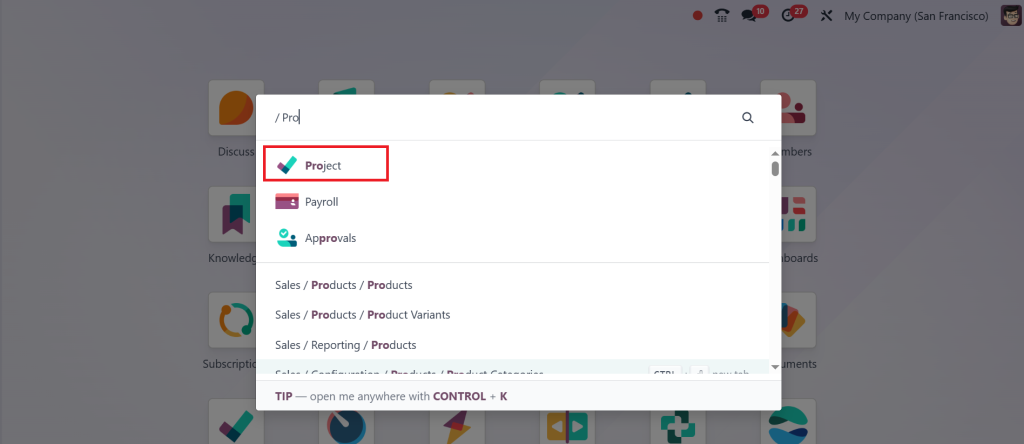
Then, go to Tasks > My Tasks or All Tasks.
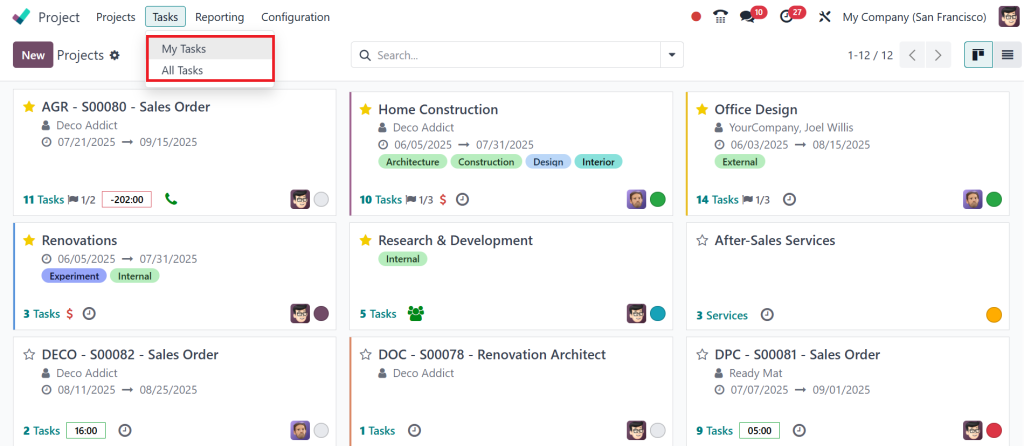
Now, create your primary task, the big one by clicking on the New button.
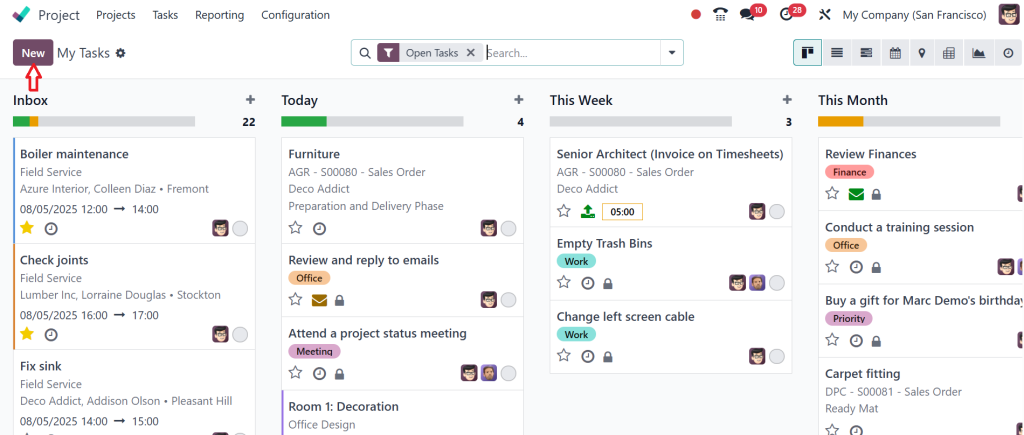
For example, let’s say “Launch Product Campaign.” Fill the task details & click Save.
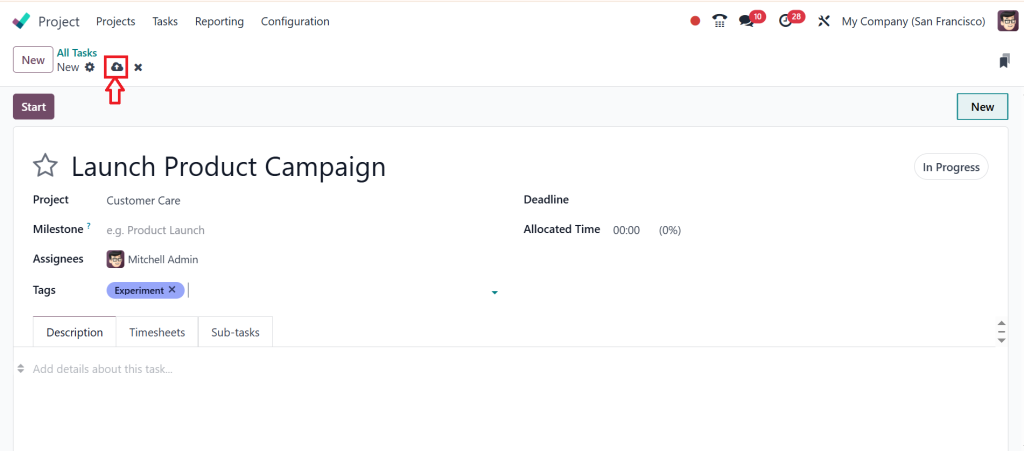
After saving the task, scroll down to find the Sub-Tasks section in Odoo. Click “Add a Line”.
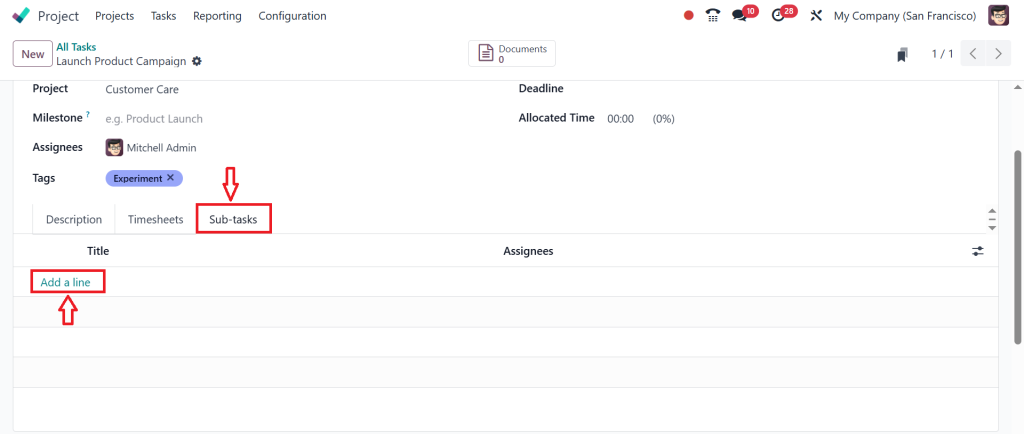
And start creating the smaller pieces, like “Write launch email,” “Design social media posts,” and “Schedule campaign meeting.”
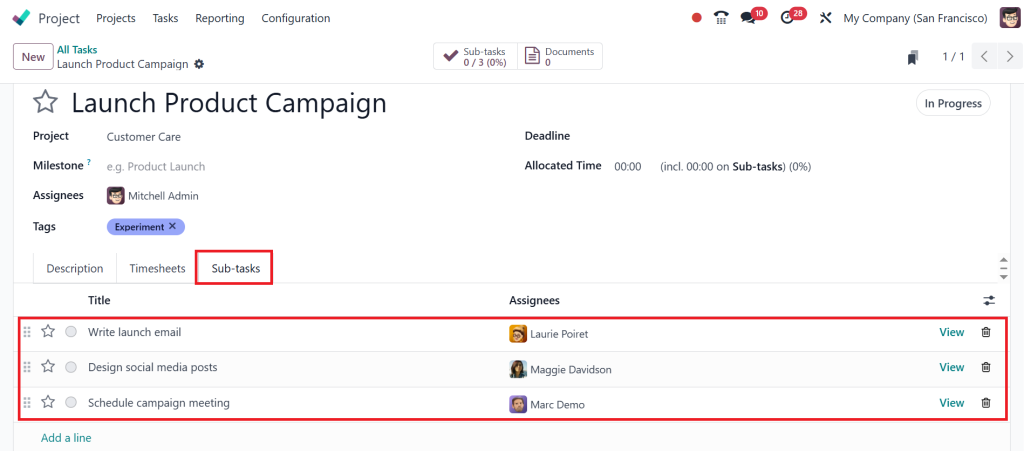
This is the core of how you configure sub-tasks in Odoo 18 Project. It’s not just about breaking the work into parts. It’s about organizing your work so your team stays focused, delivers on time, and never feels lost.
Manage Sub-Tasks in Odoo 18 Without Getting Overwhelmed
Here’s where things get exciting. Once you’ve added your sub-tasks, each one acts like its own mini-project. You can assign it to someone else, attach files, set deadlines, and add notes. This makes it easier to manage sub-tasks in Odoo 18. And guess what? You can also track how much time was spent on each sub-task using the built-in timesheet feature.
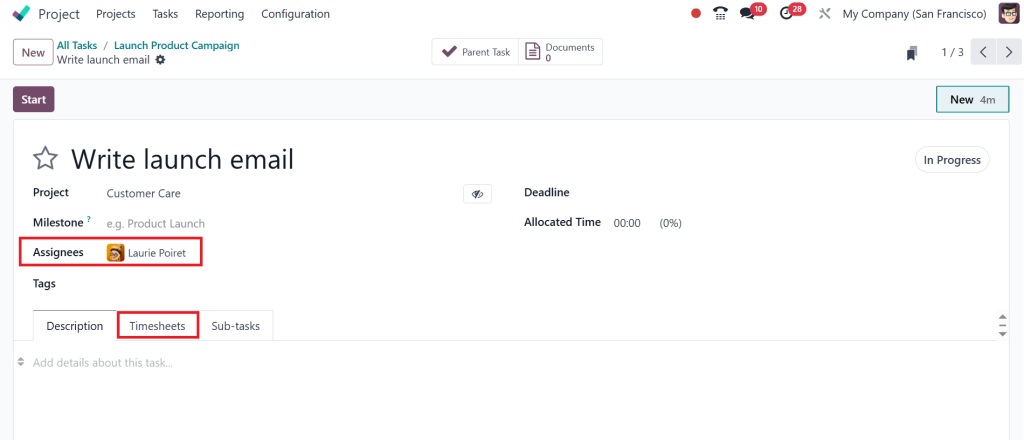
If you’re working on multiple projects, you might worry about losing track. But with Odoo’s views, Kanban, List, and Gantt, you’ll see the entire structure of your project at a glance. The Gantt chart especially helps you see all your tasks and sub-tasks visually.
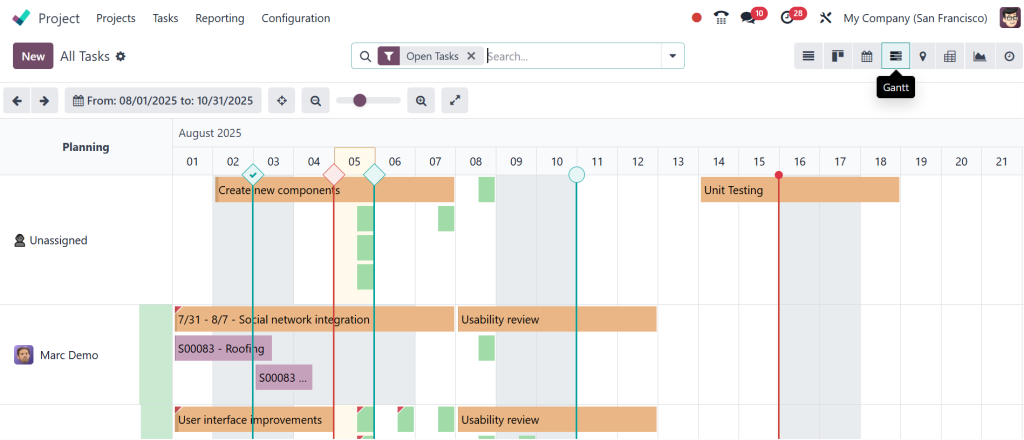
It even shows you the Odoo project task hierarchy, which means you can quickly spot which sub-task belongs to which main task and what needs attention.
Everything connects smoothly. And since sub-tasks are directly linked to the parent task, once all sub-tasks are marked done, the parent task feels almost ready too. It’s a great feeling seeing things move forward step by step.
Odoo 18 Task Dependencies Make Everything Flow Smoothly
Let’s take it further. What if your sub-tasks depend on each other? Like, you can’t write an article before doing keyword research. With Odoo 18 task dependencies, this logic is built in. You can connect tasks so they trigger each other in the proper order.
To set this up, go to the Gantt view. Click and drag from one sub-task to another, and boom, you’ve set a dependency. This lets your entire team stay on the same page. It avoids situations where someone starts too early or waits too long. Dependencies keep things moving at the right pace, without micromanagement.
Whether you’re building a house, launching a product, or managing client projects, sub-task management in Odoo 18 with dependencies will keep you in control.
Break Down Complex Projects Using Odoo Task Breakdown Techniques
Projects don’t have to be complicated. But we make them feel that way when we try to do everything at once. Odoo task breakdown is a strategy that helps you simplify complex work into manageable parts. Instead of saying “Build the website,” you create tasks like “Design homepage,” “Set up hosting,” “Create contact form,” and so on.
And with sub-tasks in Odoo, you can go even further. For example, under “Design homepage,” you can add sub-tasks like “Choose color scheme,” “Design header section,” “Pick fonts,” etc. This deep level of organization ensures you never miss small but important things.
Plus, your team members feel more confident when they see clear, simple steps instead of vague, oversized tasks. They know what’s expected, and they get it done faster.
Odoo Project Task Hierarchy Keeps Everything Organized
Hierarchy might sound like a heavy word, but it simply means structure. In the Odoo project task hierarchy, you’re building a tree. At the top is the big project or goal. Under that are tasks, and under those are sub-tasks. This structure helps you maintain control over everything, eliminating the need to constantly ask people what they’re working on.
In Odoo 18, this hierarchy is visible in the List view as indentation. It’s also visible in Kanban boards and the Gantt view. So, whether you’re a visual person or someone who likes spreadsheets, you’ll always have a clear picture of your project’s structure.
And don’t worry, you can move sub-tasks between tasks or even convert tasks into sub-tasks if you change your mind. Flexibility is the name of the game here.
Practical Ways to Use Sub-Task Management in Odoo 18
Let’s make it real. Here are a few examples of how different teams use sub-task management in Odoo 18 to stay on track:
Marketing Teams: A primary task, such as “Run Social Media Campaign,” can be split down into sub-tasks, including “Create visuals,” “Write captions,” “Schedule posts,” and “Track performance.”
Software Developers: A task like “Release Version 2.0” might include sub-tasks like “Fix bugs,” “Test new features,” and “Update documentation.”
HR Teams: For onboarding, the task could be “New Employee Onboarding,” with sub-tasks like “Prepare documents,” “Schedule training,” and “Create email account.”
Each department, regardless of size, can benefit from organizing work into sub-tasks. And when you pair them with Odoo 18 task dependencies, things start running smoother than ever.
Work Smarter with Sub-Tasks in Odoo 18
To manage sub-tasks in Odoo 18, you don’t need special training or extra tools. Everything is already built into the platform. The trick is to start thinking differently, start looking at your projects not as one giant mountain, but as a series of small hills that you can climb one by one.
When you configure sub-tasks, connect them through dependencies, and build a proper Odoo project task hierarchy, you create a smooth path from idea to execution. You get fewer missed steps, clearer responsibilities, better teamwork, and more peace of mind.
Take the Next Step with Sub-Tasks in Odoo 18
Now that you know how to configure sub-tasks in Odoo 18 Project, it’s time to apply this knowledge. Don’t just create one significant task and hope for the best. Break it down. Assign the sub-tasks. Set deadlines. Track progress. Link dependencies. Watch your projects get done faster and better.
Sub-tasks in Odoo are not just a feature, they’re a mindset shift. With Odoo 18 project management, you get a system that works with you, not against you. It’s simple, visual, flexible, and surprisingly effective.
Whether you’re running your own business or handling a growing team, taking the time to understand sub-task management in Odoo 18 will save you hours of stress and confusion. From Odoo task breakdown to smart task dependencies, you now have all the tools you need to make project management feel effortless.
Ready to take control of your projects? Start configuring sub-tasks in Odoo 18 today and experience how easy and robust project management can truly be. Need expert help or custom Odoo solutions? Contact Netilligence now and let’s build something better together!




