

When we talk about managing employee leaves, one thing becomes clear very quickly: even a small mistake can disturb planning, deadlines, and team coordination. And that is precisely why the time off module in Odoo 19 has become such an essential part of HR systems today. Many companies struggle with leave tracking because spreadsheets, messages, and manual approvals take too much time and often lead to confusion. But once you explore the time off module in Odoo 19, you realize how much easier it is to organize everyone’s schedules properly.
The Odoo 19 time off module provides employees with a straightforward way to request leave and managers with an easy way to approve it. When you look at the time off app in Odoo 19, you instantly see how everything stays in one system, so no one has to message HR again and again to ask about their remaining leave or approval status.
As we go along, we will talk about Odoo time off features, how the Odoo 19 leave management system works, how to configure time off in Odoo 19, and why the Odoo time off dashboard helps everyone stay organized. I will also guide you through a smooth, easy Odoo 19 time off tutorial so that by the end of this blog, you feel confident using this module yourself.
Why the Time Off Module in Odoo 19 Matters in Daily HR Work
When you start using the time off module in Odoo 19, you realize that it solves many small struggles that HR teams face every day. Many companies face unclear leave balances, delayed approvals, scattered information, and misunderstandings among employees and managers. The good thing about the Odoo 19 time off module is that everything becomes more organized simply because all information sits in one place.
Employees don’t have to call or message anyone; they check their own balance from their account. Managers don’t have to search through emails; they approve directly from the system. HR doesn’t have to manually calculate everything; the system automatically updates the balance. This makes the Odoo 19 time-off overview not only easy to understand but also very practical.
In many workplaces, employees feel unsure about their leave balance. Sometimes, people hesitate to apply because approval takes too long. In some companies, managers get frustrated when multiple team members’ leaves clash. The Odoo time off features help address all of this with precise clarity. You can see who is available, who is on leave, and how many days everyone still has. Nothing is hidden. Nothing is confusing. Everything is just there in front of you.
Odoo 19 Time Off Module – How It Supports Clear and Simple Workflows
When you understand how the Odoo 19 time off module works, you realize that leave management doesn’t have to be complicated. Everything flows step by step, and every step has a clear purpose.
The system allows employees to request their leave directly. They choose their dates, select the leave type, add a note if needed, and submit. Managers receive requests instantly, check the calendar, assess whether it affects teamwork, and approve within seconds. If HR needs to adjust balances or review anything, they can do it from their own panel.
Everything in the time off module in Odoo 19 is designed to reduce confusion. Instead of moving information across multiple channels, the system keeps everything on a single dashboard. And when you feel that everything is connected and visible, your work becomes naturally easier.
Time Off Odoo 19 Overview – A Look Into How the System Brings Clarity
While exploring the time off Odoo 19 overview, one thing becomes very noticeable: the system focuses on clear communication. Every person, whether an employee, manager, or HR professional, gets exactly the information they need.
- Employees see their leave balance and request history.
- Managers see the team calendar and pending approvals.
- HR has access to all policies, company-wide statistics, and detailed records.
This clarity is what makes the everyday use of the time off module in Odoo 19 smooth and reliable. People no longer send reminders because they can check everything themselves. Team members don’t worry about incomplete information because the dashboard shows everything. And when information is clear, decision-making becomes simple.
Odoo Time Off Features – What Makes This Module Practical to Use
Odoo’s time-off features make the module one of the most efficient HR tools in the ERP space. Below are the most notable capabilities:
1. Centralized Leave Management
Users and managers can access a unified view of leave requests, balances, and approvals. This reduces confusion and enhances transparency across departments.
2. Automated Approval Workflow
You can create multiple approval levels depending on organizational hierarchy. Odoo automatically routes requests to the appropriate manager.
3. Real-Time Leave Balance Updates
The system automatically updates balances in accordance with company policies, ensuring accuracy at all times.
4. Advanced Reporting Tools
HR teams can generate detailed reports to track leave trends, absenteeism, and department-level insights.
5. Integration with Attendance & Payroll
The Odoo 19 leave management system integrates with Attendance for accurate presence tracking and Payroll for correct salary calculations.
6. Employee Self-Service Portal
Employees can request leave, check balances, view calendars, and upload supporting documents directly from their dashboard.
7. Mobile Friendly UI
The Odoo 19 interface is fully optimized for mobile devices, making leave requests accessible anytime, anywhere.
Odoo 19 Leave Management – A Friendly Approach to Everyday HR Challenges
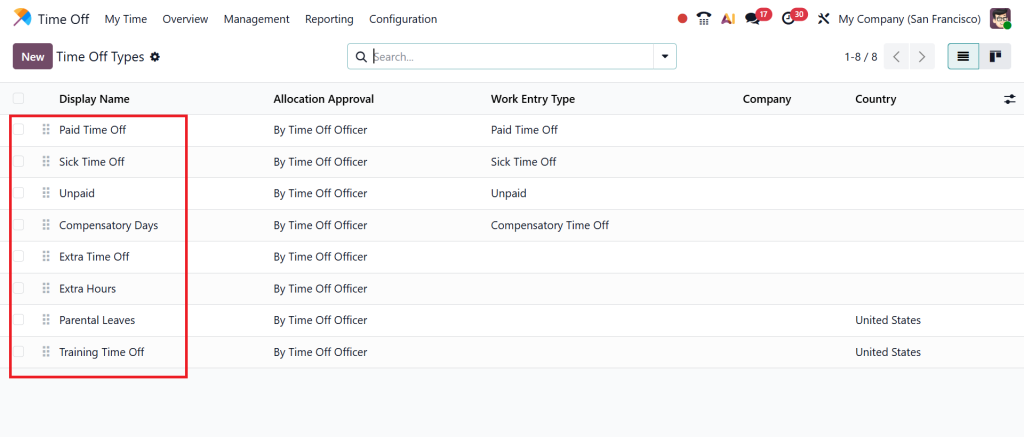
The Odoo 19 leave management system gives companies the flexibility to create leave rules that match their working style. Whether you offer annual leave, sick leave, personal days, or compensatory leave, everything can be set up exactly how you need it. You can decide:
- How many leaves do employees get
- Whether they can carry forward unused days
- Whether proof is necessary for certain leave types
- How many approvals are required
- Whether the leave affects payroll
When rules are clear, nobody gets confused. Employees feel confident about their requests. Managers feel clear about approvals. HR feels relaxed because the system handles the calculations. That is the kind of support the time off module in Odoo 19 provides.
Configure Time Off Odoo 19 – How You Can Set Everything Up Easily
Let’s talk about how actually to configure time off in Odoo 19. If you think it might be complicated, don’t worry, the setup is easier than most people expect.
Everything begins in the Time Off module. You choose the leave types you want to offer, decide the rules, and set how leaves should be allocated. If you wish to accumulate, you turn them on. If you want a single approval or two approvals, you select that. If your company observes public holidays, you mark them in the calendar.
Once the basics are in place, you set up annual leave allocations for employees. HR can set them for the whole company or for specific departments. And that’s it, the core setup for the time off module in Odoo 19 is ready.
Odoo Time Off Dashboard – The Place Where Everyone Finds What They Need
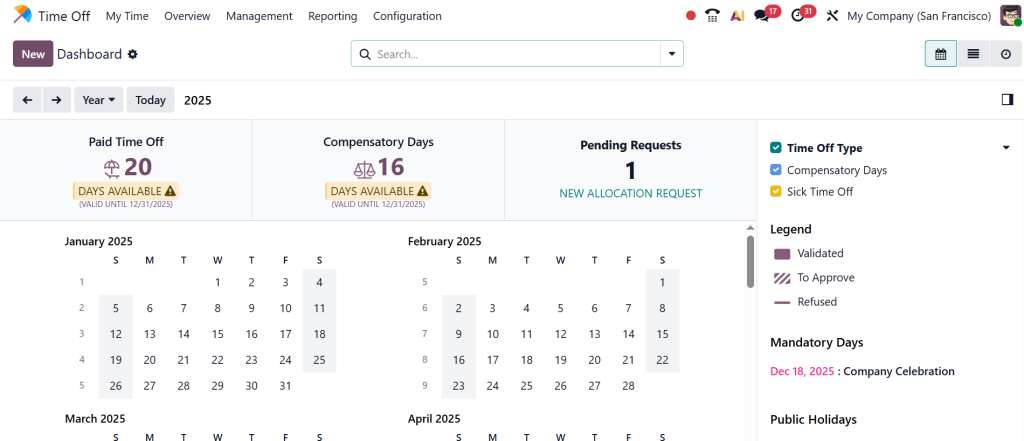
The Odoo time off dashboard is the part employees love the most because everything is clearly arranged. No one has to go through different menus or click unnecessary buttons. The dashboard shows:
- Leave balance
- Leave types
- Request button
- Team calendar
- Past requests
- Pending approvals
Managers see things slightly differently. Their dashboard shows team requests, the team calendar, conflicts, and approvals. HR gets a broader view with company-wide information and deeper reporting options. The dashboard is simple, organized, and easy to understand, just the way employees expect it to be.
Odoo 19 Time Off Tutorial – A Simple Walkthrough
In this part of the blog, I want to give you a straightforward Odoo 19 time-off tutorial so you can understand the user journey with absolute clarity.
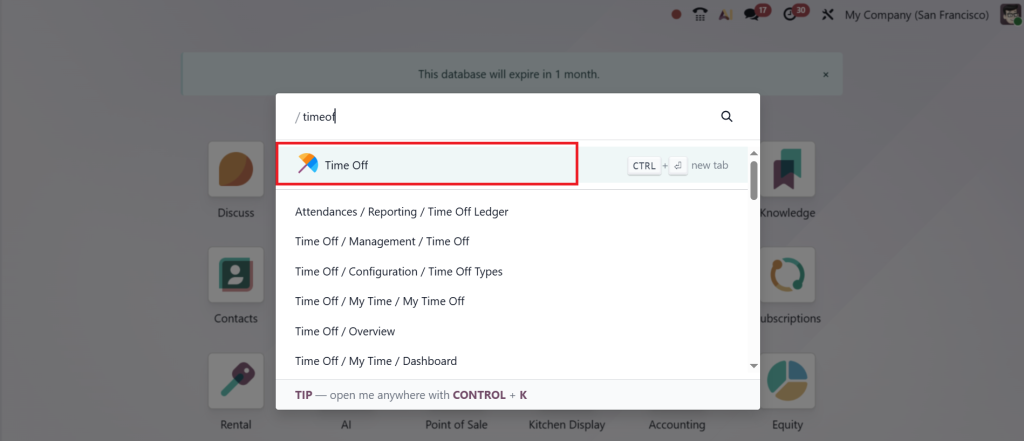
Employees start by opening the Time Off module.
From there, they choose the Time Off type (e.g., the leave they want).
Pick their dates, write a short note if needed, and submit.
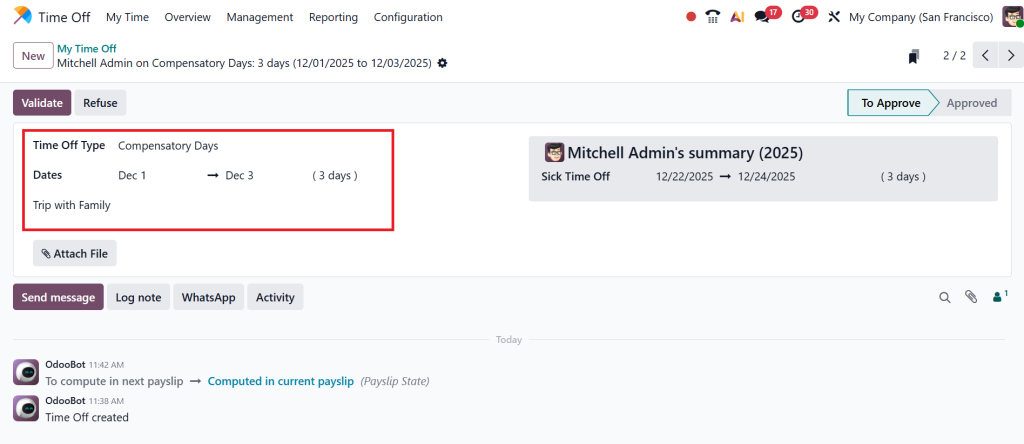
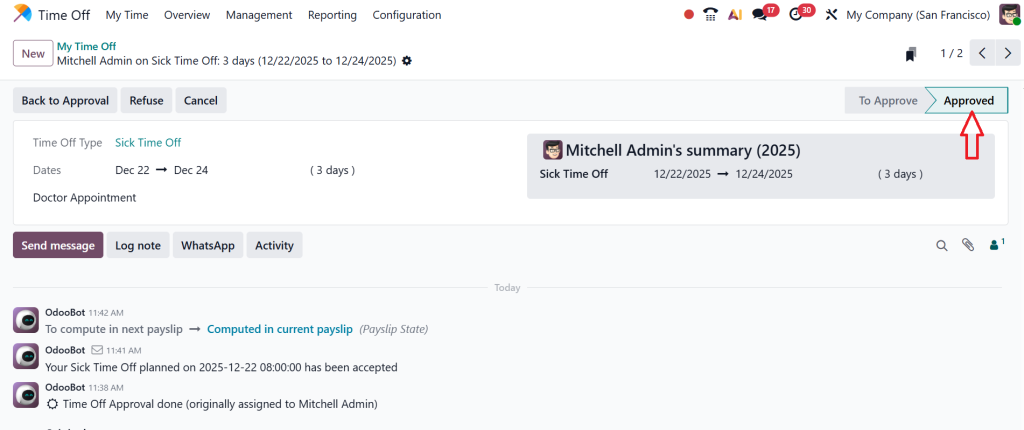
Managers receive a notification, open the request, check the dates, compare them with the calendar, and decide whether to approve. If approved, you can easily see your request’s stage change to Approved.
If HR needs to review anything, they open the same module and adjust balances or rules. If someone wants to see their past leave history or how many leaves they have left, they check their dashboard. This simple flow is what makes the Odoo 19 time off module feel naturally organized.
How the Time Off Module in Odoo 19 Helps Teams Work Smoothly
When teams start using the time off module in Odoo 19, they instantly feel more relaxed. There are no misunderstandings. Leave balances do not feel like a puzzle. Approval delays are reduced. Everyone sees the information they need.
- Employees feel comfortable applying.
- Managers feel comfortable approving.
- HR feels comfortable tracking.
This harmony makes daily work more predictable, resulting in fewer disruptions and happier employees.
Why You Should Start Using the Time Off Module in Odoo 19
After spending time understanding the time off module in Odoo 19, one becomes confident in its ability to organize leave management in a simple, understandable way. Whether you look at Odoo’s time off features, the clarity of Odoo 19 leave management, or the ease of configuring time off in Odoo 19, everything is designed to make leave management smooth and stress-free.
The Odoo time off dashboard helps employees feel informed, managers feel prepared, and HR feel supported. And with this Odoo 19 time off tutorial, you now have a clear map of how everything flows.
Ready to Improve Your Leave Management with Odoo 19?
If your company is ready to move away from manual steps and shift toward a smoother, more organized process, then this is the right moment to take action.
Connect with Netilligence today, and we’ll help you set up the time off module in Odoo 19 exactly the way your team needs it.
A quick conversation is all it takes to get started, and we’re here to make the whole process as simple as possible for you.




