How Does Salesperson Commission Appear in the Payslip of Odoo 19?
Salesperson Commission Appear in the Payslip of Odoo 19 – Why It Matters
Salesperson Commission Appear in the Payslip of Odoo 19 is not just a payroll feature, it is a powerful business automation tool that helps companies stay transparent, compliant, and motivated. In today’s digital sales environment, sales teams expect their incentives to be accurate, visible, and timely.
If you are using the Odoo 19 salesperson commission payslip, you already know that commissions drive performance. But manually calculating and adding commissions to payroll can create errors, delays, and frustration.
That’s where Odoo 19 sales commission payroll integration comes in.
With the right setup, commission payments in Odoo 19 payroll slips become automated, transparent, and fully trackable. Your salespeople can see exactly how much they earned, while your HR and finance teams save hours of work.
In this guide, you will learn:
How Salesperson Commission Appear in the Payslip of Odoo 19
How Odoo 19 commission plans and payroll work together
How to set up sales commission salary rule in Odoo 19
And how to use the Odoo 19 payslip input commission feature
By the end, you’ll know exactly how to add commission to a payslip in Odoo and why Netilligence is the best partner to help you implement it.
What Is Salesperson Commission in Odoo 19?
In Odoo 19, salesperson commission is an incentive based on:
Sales orders
Invoices
Profit margins
Product categories
These commissions can be fixed, percentage-based, tier-based, or target-based. Once a sale is confirmed or invoiced, Odoo calculates the commission automatically based on the rules defined in your Odoo 19 commission plans and payroll structure.
The real power lies in when Salesperson Commission appears on the Payslip in Odoo 19. Instead of using spreadsheets or manual entries, Odoo connects commissions directly with payroll.
This means your team sees their earnings clearly in their payslip every month, no confusion, no disputes.
Why Salesperson Commission Appear in the Payslip of Odoo 19 Is Important
When commission in payslip Odoo 19 is automated, your business benefits in many ways:
1. 100% Transparency
Salespeople can track how their earnings are calculated.
2. Zero Payroll Errors
No more wrong calculations or missing commissions.
3. Faster Payroll Processing
Payroll runs automatically, including commission values.
4. Higher Sales Motivation
Sales teams perform better when rewards are visible.
This is why companies worldwide rely on Odoo 19 sales commission payroll integration.
How Odoo 19 Commission Plans and Payroll Work Together
To ensure Salesperson Commission Appear in the Payslip of Odoo 19, you must configure both modules:
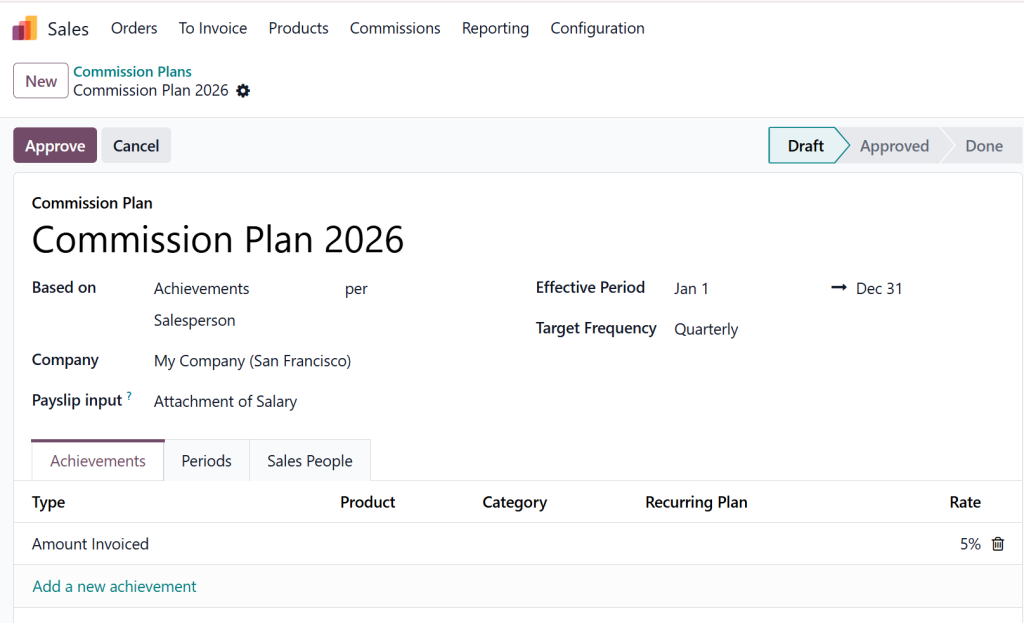
Step 1: Create Commission Plans
Go to Sales → Commission → Commission Plans
Define:
Commission type (percentage/fixed)
Targets
Rules by product, team, or customer
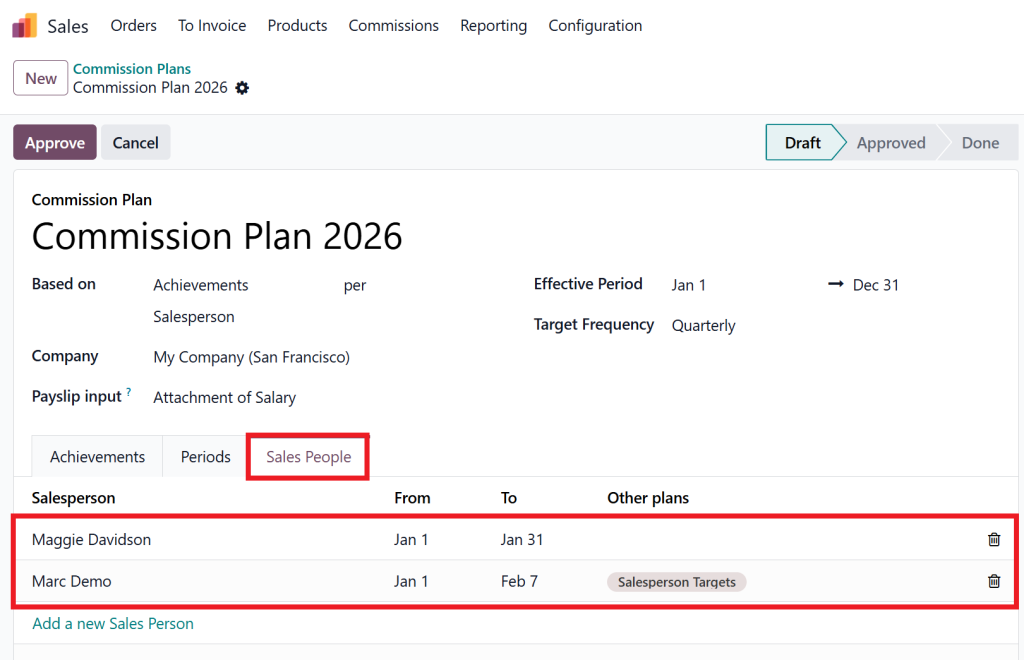
Step 2: Link Salesperson to Plan
Assign each salesperson a commission plan.
Step 3: Connect to Payroll
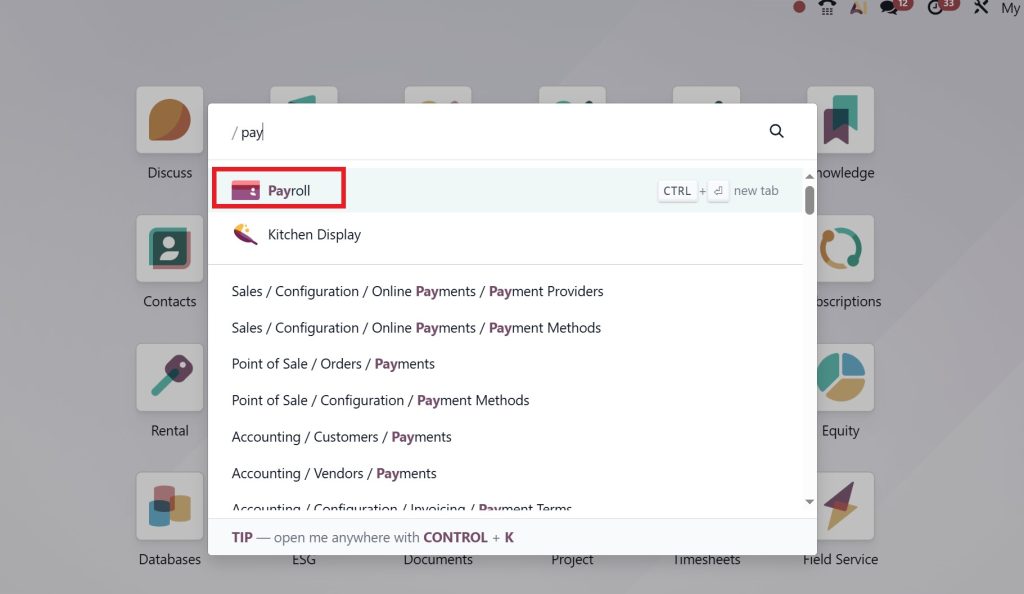
Use the Odoo 19 payroll
Input commission feature to pass values into payroll.
Your Odoo 19 salesperson commission payslip is now fully connected.
How to Add Commission to Payslip in Odoo
Here is the exact process for how to add commission to a payslip in Odoo:
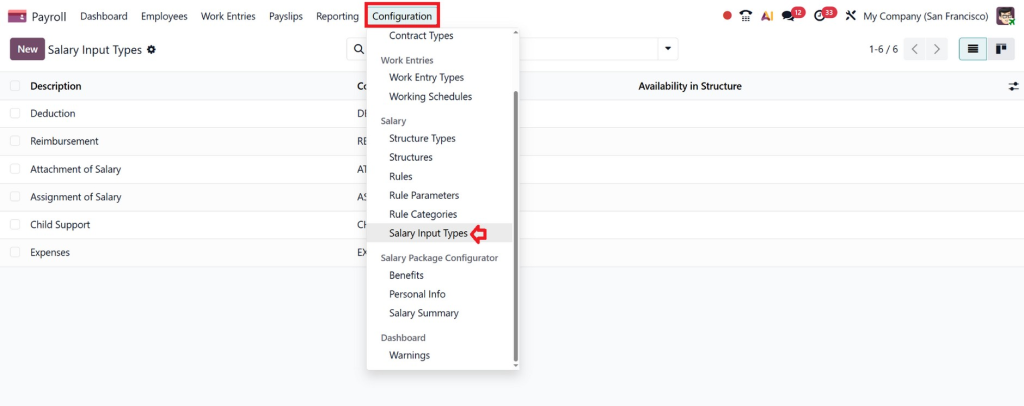
Step 1: Activate Payroll Inputs
Enable “Other Inputs or Salary Input Types” in Payroll settings.
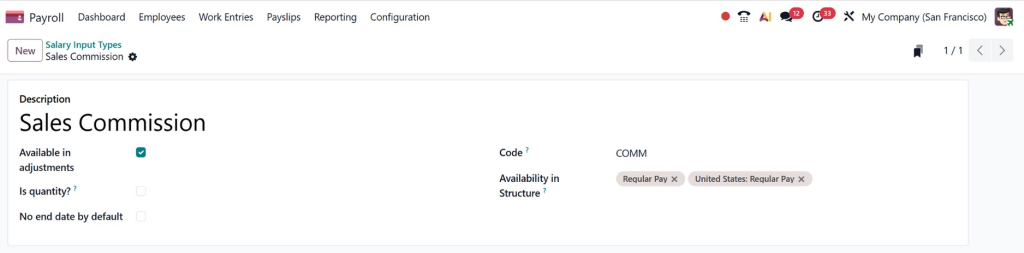
Step 2: Create Commission Input Type
Name: “Sales Commission” Code: COMM
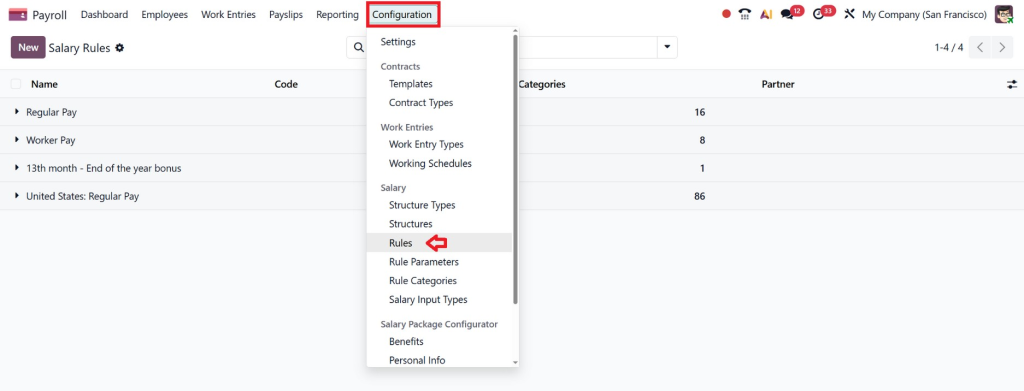
Step 3: Create Salary Rule
Go to Configuration > Rules.
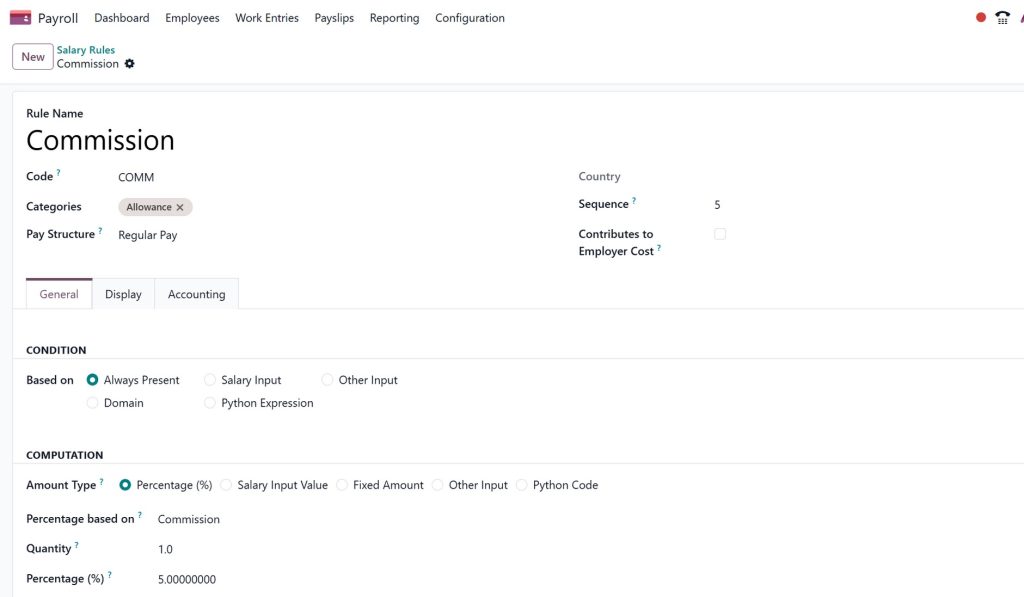
Set:
Rule name: Commission
Code: COMM
Category: Allowance
Condition: Always True
Amount: Input COMM
This is the sales commission salary rule in Odoo 19.
How Salesperson Commission Appear in the Payslip of Odoo 19
When payroll is generated:
Odoo collects commission data
Adds it as payroll input
Salary rule calculates it
Payslip shows commission line
This is how Salesperson Commission Appear in the Payslip of Odoo 19 automatically, no spreadsheets, no manual work.
Your Odoo 19 salesperson commission payslip now displays:
Odoo 19 introduces enhanced payroll inputs, making commission handling more flexible.
What is Payslip Input?
Payslip inputs allow HR teams to add variable components such as:
Bonuses
Overtime
Incentives
Sales commissions
Using Odoo 19 Payslip Input Commission Feature
Commission amounts can be:
Automatically fetched from sales data
Added to payslip inputs
Reviewed before payroll validation
This feature ensures that Salesperson Commission appears accurately in the Payslip of Odoo 19 every time.
Sales Commission Salary Rule Odoo 19
To fully automate commissions, Odoo 19 uses salary rules.
What is a Salary Rule?
A salary rule defines how a specific salary component is calculated and displayed in the payslip.
Creating Sales Commission Salary Rule in Odoo 19
Key components of the rule include:
Rule name (Sales Commission)
Category (Allowance or Bonus)
Computation method (Python or Fixed)
Condition based on commission availability
Once this rule is active, commissions are automatically added during payroll runs.
This is a critical part of Odoo 19 sales commission payroll integration.
How to Add Commission to Payslip in Odoo 19
Many businesses ask: How do I add commission to a payslip in Odoo?
Method 1: Automatic Integration (Recommended)
Use commission plans
Enable payroll integration
Configure salary rules
This ensures that Salesperson Commission appears on the Payslip in Odoo 19 without manual intervention.
Method 2: Manual Payslip Input
HR adds commission manually
Suitable for exceptional cases
However, automation is always the smarter option.
Benefits of Commission in Payslip Odoo 19
1. Transparency
Sales teams clearly see their commission earnings.
2. Accuracy
Automated calculations eliminate errors.
3. Time-Saving
HR and finance teams save hours every payroll cycle.
4. Motivation
Timely and accurate commissions boost sales performance.
5. Compliance
Payroll records remain audit-ready.
All these benefits make Salesperson Commission Appear in the Payslip of Odoo 19 a breeze.
Why Choose Netilligence for Odoo 19 Sales Commission Payroll Integration?
Certified Odoo experts
Proven payroll implementations
Industry-specific commission structures
Ongoing support and training
If you want Salesperson Commission to appear in the Payslip of Odoo 19 accurately and efficiently, Netilligence is your trusted partner.
From Closing Deals to Getting Paid
Managing commissions doesn’t have to be complicated. With Odoo 19 and the right implementation partner, you can automate the entire process, from sales order to payslip.
Salesperson Commission Appear in the Payslip of Odoo 19 is not just a feature; it’s a powerful business advantage that improves transparency, accuracy, and employee satisfaction.
Ready to modernize your sales commission and payroll process?
Contact Netilligence today and let our Odoo experts transform your payroll management.
Hi, I'm Nabia, an Odoo ERP functional & technical content writer. I specialize in blogs, social media content, ad copy, landing pages, service pages, and email campaigns.
We use cookies to ensure that we give you the best experience on our website. If you continue to use this site we will assume that you are happy with it.