How to Create a Petty Cash Account in Odoo 19 Accounting?
Introduction: Why You Need to Create a Petty Cash Account in Odoo 19
If you want better control over daily expenses, the first step is to create a petty cash account in Odoo 19. Small business expenses like office supplies, tea, travel reimbursements, or minor repairs can quickly become unorganised without a proper system. That’s where petty cash management in Odoo 19 becomes essential.
When you create a petty cash account in Odoo 19, you get a structured way to track small cash transactions without mixing them into your main bank accounts. Many businesses struggle because they don’t properly set up Odoo 19 petty cash, which leads to errors during reconciliation.
Using the petty cash journal in Odoo 19, you can easily record and monitor every expense. The petty cash account setup in the Odoo process ensures transparency and control. Whether you’re learning how to record petty cash in Odoo or improving your Odoo petty cash workflow, having a proper setup is critical.
With the right approach, petty cash management software Odoo helps reduce manual tracking, improve reporting, and save time. This guide will walk you through everything you need to know to create a petty cash account in Odoo 19 effectively and professionally.
What is Petty Cash in Odoo 19 Accounting?
Before you create a petty cash account in Odoo 19, it’s important to understand what petty cash actually means in an accounting system.
Petty cash refers to a small amount of physical cash kept in the office for minor day-to-day expenses. Instead of issuing bank payments for every small transaction, companies use petty cash for convenience.
Without a proper petty cash account setup in Odoo, businesses often face:
Missing expense records
Difficulty in audits
Lack of transparency
Key Benefits of Petty Cash Management in Odoo 19
When you properly create a petty cash account in Odoo 19, you unlock several practical advantages.
1. Better Expense Control
Every small expense is recorded systematically using Odoo 19’s petty cash, reducing the chances of untracked spending.
2. Organized Financial Records
With a proper petty cash journal in Odoo 19, all entries are centralized and easy to review.
3. Faster Reconciliation
You can easily match physical cash with system records, improving accuracy in Odoo’s petty cash workflow.
4. Improved Accountability
Assigning petty cash responsibility ensures transparency and reduces misuse.
5. Automation & Efficiency
Using the petty cash management software Odoo, manual logs are replaced with digital tracking.
Step-by-Step Guide to Create Petty Cash Account in Odoo 19
Now let’s get into the practical part, how to create a petty cash account in Odoo 19.
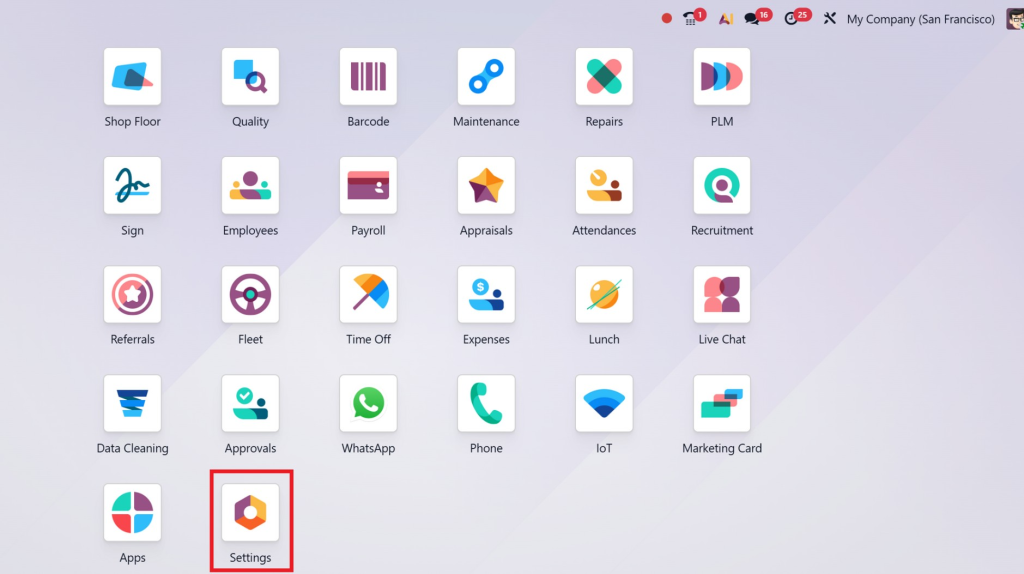
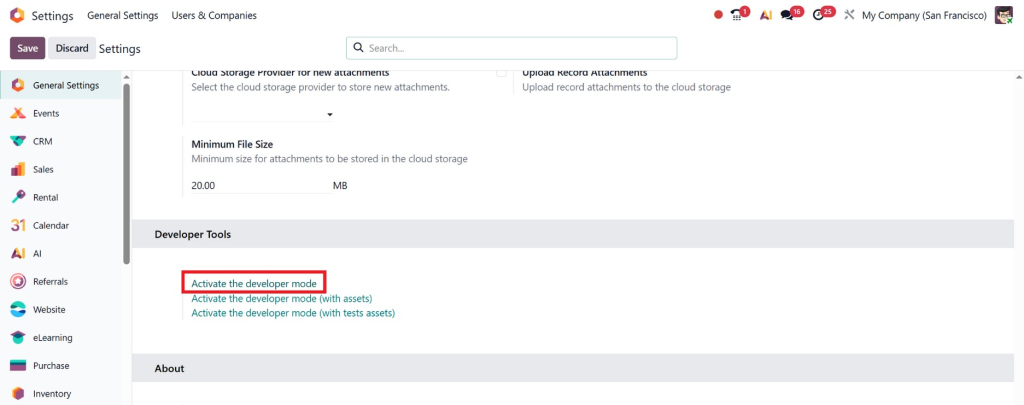
Step 1: Enable Developer Mode (Optional but Recommended)
Go to Settings
Activate Developer Mode
This gives you full control during the petty cash account setup in Odoo.
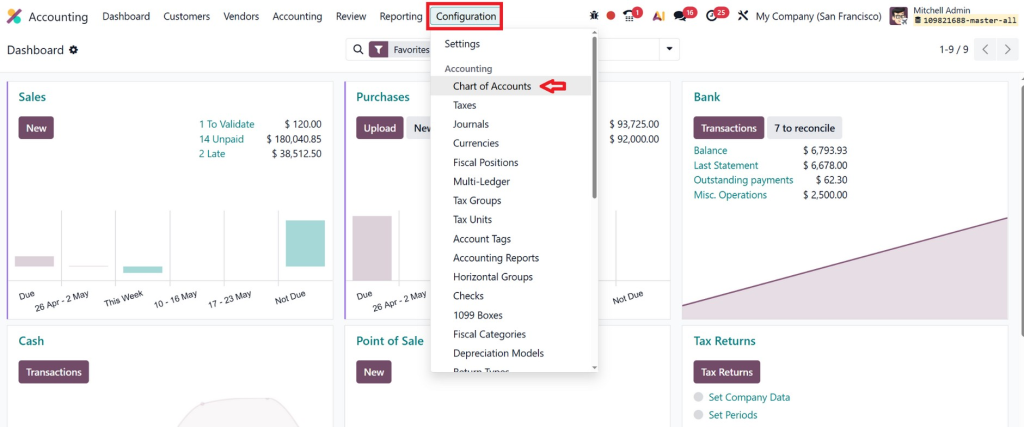
Step 2: Create a Petty Cash Account
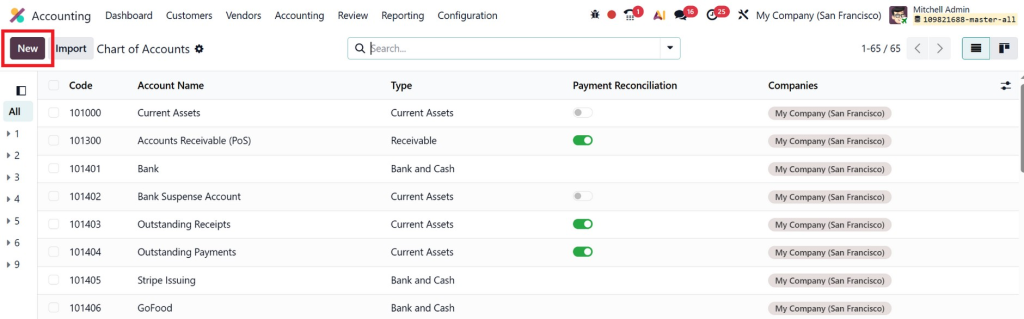
Go to Accounting → Configuration → Chart of Accounts.
Click Create
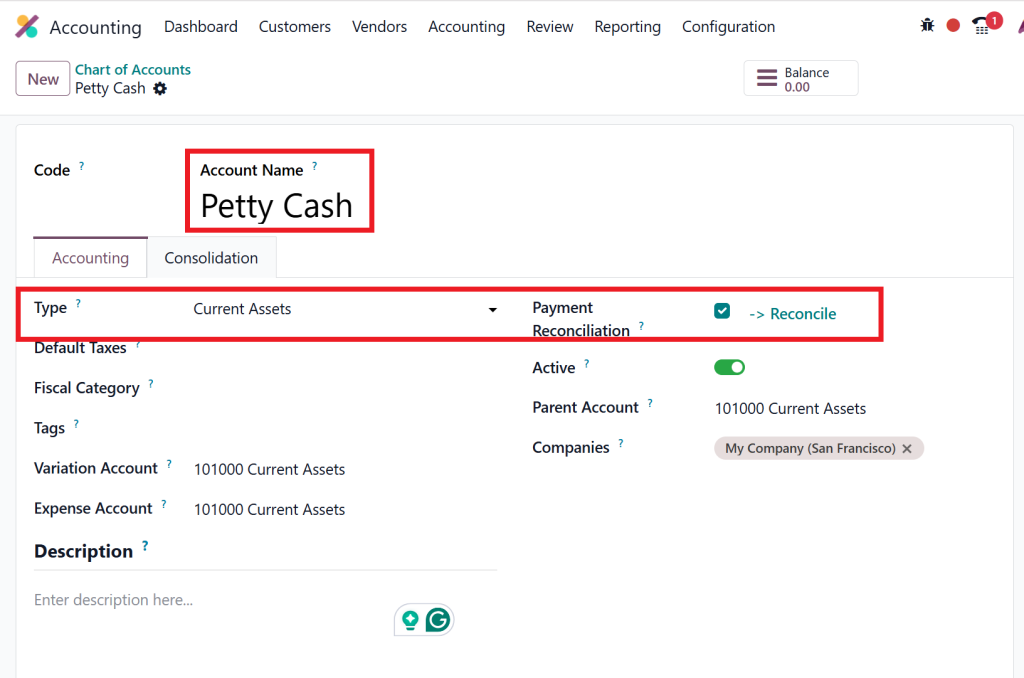
Fill in the following details:
Account Name: Petty Cash
Account Type: Current Assets
Allow Reconciliation: Enabled
This step is essential to create a petty cash account in Odoo 19 properly.
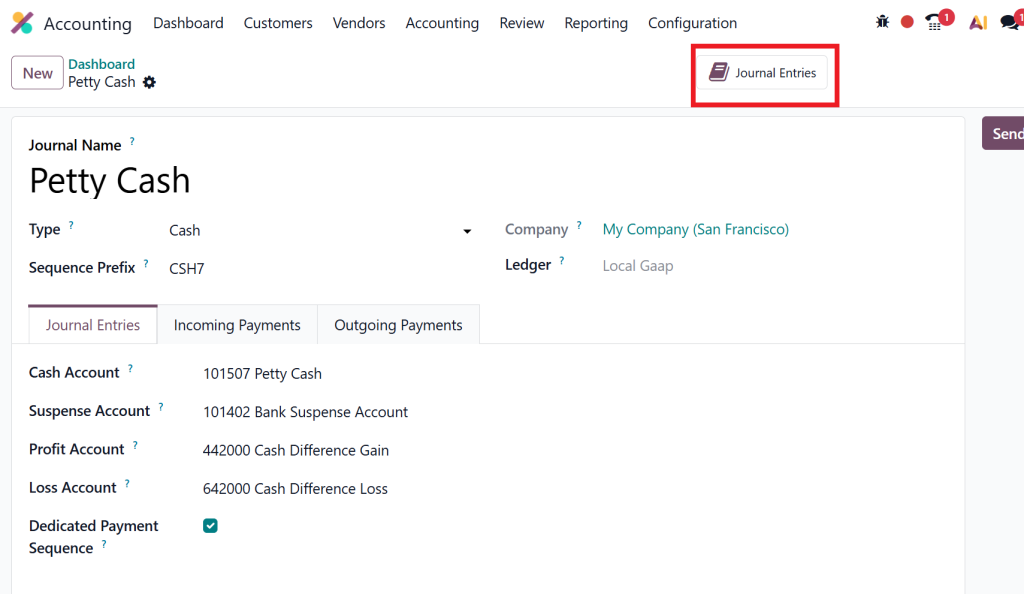
Step 3: Create Petty Cash Journal in Odoo 19
Next, you need a dedicated journal.
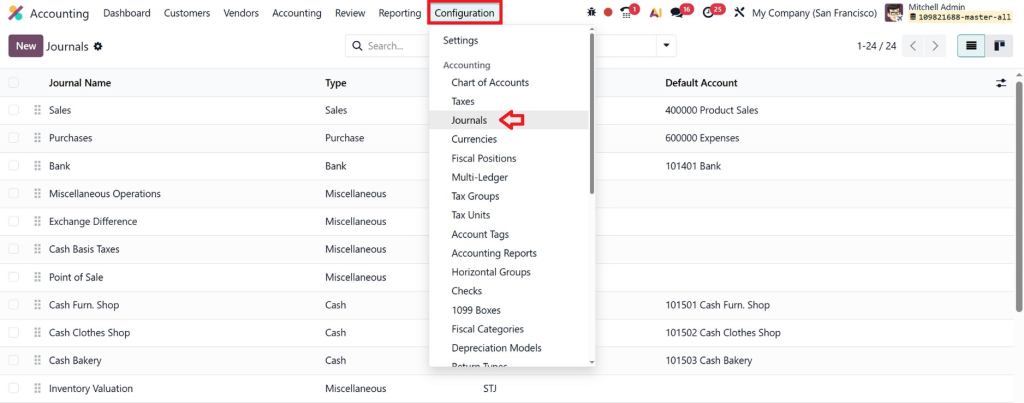
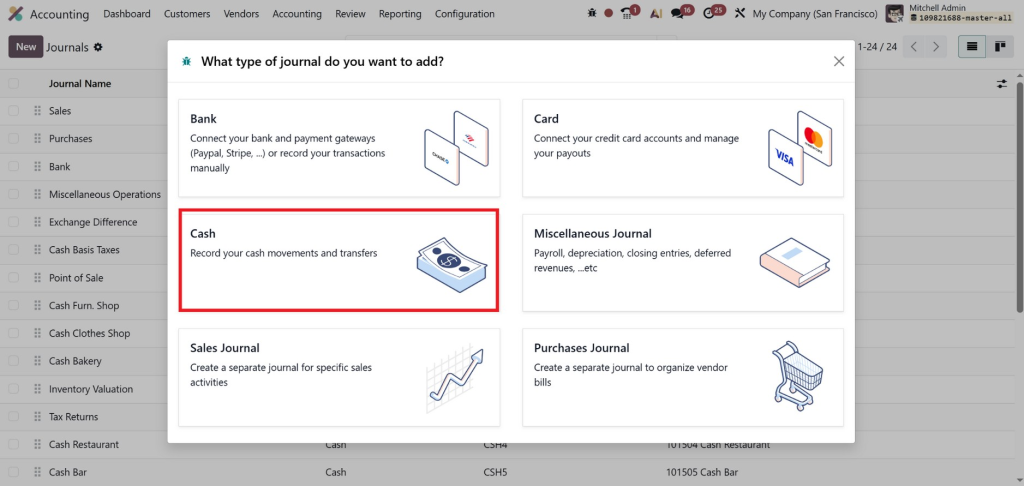
Go to Accounting → Configuration → Journals
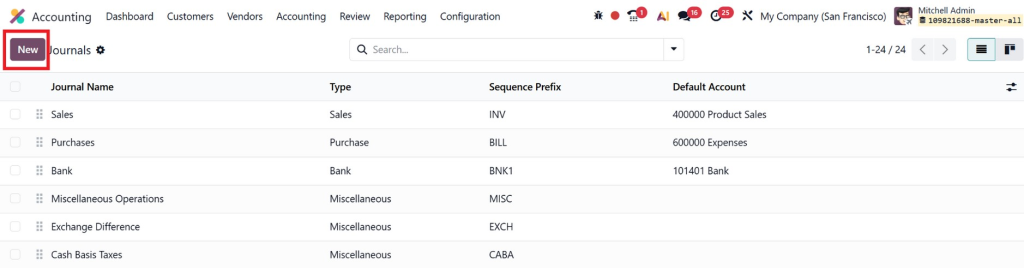
Click Create
While creating a journal for petty cash, select the “Cash” option, as it is specifically designed to record physical cash movements and small day-to-day expenses.
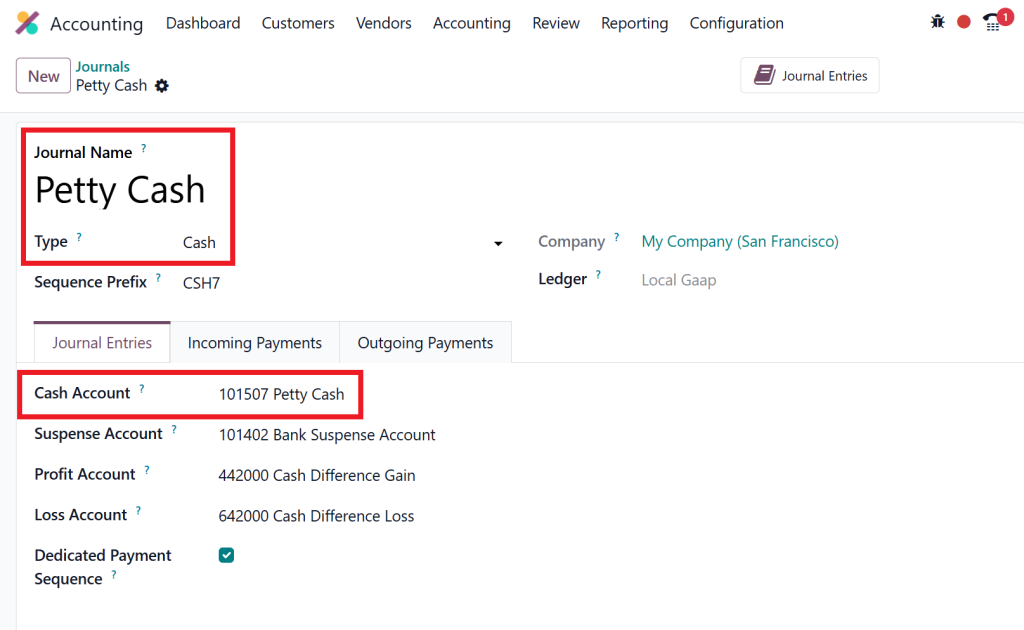
Enter:
Journal Name: Petty Cash
Type: Cash
Default Account: Select the petty cash account created earlier
This completes the petty cash journal in the Odoo 19 setup.
Step 4: Configure Opening Balance
To start using Odoo 19 petty cash, you need to define the initial cash amount.
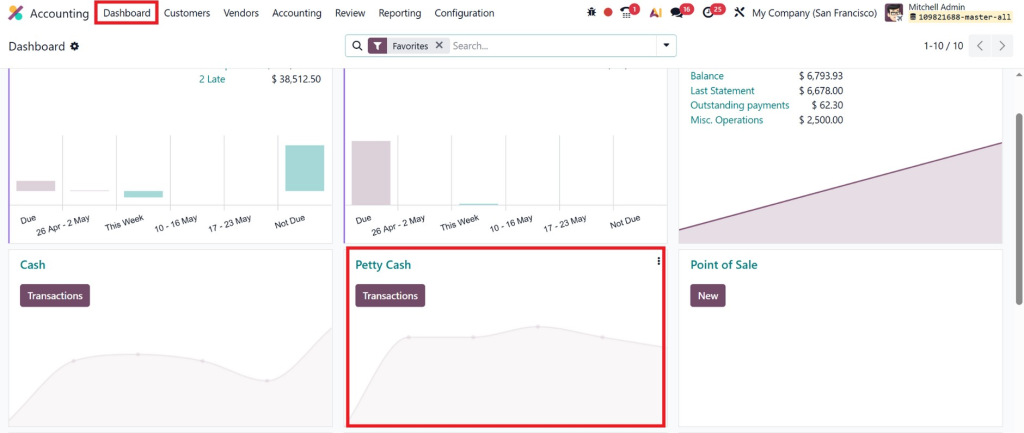
Go to the Accounting Dashboard
Open Petty Cash Journal
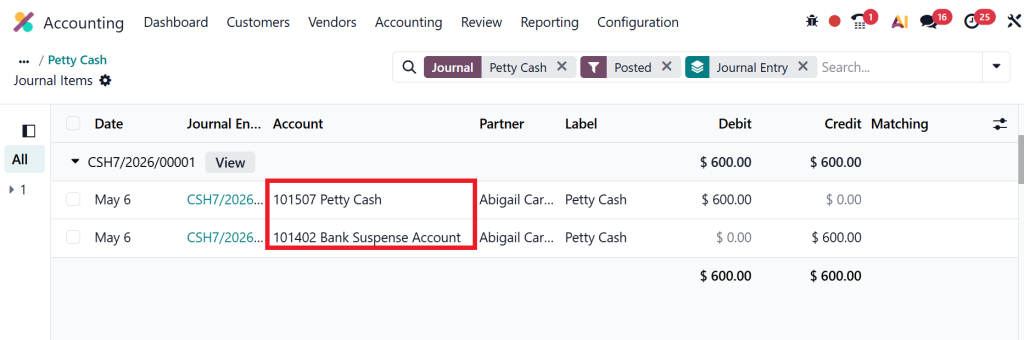
Add opening balance
Example:
Debit: Petty Cash
Credit: Cash/Bank
Step 5: Define Expense Accounts
To properly manage how to record petty cash in Odoo, create expense accounts like:
Office Supplies
Travel Expenses
Miscellaneous Expenses
This improves your Odoo petty cash workflow.
Step 6: Assign Responsible User
Assign a person responsible for handling petty cash. This ensures accountability in petty cash management in Odoo 19.
How to Record Petty Cash in Odoo 19
Once you create a petty cash account in Odoo 19, the next step is recording transactions.
Recording a Petty Cash Expense
Go to Petty Cash Journal
Or go to the transaction tab from the dashboard.
Click Create Entry
Example:
Debit: Expense Account
Credit: Petty Cash
This is the standard method for recording petty cash in Odoo.
Recording Petty Cash Replenishment
When cash runs low:
Transfer money from the bank to petty cash.
Entry:
Debit: Petty Cash
Credit: Bank
Managing Receipts and Proof
Always attach receipts while recording entries in Odoo 19 accounting petty cash to maintain accuracy.
Best Practices for Petty Cash Management in Odoo 19
To fully optimise your petty cash management software Odoo, follow these practices:
1. Set Spending Limits
Define a maximum limit for petty cash usage.
2. Regular Reconciliation
Reconcile weekly or monthly to avoid discrepancies.
3. Use Clear Categories
Organise expenses using proper accounts.
4. Monitor Cash Balance
Always keep track of the remaining cash in Odoo 19 petty cash.
5. Audit Frequently
Conduct internal audits for better control.
Common Mistakes to Avoid
Even after you create a petty cash account in Odoo 19, mistakes can happen.
Avoid these:
Not using a dedicated journal
Mixing petty cash with bank transactions
Ignoring reconciliation
Missing receipts
Incorrect account mapping
Fixing these improves your Odoo petty cash workflow significantly.
Why Businesses Choose Odoo for Petty Cash Management
Modern businesses prefer the petty cash management software Odoo because:
It integrates with accounting modules
Provides real-time tracking
Simplifies reporting
Supports multi-user workflows
Compared to manual methods, petty cash management in Odoo 19 is more reliable and scalable.
How Netilligence Helps You Set Up Petty Cash in Odoo 19
Setting up petty cash might seem simple, but getting it right requires expertise.
Hi, I'm Nabia, an Odoo ERP functional & technical content writer. I specialize in blogs, social media content, ad copy, landing pages, service pages, and email campaigns.
We use cookies to ensure that we give you the best experience on our website. If you continue to use this site we will assume that you are happy with it.