How to Create & Manage a New User Menu in Odoo 18 ERP
Managing user access efficiently is a cornerstone of smooth business operations. With Odoo 18, creating and managing user menus has always been challenging. This guide will walk you through how to create and manage a new user menu in Odoo 18 easily, exploring its customisation options, and showing you how to harness its features for operations.
How to Create and Manage a new user menu in Odoo 18 easily
Create and Manage a new user menu in Odoo 18 empowers businesses to tailor user access, ensuring security and efficiency. Whether managing roles or adding new users, Odoo 18 simplifies these processes. This robust functionality supports managing user menus in Odoo ERP, ensuring users can access only the necessary tools. Customisation is critical, and Odoo 18 allows smooth user menu updates. This blog will explore leveraging the custom user menu Odoo 18 options and why it’s pivotal for your business’s success.
Create a user menu in Odoo 18 to facilitate workflows.
Discover Odoo 18’s advanced user management features.
Understand the importance of Odoo ERP menu customisation for productivity.
Learn step-by-step about adding new users in Odoo 18.
Enhance efficiency with personalised user access settings Odoo 18.
Table of Contents
What Is a User Menu in Odoo 18?
Why You Need to Customize User Menus in Odoo ERP
Step-by-Step Guide to Creating a User Menu in Odoo 18
Key Features of Odoo 18 User Management
Tips for Managing User Menus in Odoo ERP
How Netilligence Can Help You Master Odoo 18
What Is a User Menu in Odoo 18?
A user menu in Odoo 18 is a customisable interface that allows you to define user access rights and roles. It ensures that users can access relevant modules, enhancing productivity and data security.
Why You Need to Customize User Menus in Odoo ERP
Customising user menus is critical for businesses aiming to optimise operations. Here’s why:
Enhanced Security: Prevent unauthorised access by customising user roles.
Improved Productivity: Users see only what’s relevant to their tasks.
Scalability: Easily update menus as your team grows.
Odoo 18’s menu customisation helps businesses achieve these goals effortlessly.
Step-by-Step Guide to Creating a User Menu in Odoo 18
Follow these steps to create a user menu in Odoo 18 and customise it according to your needs:
Step 1: Access the User Menu
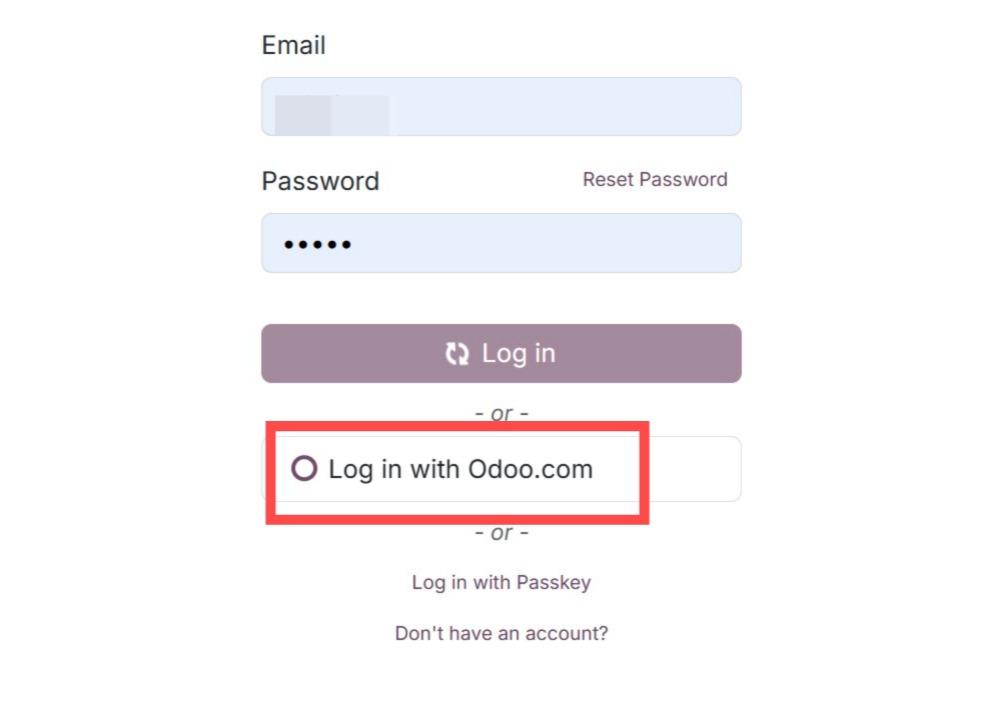
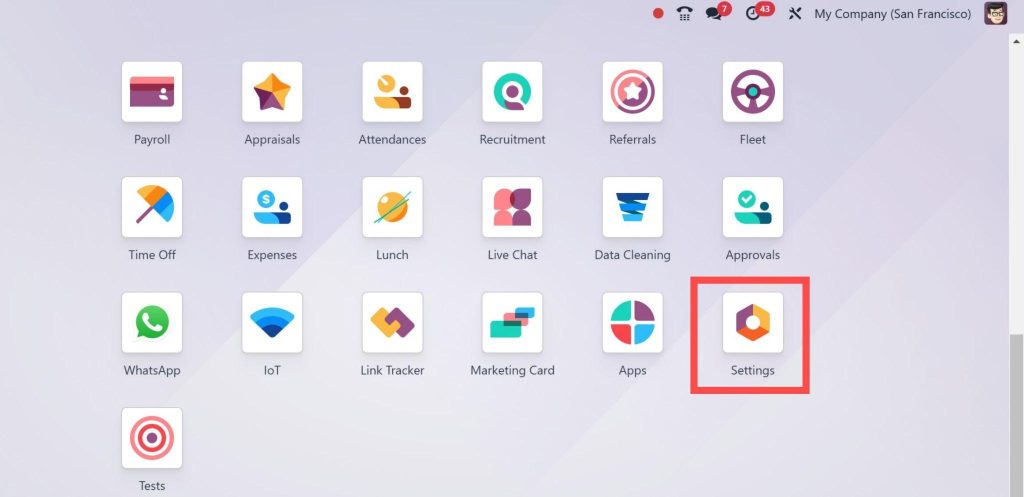
Log into your Odoo 18 dashboard.
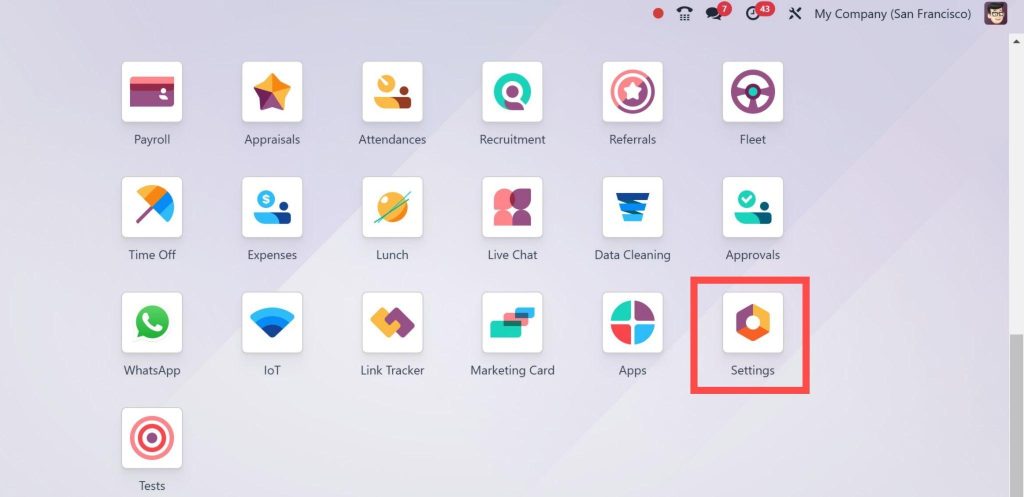
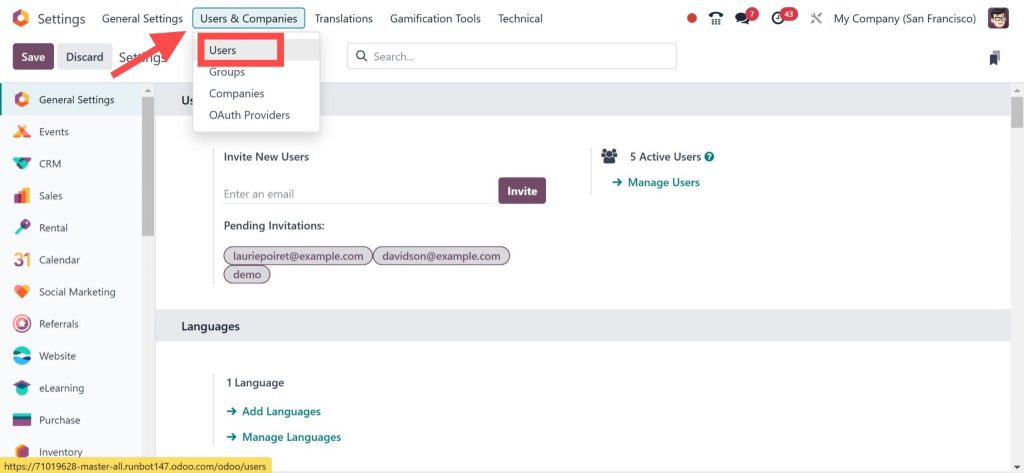
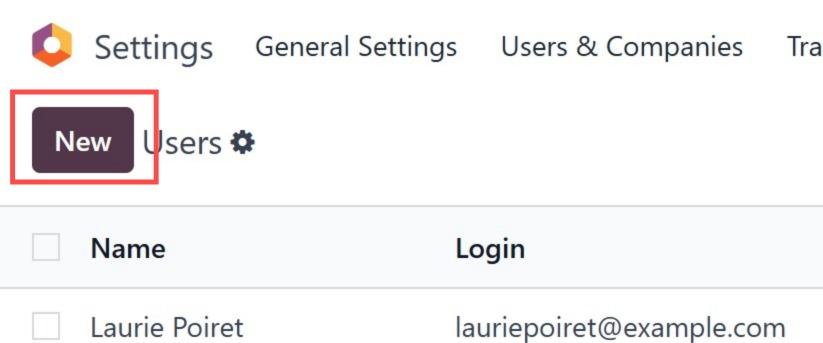
2. Steer to Settings > Users & Companies > Users.
Step 2: Add a New User
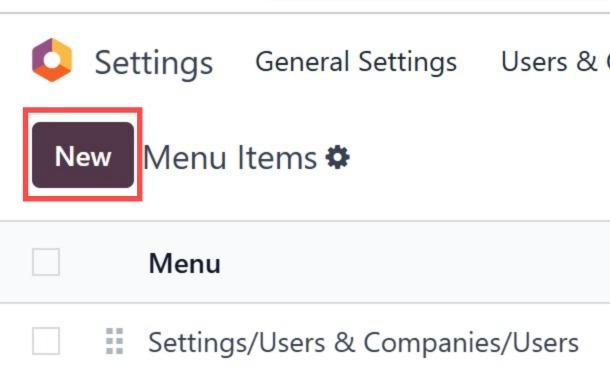
Click on the New button.
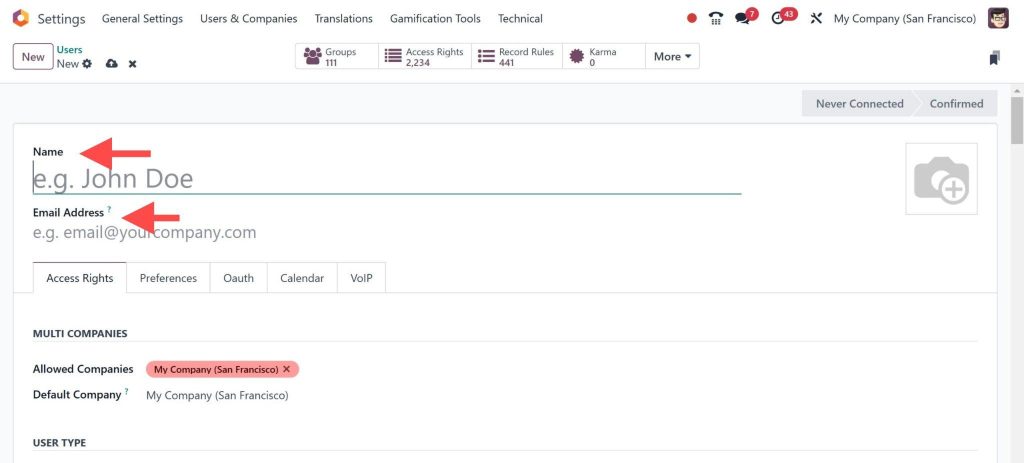
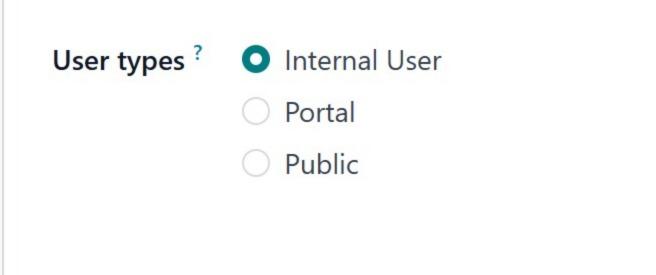
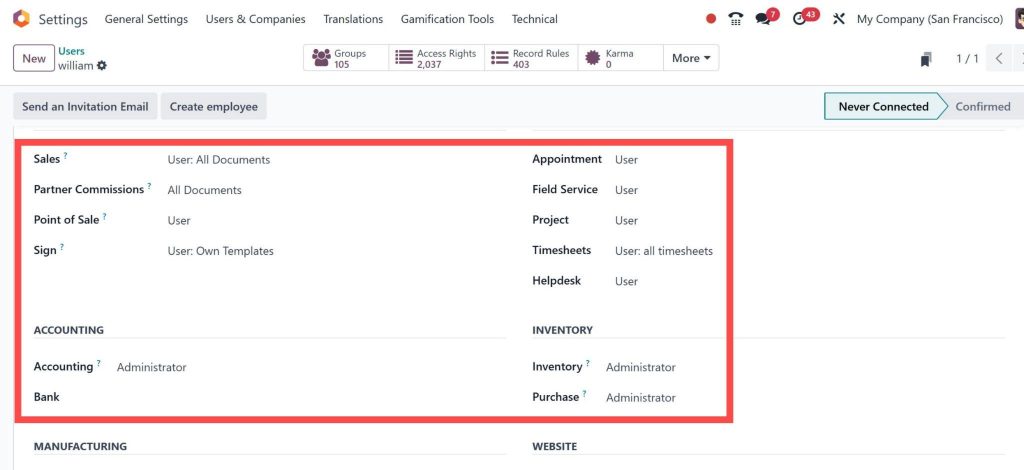
2. Enter user details such as name, email, and role.
3. Assign modules relevant to their job responsibilities.
Step 3: Configure Access Rights
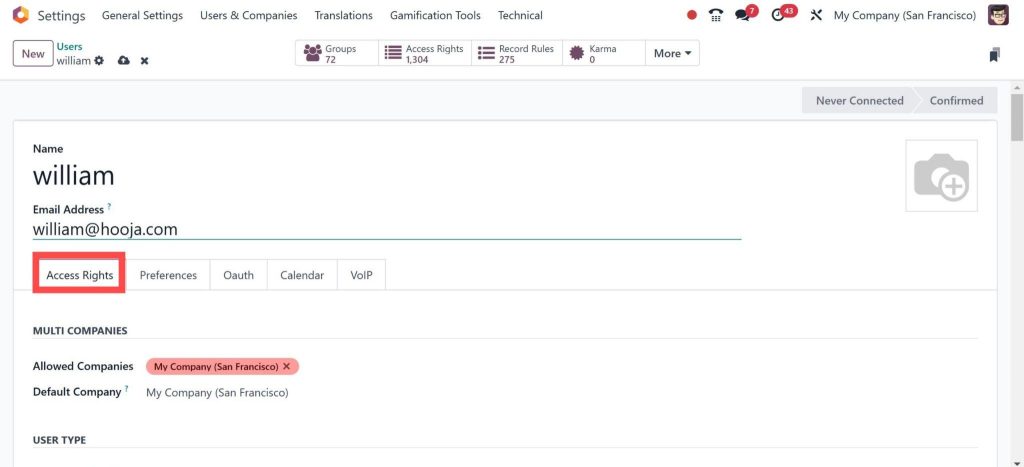
Under the Access Rights tab, define the user’s permissions.
2. Customise access to specific modules or reports.
Step 4: Customize the User Menu
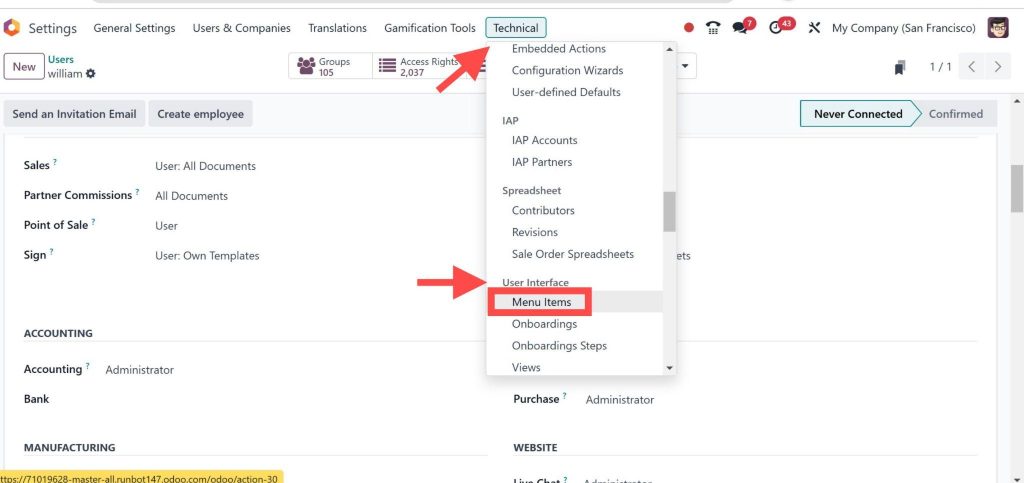
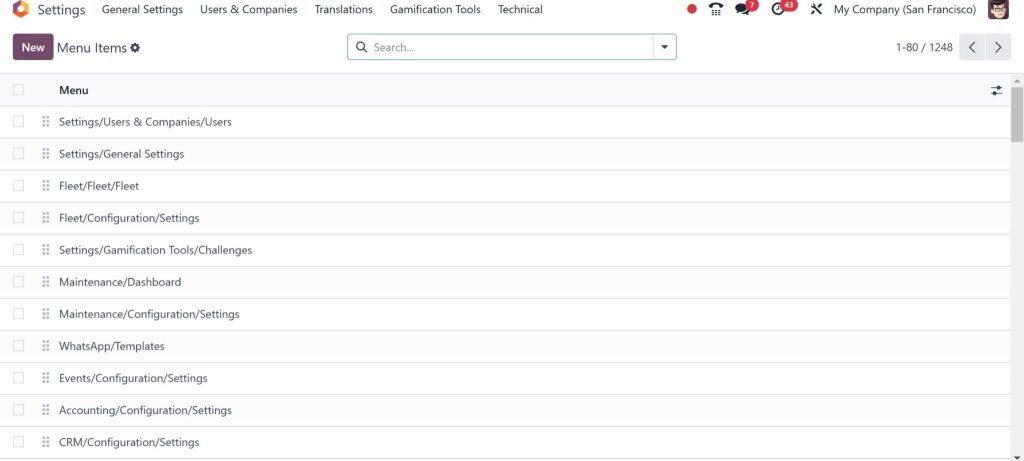
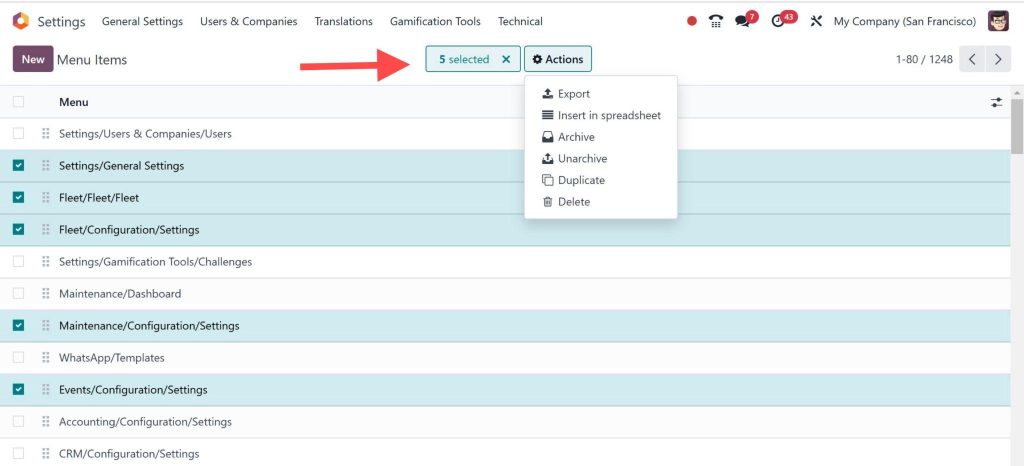
Go to Settings > Technical > User Interface > Menus.
2. Select the menu you want to customise or create a new one.
3. Rearrange, add, or remove menu items based on user roles.
Step 5: Save and Test
Save the settings and log in as the user to ensure proper functionality.
Make adjustments as needed.
Key Features of Odoo 18 User Management
Odoo 18 brings a host of advanced features to simplify managing user menus in Odoo ERP:
Role-Based Access Control:
Assign specific permissions for different user roles.
Drag-and-Drop Customization:
Easily modify menu structures.
Dynamic Updates:
Reflect changes in real-time across the ERP.
Audit Logs:
Keep track of user activities for better accountability.
These Odoo 18 user management features ensure a continuous experience for administrators and end-users.
Tips for Managing User Menus in Odoo ERP
To maximise the potential to Create and Manage a new user menu in Odoo 18, follow these best practices:
Understand User Roles
Before creating menus, identify the roles and responsibilities within your team.
Use Templates
Leverage existing templates to save time when creating menus.
Regularly Update Permissions
As roles change, ensure permissions are updated to reflect current responsibilities.
Test Thoroughly
Always test the menus to ensure they meet user requirements.
Keep It Simple
Avoid clutter by limiting menus to essential items.
How Netilligence Can Help You Master Odoo 18
At Netilligence, we specialise in helping businesses explore the full potential of Odoo ERP. From adding new users in Odoo 18 to advanced menu customisation, we provide end-to-end support. Our team ensures your user access settings in Odoo 18 are optimised for security and productivity.
Why Choose Netilligence?
Expert Guidance: Decades of experience in Odoo ERP implementation.
Custom Solutions: Customizations that fit your business needs.
Ongoing Support: Reliable post-implementation support to ensure smooth operations.
Hi, I'm Nabia, an Odoo ERP functional & technical content writer. I specialize in blogs, social media content, ad copy, landing pages, service pages, and email campaigns.
We use cookies to ensure that we give you the best experience on our website. If you continue to use this site we will assume that you are happy with it.