Two-Level Of Approvals Flow for Purchase Orders in Odoo
In many businesses, a single level of approval might not be sufficient for purchase orders, especially for transactions involving significant amounts. To ensure proper oversight and accountability, many companies implement multi-level approval workflows. For instance, purchase orders over a specific amount may require approval from a senior manager and a team lead’s initial approval.
In this blog, we’ll walk you through implementing a two-level approval flow for purchase orders in Odoo. By the end of this tutorial, you’ll have a fully functional approval system that integrates seamlessly into the Odoo user interface, with defined access rights and validation controls.
Why Implement Two-Level Approvals?
Multi-level approval systems ensure:
- Enhanced Oversight: Avoid errors and unauthorized purchases.
- Accountability: Assign specific responsibilities to different team members.
- Compliance: Adhere to company policies and regulations.
- Scalability: Support larger teams and more complex purchase processes.
This implementation is ideal for businesses of all sizes, providing transparency and control over procurement.
Step 1: Add Custom Fields
Create a custom module or use an existing one. Add the following fields to purchase.order.
					class PurchaseOrder(models.Model):
   _inherit = 'purchase.order'


   first_approval = fields.Boolean(string="First Level Approved", default=False)
   second_approval = fields.Boolean(string="Second Level Approved", default=False)
These fields will indicate whether the purchase order has been approved at each level. The default value is set to False to ensure approvals start from scratch.
Step 2: Add Buttons for Approval
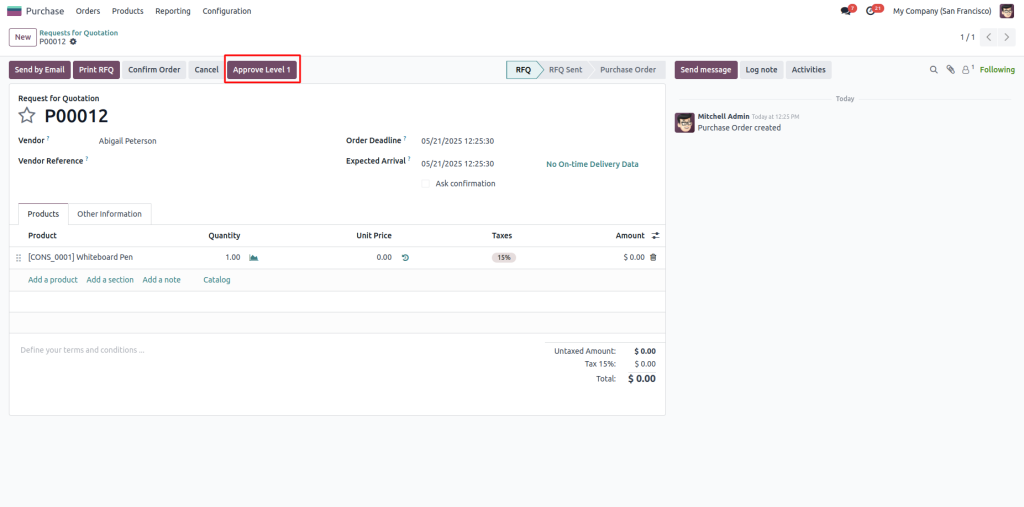
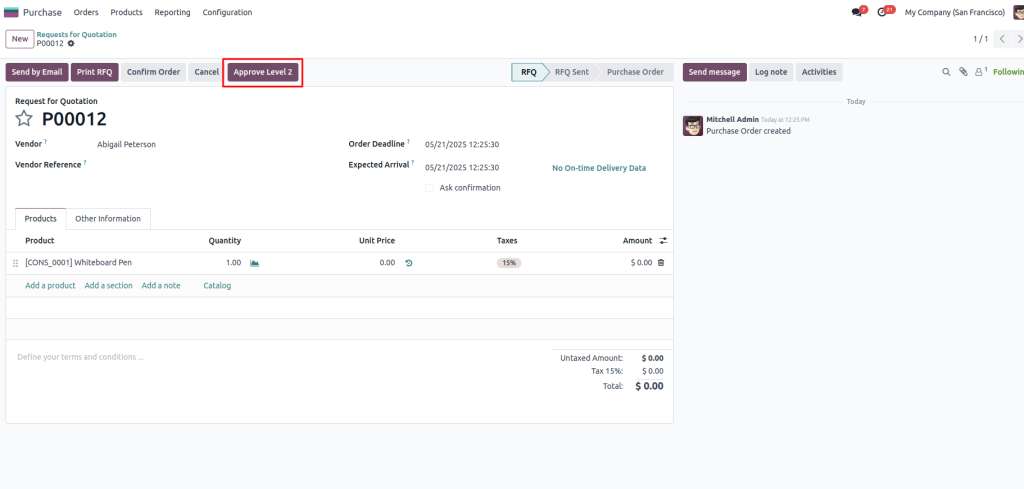
We need to add buttons in the form view to allow users to approve purchase orders. These buttons will trigger the approval actions.
					<odoo>
 <record id="view_purchase_order_form_approval" model="ir.ui.view">
       <field name="name">purchase.order.form.approval</field>
       <field name="model">purchase.order</field>
       <field name="inherit_id" ref="purchase.purchase_order_form"/>
       <field name="arch" type="xml">
           <xpath expr="//header" position="inside">
               <button name="action_first_approval"
                       string="Approve Level 1"
                       type="object"
                       invisible="first_approval == True"
                       class="btn btn-primary"/>


               <button name="action_second_approval"
                       string="Approve Level 2"
                       type="object"
                       invisible="second_approval == True or first_approval != True"
                       class="btn btn-primary"/>
           </xpath>
       </field>
   </record>
</odoo>
Explanation:
- Approval Buttons: Two buttons, one for each approval level.
- Conditions: The buttons are invisible based on approval statuses to guide the workflow.
- Styling: Buttons are styled for better UI visibility.
Step 3: Add Python Logic for Buttons
					class PurchaseOrder(models.Model):
   _inherit = 'purchase.order'


   first_approval = fields.Boolean(string="First Level Approved", default=False)
   second_approval = fields.Boolean(string="Second Level Approved", default=False)


   def action_first_approval(self):
       for order in self:
           order.first_approval = True


   def action_second_approval(self):
       for order in self:
           if not order.first_approval:
               raise UserError("First-level approval must be done before second-level.")
           order.second_approval = True
Step 4: Restrict Confirmation Until Both Approved
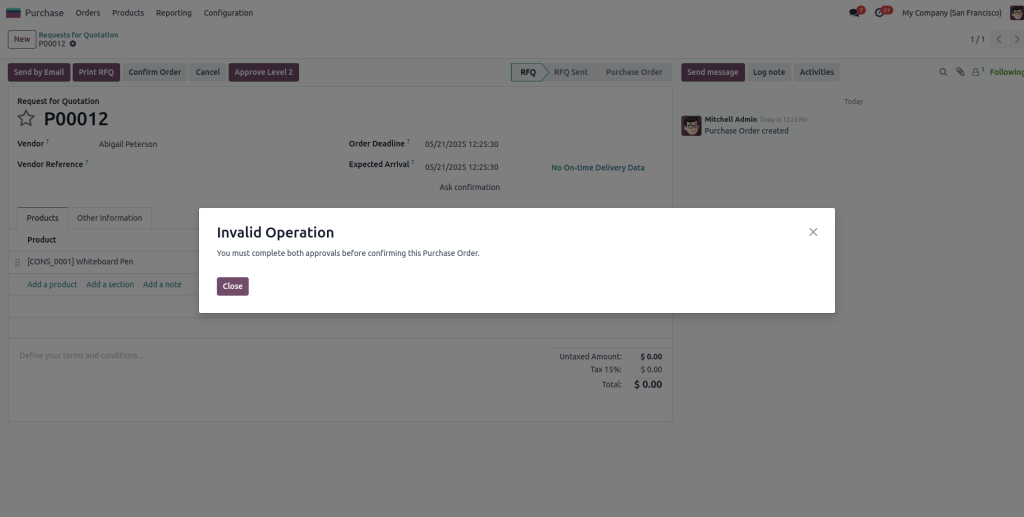
To enforce the approval flow, modify the button_confirm method so that a purchase order approval cannot be confirmed until both approvals are complete.
					def button_confirm(self):
   for order in self:
       if not order.first_approval or not order.second_approval:
           raise UserError("You must complete both approvals before confirming this Purchase Order.")
   return super(PurchaseOrder, self).button_confirm()
When trying to confirm without approval.
Benefits:
- Prevents accidental confirmation of unapproved orders.
- Ensures compliance with the multi-level approval process.
Step 5: Add User Groups (Optional)
You can restrict who can approve Level 1 vs Level 2 using groups:
					<record id="group_po_approver_level_1" model="res.groups">
   <field name="name">PO Approver Level 1</field>
</record>


<record id="group_po_approver_level_2" model="res.groups">
   <field name="name">PO Approver Level 2</field>
</record>
Then in your button XML:
					<button name="action_second_approval"
       string="Approve Level 2"
       type="object"
       invisible="second_approval == True or first_approval != True"
       class="btn btn-primary"
       groups="your_module.group_po_approver_level_1"
/>
- Groups: Separate user roles for Level 1 and Level 2 approvals.
- Security: Limits access to approval buttons based on user roles.
Use Cases for Multi-Level Approvals
This approval flow is ideal for:
- Corporate Procurement: High-value purchase orders requiring oversight.
- Finance Departments: Ensuring compliance with budgets.
- Logistics Firms: Approvals for bulk orders or cross-border transactions.
Summary
With the implementation mentioned above, you now have a fully functional two-level approval system for purchase orders in Odoo. Here are the key takeaways:
- Integrated Workflow: Approval buttons smoothly incorporated into the UI.
- Access Control: User roles and permissions ensure proper delegation.
- Error Prevention: Validation logic enforces compliance.
Benefits:
- Improved accountability and transparency.
- Reduced errors and unauthorised transactions.
- Scalable for other use cases like sales orders, invoices, and payments.
Implementing a two-level approval flow enhances your Odoo environment, making it robust and adaptable to organizational needs.