Why Sharing Availabilities in Odoo 18 Calendar Matters
Managing appointments and meetings can become overwhelming, especially when working across teams, time zones, or with clients. That’s where the Odoo 18 Calendar comes into play. In the latest Odoo version, users can share availabilities in Odoo 18 Calendar with just a few clicks. This powerful new feature helps streamline appointment scheduling, eliminate back-and-forth emails, and enhance overall productivity.
Whether you’re a consultant, manager, or support executive, the ability to share availability in Odoo 18 Calendar allows others to see your free time slots and book meetings accordingly. The days of asking “Are you free at 3 PM?” are over. With this smart functionality, you can publish availability in Odoo Calendar, send out an Odoo 18 calendar availability link, and let the calendar do the work for you.
In this blog, i will guide you through the step-by-step process of using this feature and unlock the full potential of Odoo’s Calendar appointment availability tools.
Understanding the Odoo 18 Calendar System
The following introduction explains the Odoo 18 Calendar environment before we proceed to share availability information:
Odoo Calendar functions as a component of the Odoo Productivity suite.
Through Odoo Calendar, users and companies can create events, set reminders, schedule meetings, and perform additional tasks.
Odoo 18 introduces two new features that enable users to share availability through public links or portal access.
Each new version of Odoo enhances the user experience for its users. The Odoo 18 calendar share availability feature aligns with contemporary business requirements to improve operational efficiency and time management capabilities.
Benefits of Sharing Availabilities in Odoo Calendar
Sharing availability isn’t just about convenience. Here are the key advantages:
1. Save Time & Avoid Conflicts
Automate the booking process and reduce miscommunication.
2. Improve Customer Experience
Clients can view your available time and select what works for them, thereby boosting satisfaction.
3. Entrust Teams
Your teammates can align schedules without needing constant messaging or emails.
4. Professionalism
Using Odoo Calendar, sharing time slots shows you value others’ time and believe in organised workflows.
Step-by-Step Guide to Share Availabilities in Odoo 18 Calendar
Now, let’s go hands-on. Here’s how you can share availabilities in Odoo 18 Calendar effectively:
Step 1: Guide to Calendar Module
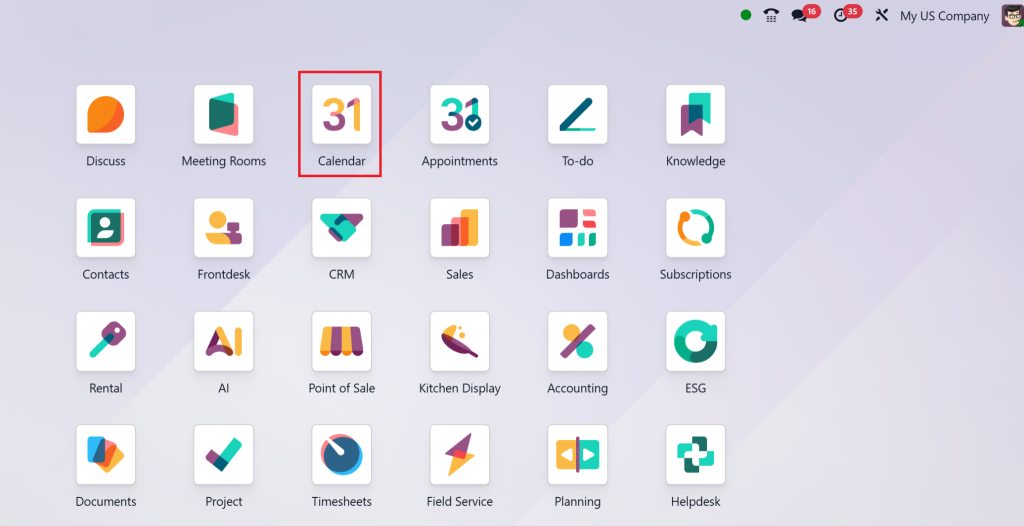
Go to the Odoo dashboard and click on the Calendar module. Make sure you’re using Odoo 18.
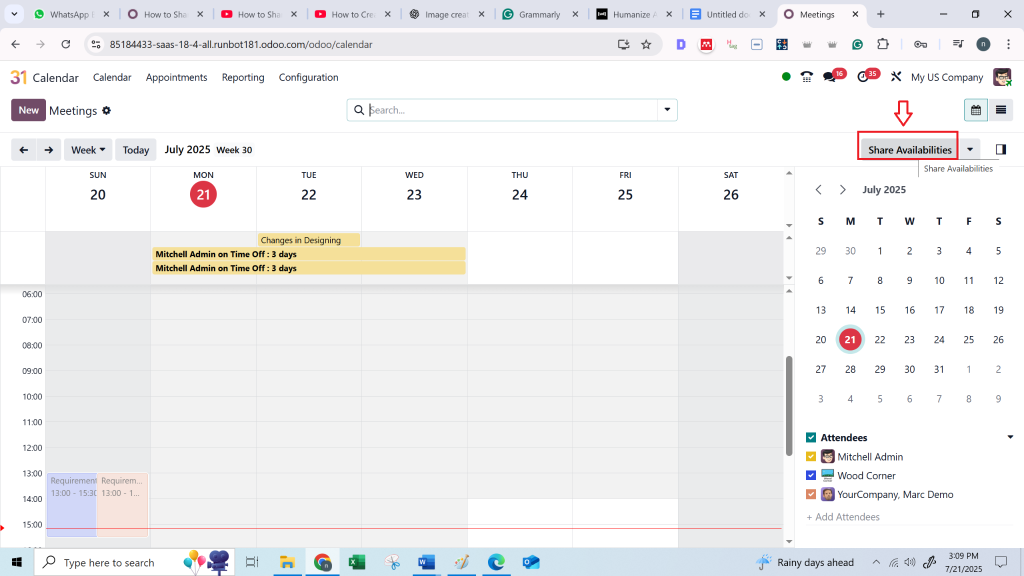
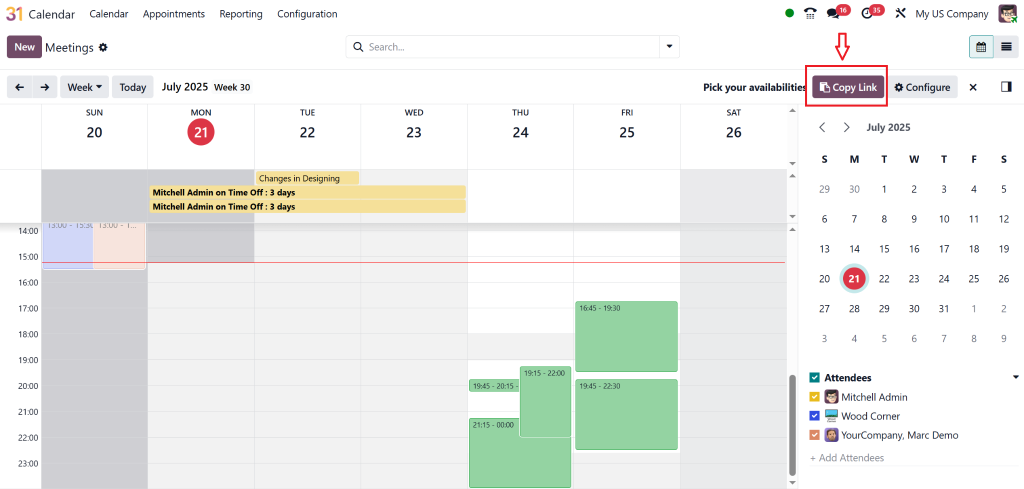
Step 2: Click on "Availability Sharing"
From the left panel or settings icon, select “Availability Sharing”. This opens the sharing settings.
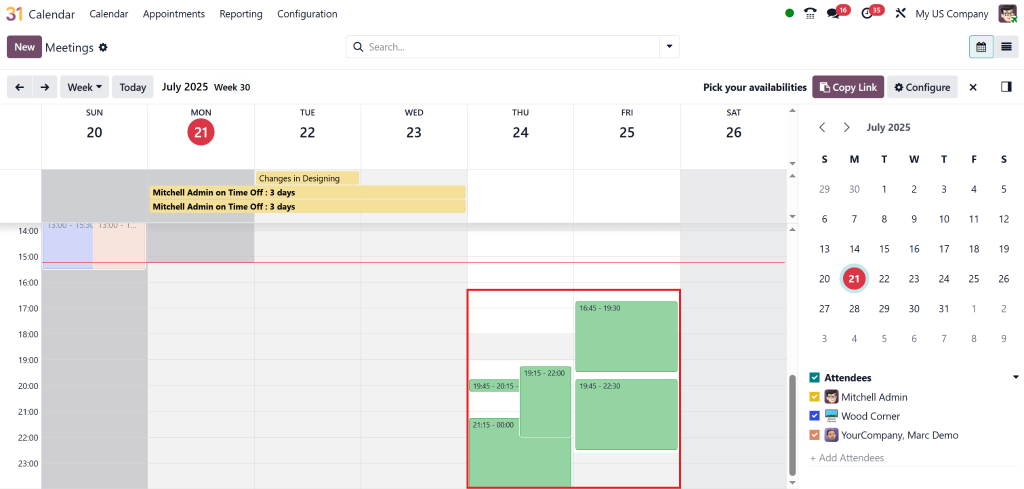
Step 3: Define Your Time Slots
You can select specific time blocks for:
One-on-one meetings
Team syncs
Client calls
Consultations
Customise as needed and save your preferences for future use.
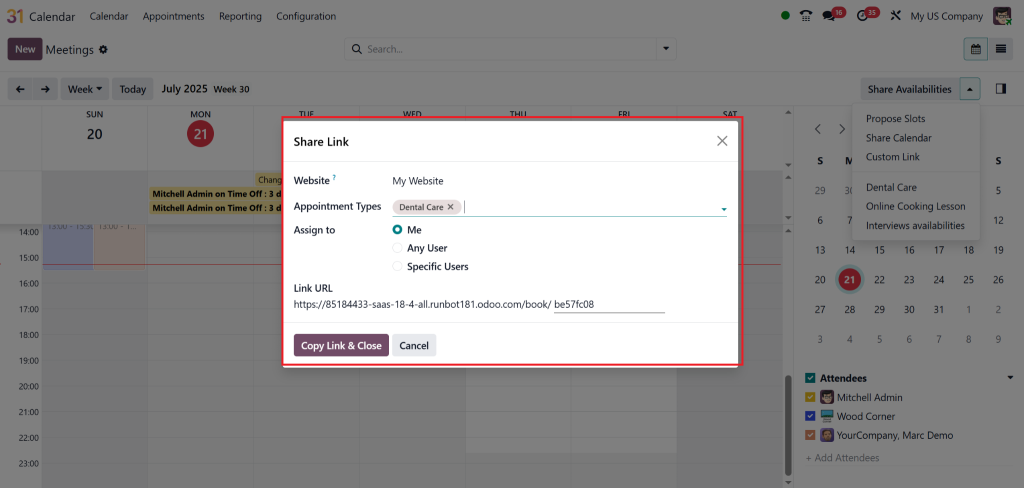
Step 4: Generate Availability Link
Once your availability is set, click “Generate Link”. This creates a public link others can access.
You now have an Odoo 18 calendar availability link. You can:
Embed on your website
Share via email
Send via WhatsApp or Slack
Step 5: Publish and Share
Finally, click “Publish”. Your availability is now live. You have completed the steps to share availability in Odoo Calendar.
Customising Appointment Types and Rules
Odoo provides you with more control over how availability is managed. Under the Appointment Types section, you can:
Define minimum/maximum duration
Set buffer times between appointments
Add questions for invitees (like the purpose of the meeting)
These smart rules ensure that your calendar stays manageable and prevents overbooking.
Use Cases of Sharing Availability in Odoo 18 Calendar
This feature is a game-changer across industries. Let’s explore how it helps:
For Sales Teams
Enable clients to book demo calls by accessing your availability directly from email campaigns.
For HR Managers
Allow candidates to schedule interview slots with your HR team, reducing delays and manual follow-ups.
For Consultants
Send a branded Odoo calendar availability link to clients and get booked without admin headaches.
Tips for Using Odoo Calendar Availability Effectively
Keep it updated: Regularly review your calendar to ensure it accurately reflects your actual availability.
Sync with Google Calendar: Avoid double-booking by syncing external calendars.
Set clear meeting purposes: Use appointment type fields to specify the purpose of each time slot.
Automate reminders: Enable email/SMS reminders for attendees and yourself.
Why Choose Netilligence for Odoo Implementation?
At Netilligence, an Odoo Partner, we understand how to leverage Odoo to maximize your team’s efficiency. Whether you need help setting up Odoo 18 calendar share availability or configuring custom modules, we bring:
Certified Odoo experts
Fast, reliable support
Proven client success stories
Tailored ERP solutions
Ready to make scheduling smarter with Odoo? Let us help you implement and customise your Odoo Calendar setup for maximum impact.
Make best use of Efficiency with Odoo 18 Calendar's Share Availability Feature
Sharing your availability in Odoo 18 Calendar is more than a convenience, it’s a strategy for professional excellence. It eliminates confusion, fosters trust, and accelerates collaboration.
From setting up time slots to generating a custom Odoo 18 calendar availability link, everything is user-friendly and efficient. When backed by expert support from a certified Odoo Partner like Netilligence, you can solve even more from your calendar and overall ERP ecosystem.
Want to simplify how you book meetings and manage appointments? It’s time to share your availability with confidence using Odoo 18 Calendar.
Hi, I'm Nabia, an Odoo ERP functional & technical content writer. I specialize in blogs, social media content, ad copy, landing pages, service pages, and email campaigns.
We use cookies to ensure that we give you the best experience on our website. If you continue to use this site we will assume that you are happy with it.