

Running a restaurant is not only about serving delicious food. Every order, every table, every bill, and every staff member needs proper coordination. If your restaurant operations are not organized, small mistakes quickly become bigger problems. Orders get delayed, tables stay occupied longer than necessary, and customers leave with a poor experience.
This is why the Odoo 19 restaurant POS backend plays an important role. While customers only see the POS screen used by your cashier or waiter, the backend is where everything is managed. The Odoo 19 restaurant POS backend allows you to configure tables, menus, order flow, taxes, kitchen operations, users, and reports from one place. When you understand how to use the Odoo 19 restaurant POS backend correctly, your restaurant becomes easier to manage, and your staff spends less time fixing mistakes.
If you’re wondering how to use the Odoo 19 POS backend, this guide will walk you through every important feature. You’ll also learn about Odoo 19 restaurant POS setup, Odoo 19 POS preset configuration, Odoo 19 POS table management, Odoo 19 POS course management, and Odoo 19 POS order management, so you can make better use of your restaurant POS system.
What is the Odoo 19 Restaurant POS Backend?
The Odoo 19 POS restaurant backend is the control center of your restaurant POS system. Every important setting is managed from here before your employees start taking customer orders.
Instead of changing settings directly on the cashier screen, restaurant managers use the backend to create menus, configure dining areas, assign tables, manage employees, apply taxes, connect payment methods, and monitor daily sales.
When everything is configured correctly in the backend, your front-end POS works faster and with fewer errors. Staff members can focus on serving customers instead of solving technical issues during busy hours.
How to Use Odoo 19 POS Backend for Daily Restaurant Operations?
Start with proper configuration before your restaurant opens for business. Many restaurant owners only install the software and begin taking orders immediately. Later, they realize their tables are missing, taxes are incorrect, kitchen tickets are confusing, or reports don’t match actual sales. Instead, spend time setting up every section carefully.
Create your products with proper categories, define taxes, organize your dining areas, assign employees, configure payment methods, and test your workflow before your first customer arrives. Once these settings are complete, daily operations become much easier.
The backend also allows you to monitor restaurant activity throughout the day. You can review sales, check open sessions, monitor cashier activity, identify cancelled orders, and verify payments without interrupting your staff.
Complete Odoo 19 Restaurant POS Setup Before Opening Your Restaurant
A proper Odoo 19 restaurant POS setup saves hours of work later. Every restaurant has different requirements, but some configurations should never be skipped.
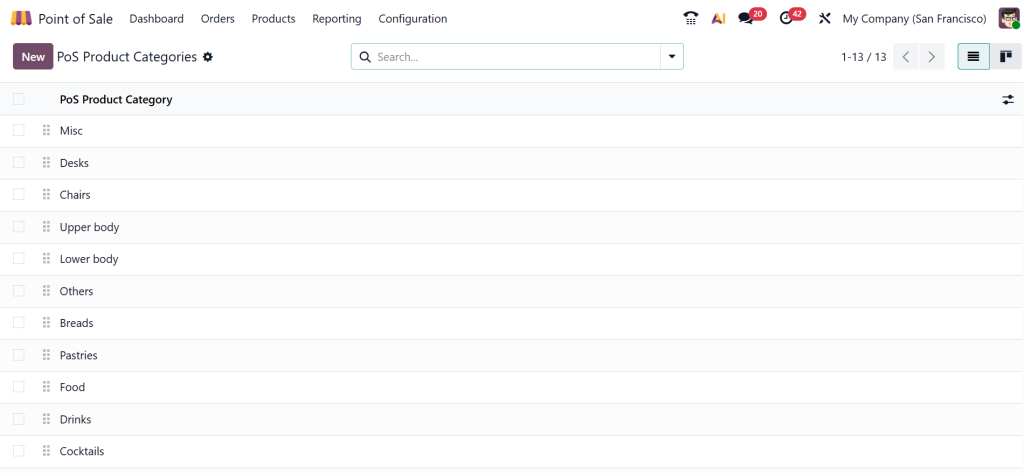
First, create your restaurant products and organize them into categories such as Starters, Main Course, Drinks, Desserts, and Special Offers. This makes it easier for waiters to locate items during busy hours.
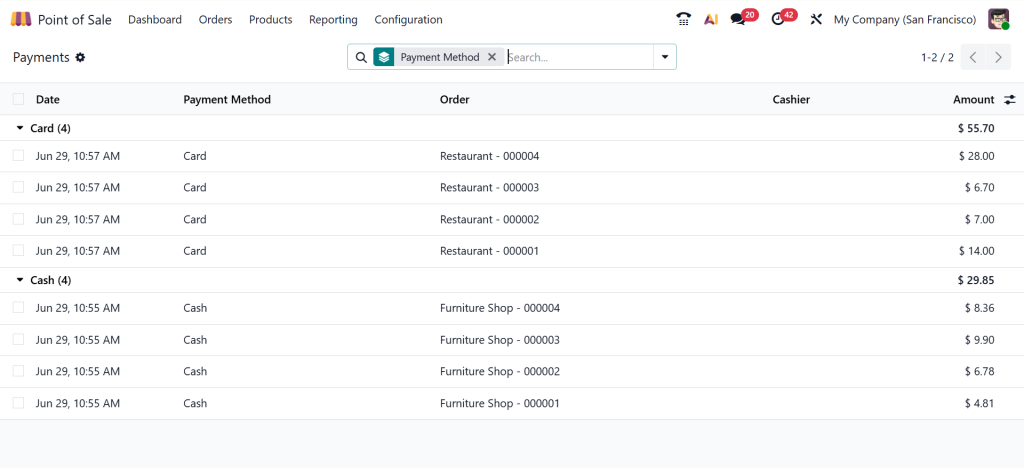
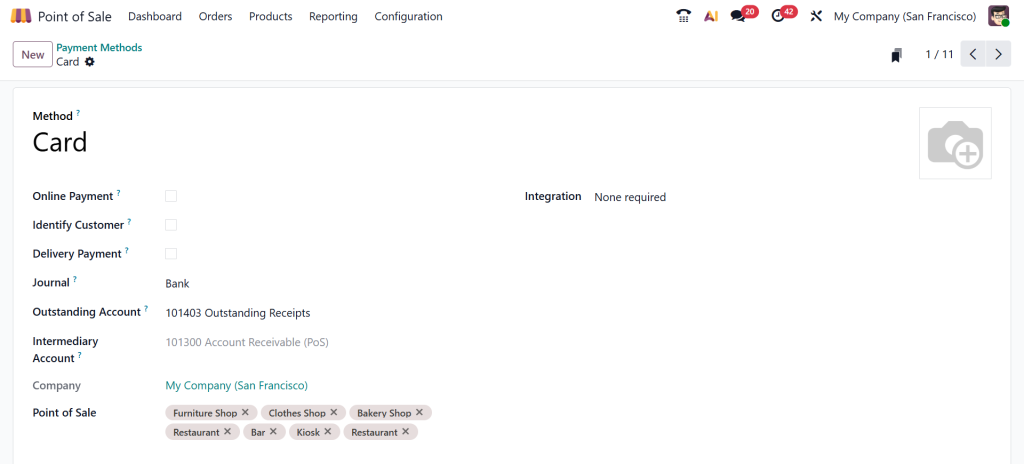
Next, configure taxes according to your country’s regulations. Incorrect tax settings usually create reporting problems at the end of the day. Payment methods should also be added before opening. Cash, credit cards, digital wallets, and bank payments can all be configured according to your business needs.
Employee permissions are another important part of the setup. Cashiers, managers, and waiters should only have access to the features they actually need. Restricting unnecessary permissions reduces accidental changes and improves security.
Finally, test your complete ordering process.
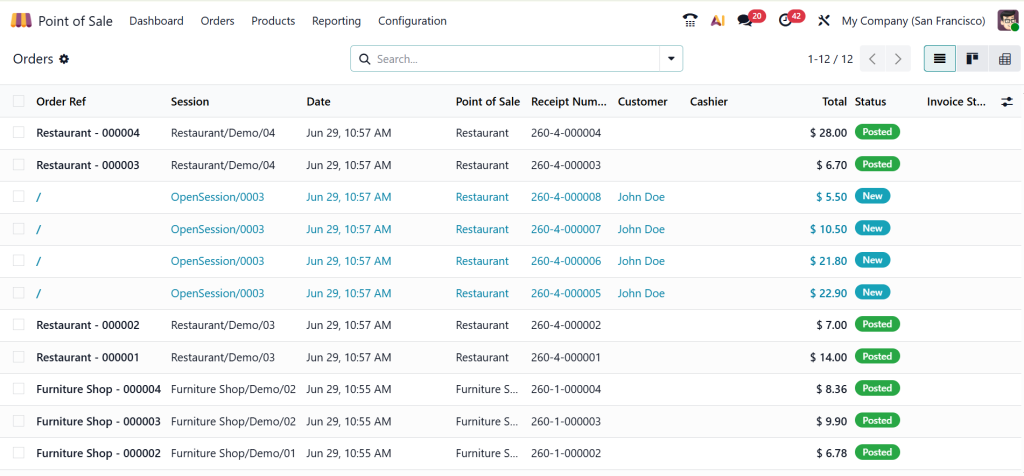
Create sample orders, send them to the kitchen, complete payments, print receipts, and verify reports before serving real customers.
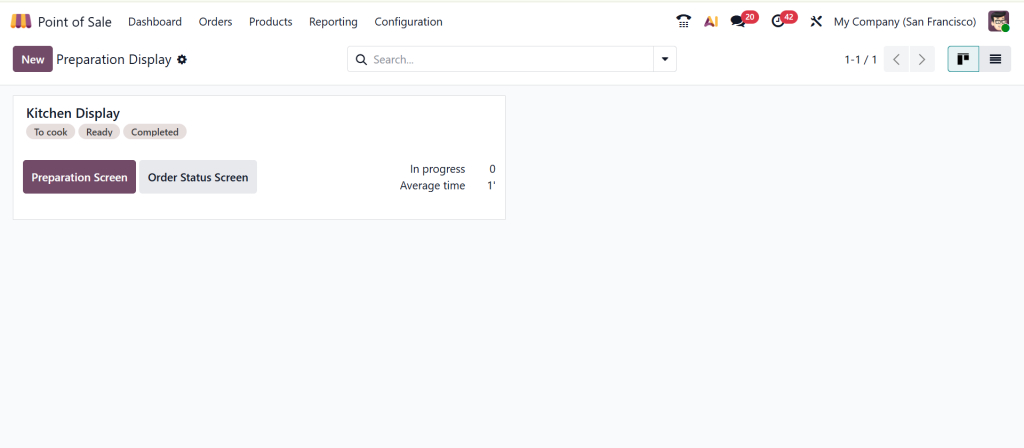
Odoo 19 POS Preset Configuration Makes Ordering Faster
The Odoo 19 POS preset configuration feature helps restaurants save time by preparing commonly used settings in advance. Instead of selecting the same options repeatedly, presets automatically apply predefined configurations during the ordering process.
For example, if your restaurant regularly serves dine-in customers, takeaway customers, and delivery customers, presets allow your staff to select the correct order type immediately. Restaurants that offer breakfast, lunch, and dinner menus can also configure presets according to different service hours.
You can prepare default taxes, receipt settings, kitchen printers, payment methods, and customer preferences so employees don’t have to remember every detail manually. This reduces mistakes and helps new employees learn the POS system much faster.
Odoo 19 POS Table Management Helps You Organize Dining Areas
Good Odoo 19 POS table management keeps your restaurant organized from opening until closing. Instead of remembering which tables are occupied, reserved, or available, the POS displays their status in real time.
You can divide your restaurant into different dining areas such as Indoor Dining, Outdoor Seating, VIP Rooms, Family Section, Rooftop Area, or Private Dining. Each table can have its own seating capacity and location.
When customers arrive, staff simply assign them to an available table. If guests decide to move, the order can also move to another table without creating a new bill. During busy hours, managers can quickly identify available seating without walking through the restaurant.
Table merging is another useful feature. If two families decide to sit together, both tables can be combined while keeping all orders correctly linked. This keeps billing accurate and prevents confusion at checkout.
Odoo 19 POS Course Management Improves Kitchen Coordination
Serving every dish at the same time doesn’t always create the best dining experience. The Odoo 19 POS course management feature allows restaurants to organize meals into different serving stages.
Instead of sending every item to the kitchen immediately, courses help chefs prepare food according to the dining sequence. For example, appetizers can be served first, followed by soups, then the main course, and finally desserts.
Waiters can control when each course is sent to the kitchen. This avoids crowded tables, prevents food from becoming cold, and gives customers a more comfortable dining experience.
Restaurants offering fine dining, banquet services, or business lunches especially benefit from proper course management because meal timing becomes much more organized. Kitchen staff also receive clearer instructions, reducing unnecessary communication between chefs and waiters.
Odoo 19 POS Order Management Reduces Ordering Mistakes
Accurate Odoo 19 POS order management helps restaurants serve customers faster while reducing billing errors. Every order is automatically recorded inside the POS system from the moment it’s created until payment is completed.
If customers request additional items, waiters simply update the existing order instead of creating another one. Special instructions such as “No onions,” “Extra cheese,” or “Less spicy” are also attached directly to the kitchen ticket.
If customers decide to split the bill, the POS handles separate payments without requiring manual calculations. Managers can also review cancelled orders, refunded transactions, and edited orders from the backend whenever needed.
This improves accountability and helps identify common operational issues. Instead of relying on handwritten notes or verbal communication, every order remains recorded inside the system for future reference.
Why Restaurants Should Regularly Monitor the Backend?
Many restaurant owners only visit the backend during initial setup. That approach often causes problems later. The backend should be checked regularly because it provides valuable information about daily operations.
You can review sales reports, identify your highest-selling menu items, monitor employee performance, check payment summaries, and compare business activity across different shifts.
These reports help you make better decisions about staffing, inventory planning, menu updates, and promotional offers. Rather than guessing which products perform well, the backend provides actual business data that supports smarter planning.
Common Mistakes to Avoid While Using Odoo 19 Restaurant POS
Several common mistakes reduce the efficiency of restaurant POS systems. Skipping the initial setup usually creates problems later. Incorrect taxes, missing products, and incomplete payment methods affect daily operations.
Another mistake is giving every employee administrator access. Different roles should have different permissions to reduce accidental changes. Restaurants should also update their menu regularly. Seasonal items, discontinued products, and new dishes should always match the POS system.
Ignoring reports is another missed opportunity. Sales reports often reveal customer buying patterns that help improve menu planning and inventory management. Finally, staff training should never be ignored. Even a well-configured POS system performs poorly if employees don’t understand how to use it correctly.
Get Better Results with the Odoo 19 Restaurant POS Backend
Using the Odoo 19 restaurant POS backend effectively starts with proper configuration and continues with regular monitoring. Every feature, from Odoo 19 restaurant POS setup to Odoo 19 POS preset configuration, and Odoo 19 POS order management, is designed to make restaurant operations more organized and easier to control.
When you invest time in setting up the backend correctly, your staff can work with greater confidence, your kitchen receives accurate orders, and your customers enjoy a smoother dining experience. Instead of spending time correcting avoidable mistakes, you can focus on improving service quality and growing your restaurant.
If you’re planning to implement or optimize Odoo 19 POS restaurant solutions for your business, Netilligence can help you configure every feature according to your operational needs. From setup and customization to user training and ongoing support, our team ensures your restaurant POS works efficiently from day one.




