What Are the Work Center Parameters in Odoo 18 Manufacturing?
If you’re managing a manufacturing operation, you know how critical it is to keep things running smoothly. Whether it’s assembly lines, packaging, or quality control, each part of the process must work like a dream to deliver quality products on time.
That’s where Odoo 18 work center parameterscome in.
These parameters are the settings that define how your work centers (the physical locations where tasks are done) operate within the Odoo system.
In this post, we’ll explain these Odoo 18 manufacturing work center parameters and why they are essential for optimizing your operations. We’ll cover everything from Odoo work center setup to boosting Odoo 18 work center efficiency so you can get the most out of your manufacturing processes.
By this end, you’ll know exactly how to set up your Odoo 18 work centers, tweak the Odoo manufacturing settings, and create a manufacturing flow that works like a well-oiled machine.
Understanding the Core Function of Odoo Manufacturing Work Centers
Before deepening the setup, let’s step back and understand the basics. In Odoo 18, a work center is any place in your factory where work gets done. It could be a machine, an assembly line, or a quality control station. The Odoo 18 work center parameters help you define how these centers operate within your broader manufacturing system.
Some of the key Odoo work center parameters you’ll configure include things like:
Work Center Name:
This is how you identify each work center, like a specific production line or area.
Work Center Type:
Is it an assembly station, a packaging station, or a machine that performs a specific task?
Capacity:
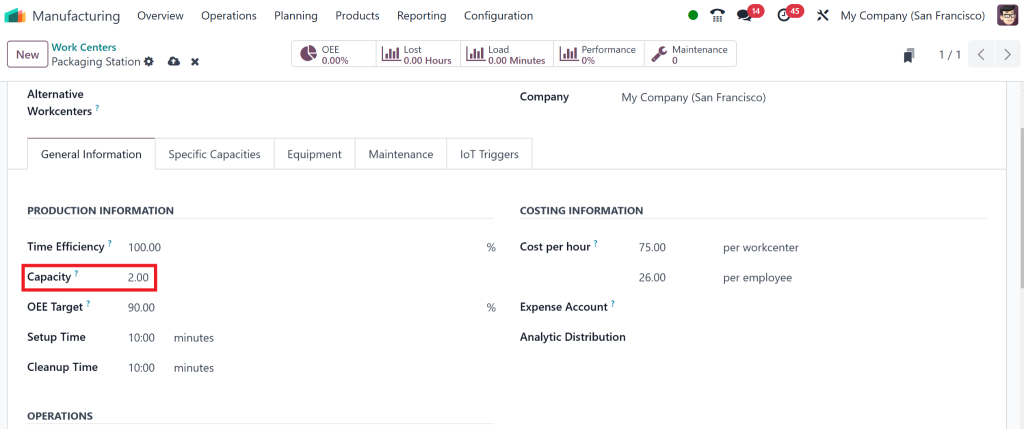
This defines how much work each work center can handle simultaneously, which is crucial for balancing production flow.
Work Center Efficiency
is how well the work center performs compared to expectations. This helps you track performance and make adjustments if needed.
Machine Hours:
How long does it take for a machine to complete a specific task? That can impact scheduling and throughput.
These parameters are customizable, and you must adjust them based on your operations to get the best results.
A work center is considered fully productive when it can:
Receive work orders
Have the components necessary to process work orders
Operate within the expected duration of the work order it is processing
How to Perform Odoo Work Center Setup
Now that we know what Odoo work center parameters are, let’s discuss how to set them up in your Odoo system. Don’t worry, it’s pretty straightforward, and we’ll walk you through it step-by-step.
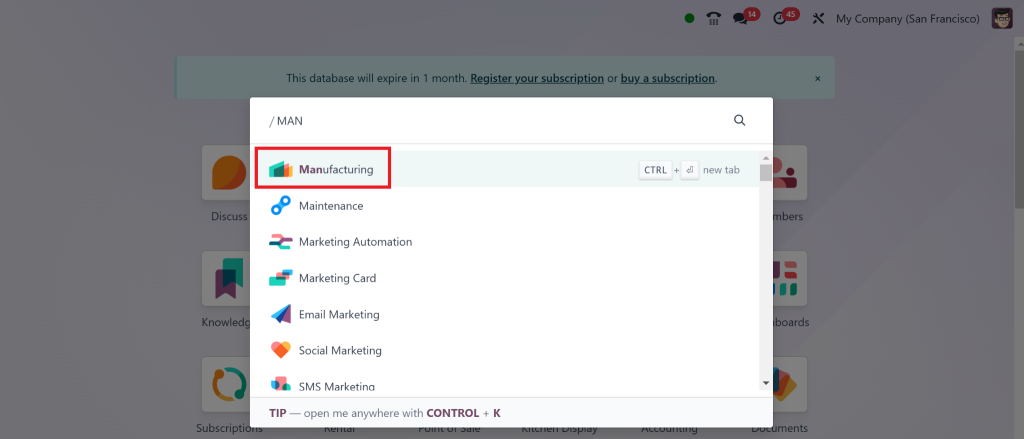
Step 1: Go to the Manufacturing Module
First, go to your Odoo dashboard and click on the Manufacturing module.
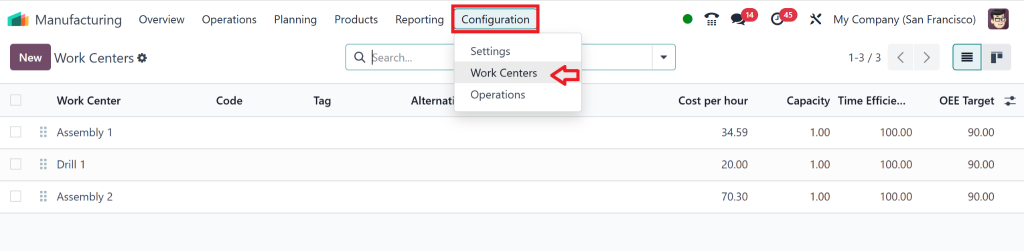
Select Configuration > Work Centers.
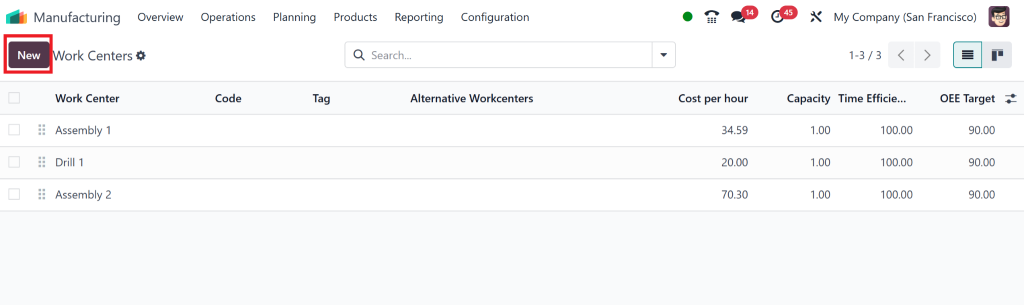
From there, you’ll see an option for Work Centers; click on that to get started.
Step 2: Give Your Work Center a Name and Select a Type
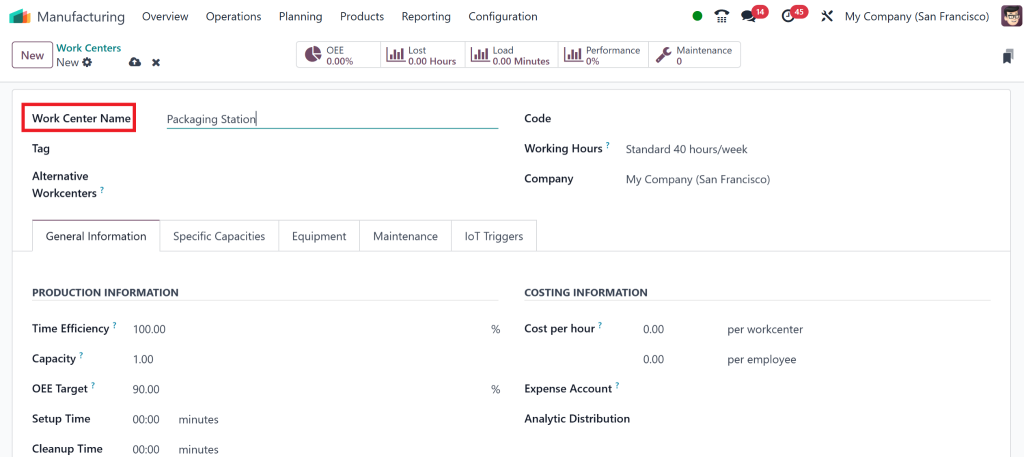
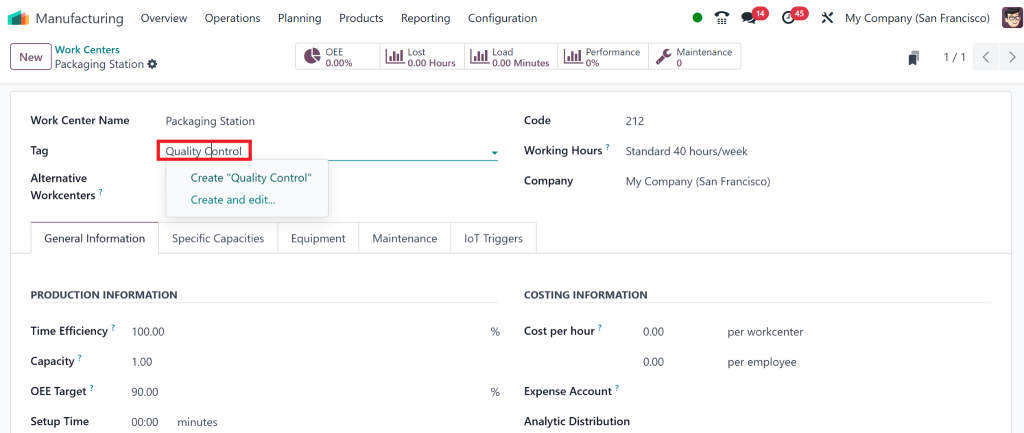
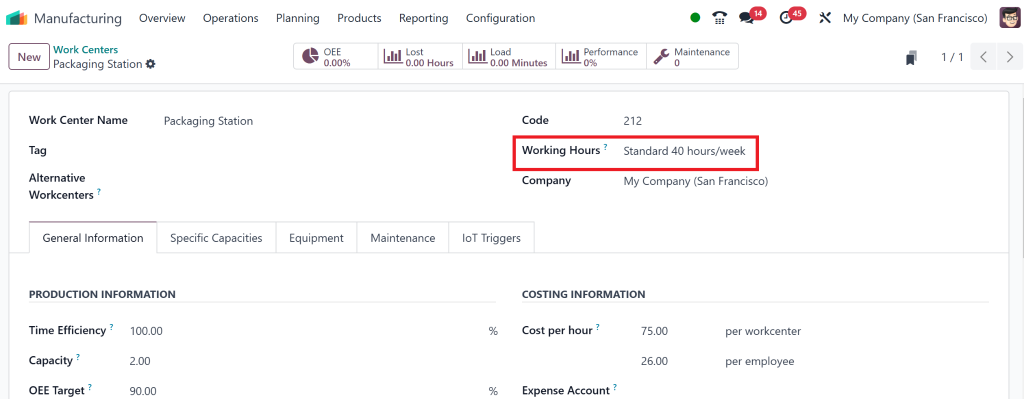
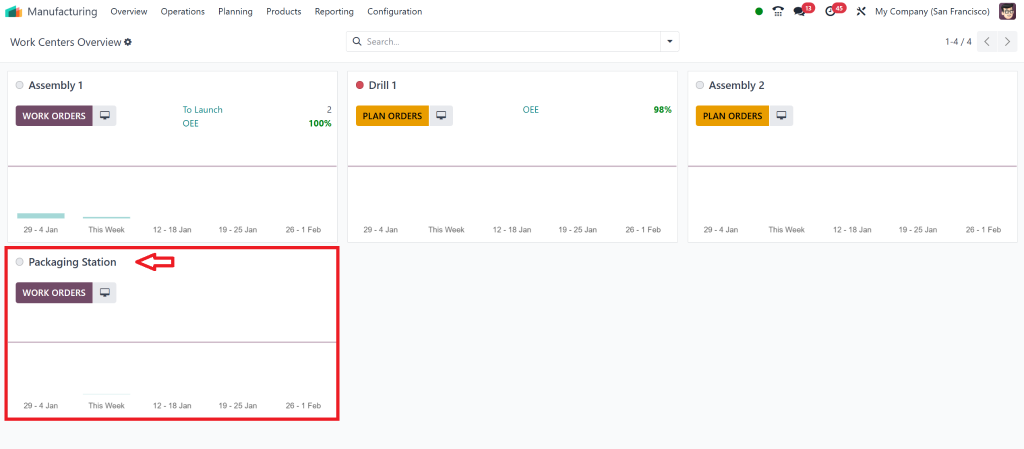
Next up, you’ll need to give your work center a name. That could be something like “Assembly Line 1” or “Packaging Station”.
After naming it, you’ll select the work center type. Is it a production line, a maintenance area, or a quality control station?
Make your choice based on what that area of your factory does.
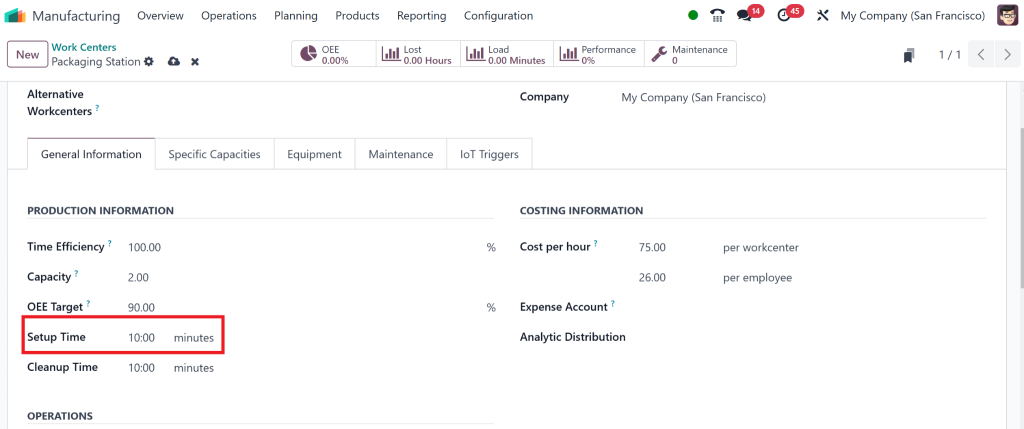
Step 3: Set Capacity and Efficiency
That is where things start to get interesting.
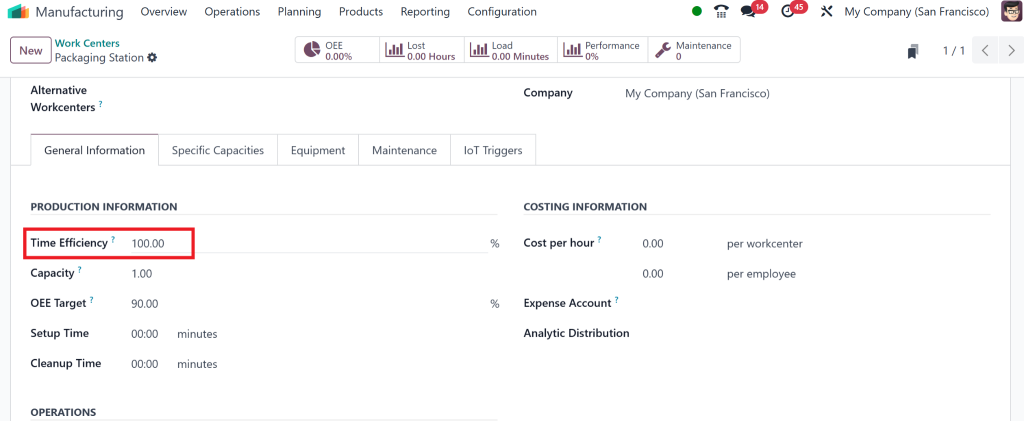
You’ll define the work center’s capacity, which is how much work it can handle. For example:
Time Efficiency: Determines how quickly tasks are completed.
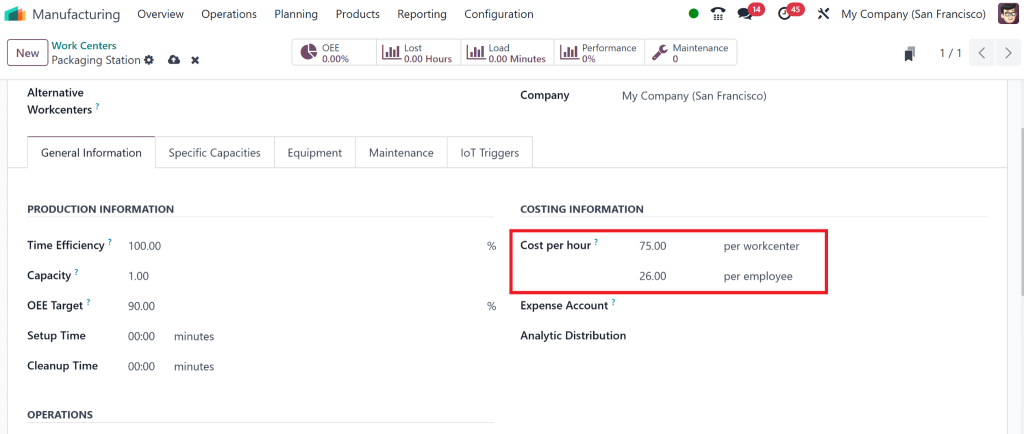
Cost Per Hour: Helps calculate production costs.
Capacity Per Cycle: Defines the work center’s throughput.
That will help you balance workloads across different areas of your factory.
Next, configure the work center efficiency. This will let you track how much the work center produces compared to what you expect. You can use this data by Odoo Implementation to improve if a work center is not performing up to standard.
Step 4: Add Machine Hours and Operational Hours
Lastly, you’ll want to input machine hours, which are how long it takes to complete a specific task.
That is crucial for planning your production schedule. Also, define the operational hours for each work center so that you know when each part of your factory is up and running.
Overview:
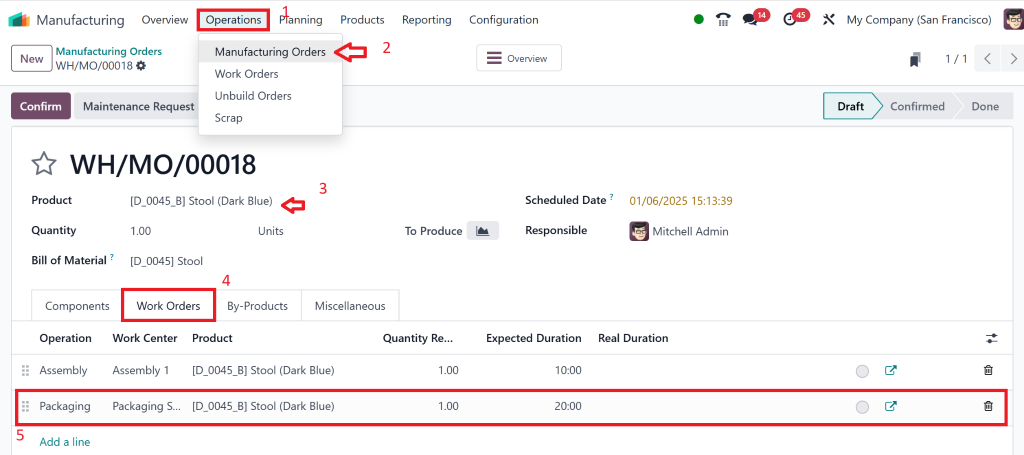
Then we can check this Assembly line through:
Go to Operations > Manufacturing Order > Select Product
Then Choose Work Order and Add a Line
Why Odoo 18 Manufacturing Configuration is Crucial
So, why should you care about these Odoo 18 work center parameters?
They’re essential for ensuring your manufacturing process runs as smoothly as possible. Think about it: one part of your production line might be idle without proper configuration. At the same time, another is overwhelmed, or you could waste time on work centers that aren’t efficient.
By optimizing your Odoo 18 work center setup, you get a ton of benefits, like:
Improved Workflows:
Every task gets assigned to the right work center, reducing confusion and downtime.
Better Resource Allocation:
You can allocate machines, workers, and materials where needed most.
Real-Time Monitoring:
You get data on each work center’s performance, so you can quickly adjust.
Reduced Bottlenecks:
If a work center isn’t performing well, you can tweak the parameters to fix the problem before it causes delays.
How Real-Time Odoo 18 Work Orders Data Helps You Stay on Track
One of the best features of Odoo 18 work centers is the ability to track performance in real time. You can see exactly how well your work centers perform, allowing you to pinpoint issues early.
For example, if you notice that a work center isn’t performing at its expected efficiency, you can examine the data to determine whether it’s a capacity issue, a machine needing maintenance, or a scheduling conflict.
Using Odoo 18 work orders, you can assign tasks to specific work centers, track their progress, and adjust as needed. This real-time visibility is a changer for staying on top of production and ensuring everything runs smoothly.
Facilitating Your Entire Odoo Manufacturing Settings Process
When you set up Odoo manufacturing settings and work centers, you’re configuring individual tasks and optimizing your entire manufacturing process. You’ll need to link your work centers to production routes, which define the steps your products go through.
You can also set up a Bill of Materials (BoM) and routing rules in Odoo 18. These settings define the materials and operations needed at each process step, ensuring work centers have everything to keep production moving without delays.
Endless Odoo 18 Work Center Efficiency Parameters
You should now understand Odoo 18 work center parameters and how they can improve your manufacturing efficiency. Setting up work centers correctly in Odoo ensures that your operations are streamlined, your work orders are processed smoothly, and you’re making the most of your resources.
With Odoo 18, you can fine-tune everything, from capacity to work center efficiency, to create the best production flow for your business. Ready to get started? Let’s reveal the full potential of Odoo 18 work center parameters and take your manufacturing process to the next level!
Hi, I'm Nabia, an Odoo ERP functional & technical content writer. I specialize in blogs, social media content, ad copy, landing pages, service pages, and email campaigns.
We use cookies to ensure that we give you the best experience on our website. If you continue to use this site we will assume that you are happy with it.