How to Build a Free Website & Get a Free Domain with Odoo 19?
Your Step-by-Step Guide to Go Online Without Spending a Dime
Are you looking for a way to get a Free Domain with Odoo 19 and build your first website without spending any money? Whether you’re a small business owner, freelancer, or someone who wants to create an online presence for personal projects, Odoo 19 offers an incredible solution.
With an Odoo free website and free domain, you can start your online journey without worrying about hosting costs, domain fees, or complicated setup procedures. This platform is designed for beginners and non-technical users, making it easy to build a free website with Odoo 19 in just a few clicks.
The benefits are clear: you get an all-in-one system that integrates website building, eCommerce, CRM, marketing tools, and more. You’ll also discover how to get a free domain with Odoo and start branding your website professionally.
If you are searching for a complete Odoo 19 website builder tutorial for beginners, this guide covers everything, from signing up to customizing your website, getting your free domain, creating an online store, and using advanced tips to attract visitors and grow your business.
By the end of this guide, you will know exactly how to create an e-commerce website for free using Odoo, how to leverage Odoo’s one app free website builder, and how to start your online journey today.
Why Choose Odoo 19 to Build Your Website?
Before getting into the steps, let’s explore why Odoo 19 is one of the best free website builders in the market.
1. All-in-One Platform
Unlike other platforms that require multiple plugins or services, Odoo 19 provides a full suite of business solutions in one app. This means:
Website Builder for creating stunning pages
CRM for customer management
eCommerce Module for selling online
Email Marketing & Automation for lead generation
Accounting & Inventory Management for business operations
You don’t just build a website, you build a complete business ecosystem that grows with you.
2. User-Friendly, No Coding Needed
One of the biggest advantages of Odoo is its drag-and-drop interface. Even if you’ve never built a website before, you can:
Add text blocks, images, and banners
Customize colors, fonts, and layouts
Add sections for testimonials, services, and blogs
This makes build free website with Odoo 19 accessible for everyone.
3. Free Website + Free Domain
With Odoo, you can get a Free Domain with Odoo 19, which is a huge advantage for small businesses and startups. You can either:
Use a free subdomain like yourname.odoo.com
Get an Odoo free .com domain for one year (during certain promotions)
This allows you to start your digital presence immediately without any investment.
4. Designed for Growth
Odoo isn’t just for beginners; it’s built to scale. You can start with a simple website and later:
Add eCommerce functionality
Launch marketing campaigns
Integrate accounting and inventory
Manage multiple domains and languages
This makes Odoo 19 a future-proof solution for businesses of all sizes.
Step-by-Step Guide to Build a Free Website with Odoo 19
Here’s a detailed, practical guide to get your website up and running using Odoo 19.
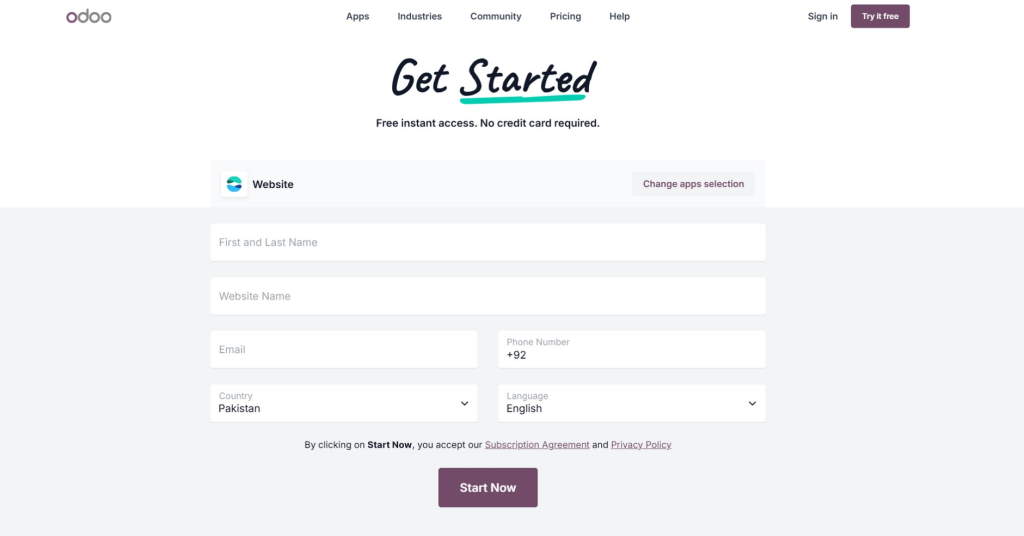
Step 1: Sign Up on Odoo 19
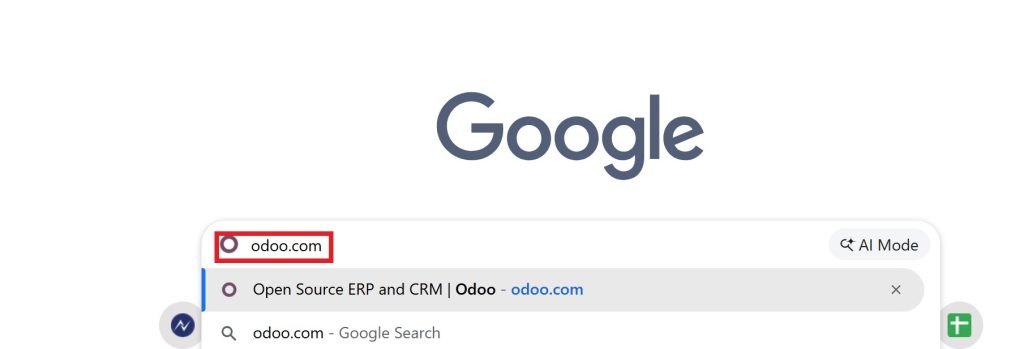
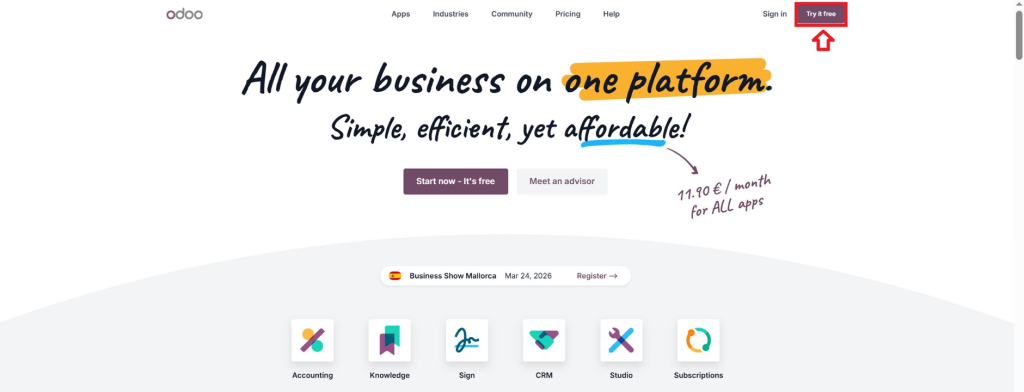
Visit the official Odoo website
Click on “Start Free Trial”
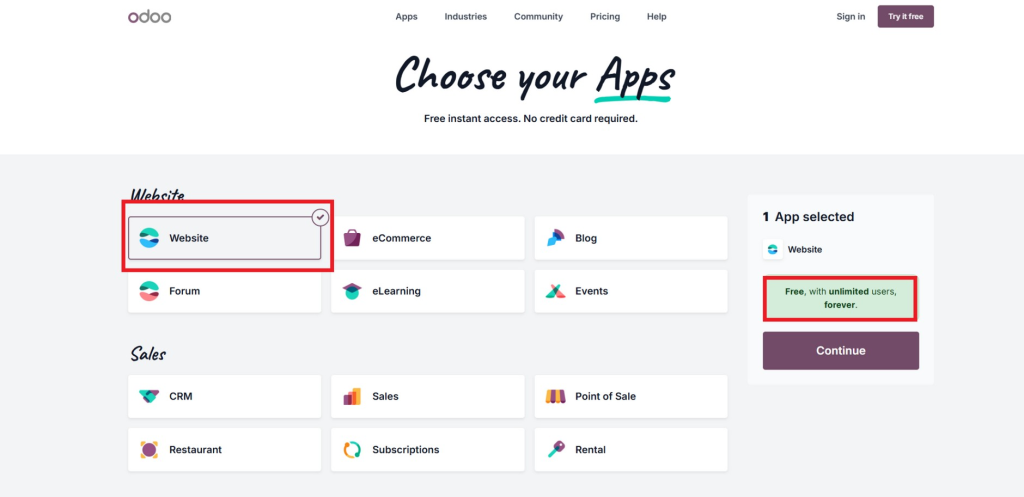
Select the module.
Enter your email, name, and password.
Within minutes, your Odoo database will be ready, and you’ll get access to all the essential tools to build a free website with Odoo 19.
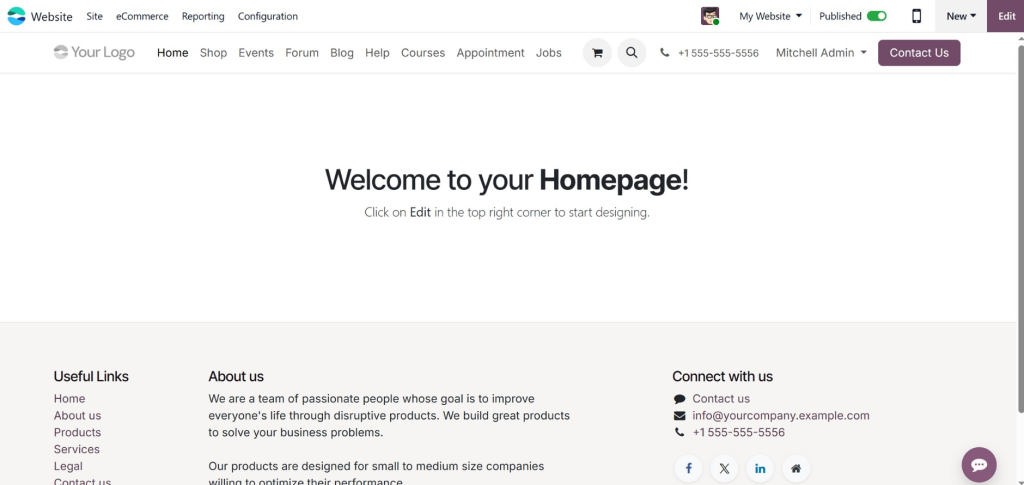
Step 2: Install the Website Module
After logging in:
Go to Apps
Search for Website
Click Install
Now, your website builder is ready, and you can start designing pages instantly.
Step 3: Select a Website Template
Odoo 19 offers multiple professionally designed templates:
Business Websites
Online Stores
Blogs & Portfolio Sites
Landing Pages
Choose a template that matches your business goals. Templates are fully customizable, so you don’t need to worry if it’s not perfect.
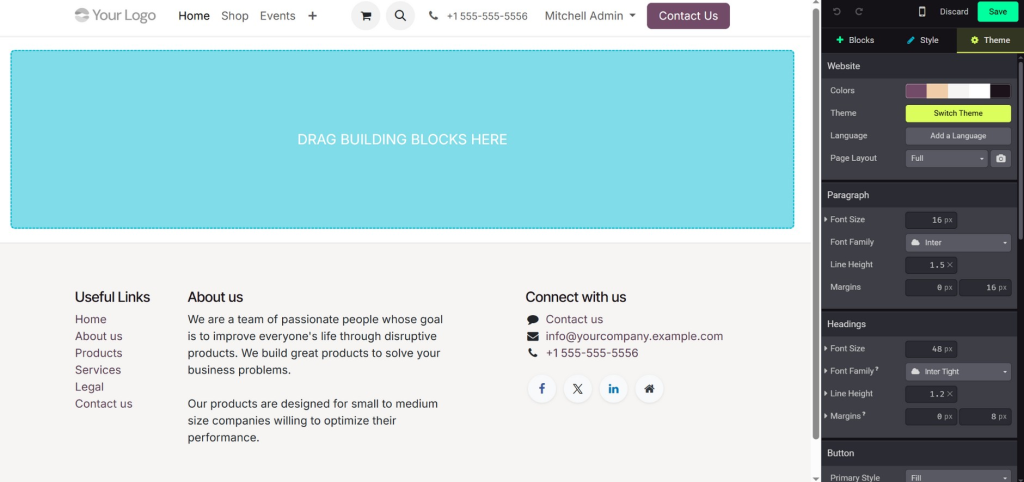
Step 4: Customize Your Website
Once you choose a template, start personalizing:
Add your logo and brand colors
Edit text content for your services and products
Add high-quality images to make your site visually appealing
Include call-to-action buttons like “Contact Us” or “Shop Now.”
This step ensures your website is unique and professional.
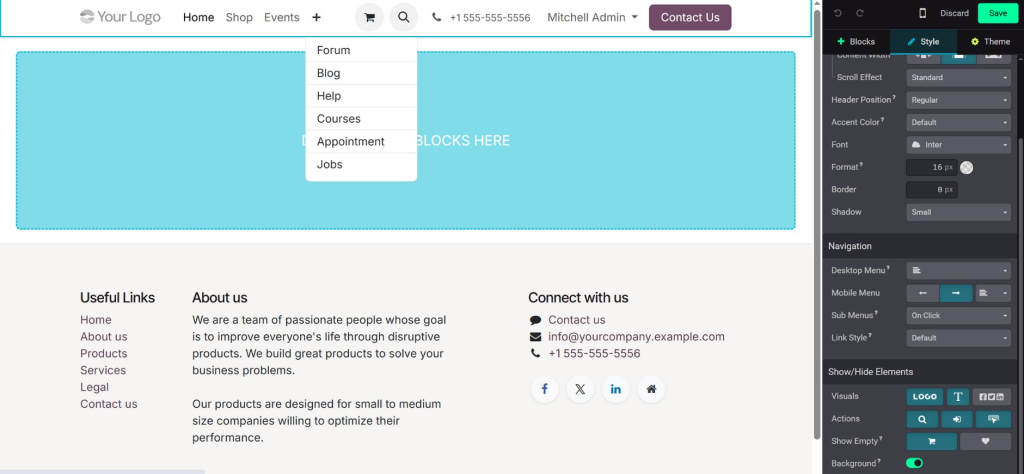
Step 5: Add Essential Pages
A professional website typically has the following pages:
Home Page – Welcome visitors and introduce your brand
About Us – Share your story and mission
Services/Products – Highlight what you offer
Contact Page – Include forms, address, and social links
Blog Section – Share valuable content and improve SEO
Congratulations! You’ve successfully build free website with Odoo 19.
How to Get a Free Domain with Odoo 19
Getting a domain is critical for branding. Here’s how Odoo makes it easy.
Types of Free Domains
Odoo offers:
Free Subdomain: yourbrand.odoo.com
Promotional Free .com Domain: For one year (check availability)
Even the free subdomain gives a professional online identity without investment.
Steps to Claim Your Free Domain
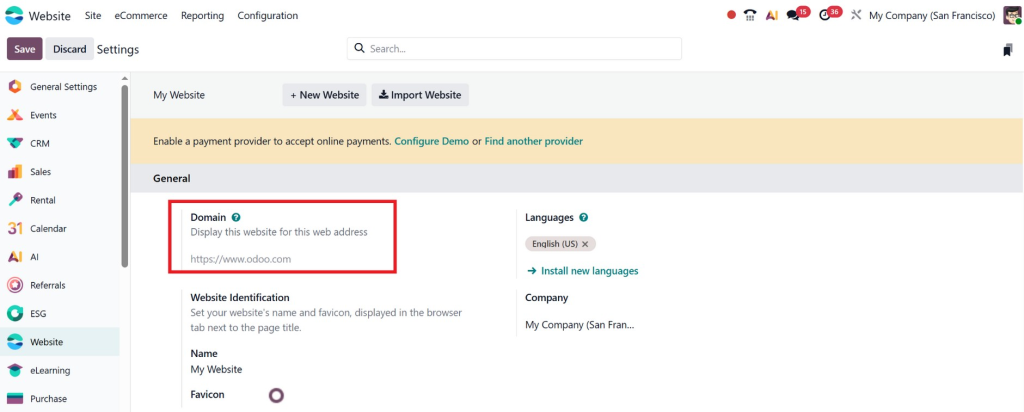
Go to Website Settings
Click on Domain
Type your desired name
Check if it’s available
Activate the domain
Now you officially get a Free Domain with Odoo 19.
Importance of Having a Domain
Your domain is your online identity. It helps in:
Building trust with customers
Improving brand recognition
Ranking higher in search engines
Create an E-commerce Website for Free Using Odoo
If you want to sell online, Odoo 19 makes it easy.
Step 1: Install the eCommerce Module
Go to Apps
Install Website
Step 2: Add Products
Name, price, and description
Upload clear, high-resolution images
Set categories for easy navigation
Step 3: Configure Payment Options
Odoo supports popular payment gateways:
Stripe
PayPal
Bank transfer
This allows customers to pay securely.
Step 4: Manage Orders
You can track:
Incoming orders
Shipping details
Customer information
Advanced Tips for Odoo 19 Website Builder Beginners
These tips will help you create an e-commerce website for free using Odoo effectively.
1. Keep the Design Clean
Avoid clutter. Focus on simplicity. Visitors should quickly understand your brand.
2. Focus on SEO
Use keywords, meta titles, and meta descriptions to help your site rank higher.
3. Use High-Quality Images
Images make your site look professional and trustworthy.
4. Add Call-to-Actions
Guide visitors to contact, buy, or subscribe.
5. Mobile Optimization
Most visitors come from mobile devices. Odoo ensures a responsive design.
Common Mistakes to Avoid While Using Odoo 19
Even a great tool can fail if used incorrectly.
Using low-quality images
Ignoring mobile optimization
Overloading pages with content
Skipping SEO optimization
Forgetting contact information
Avoiding these mistakes ensures your website performs well and converts visitors.
Why Businesses Prefer Odoo for Free Website & Domain
Odoo is more than just free – it’s also professional, scalable, and really powerful.
Cost-effective: Free domain and hosting
Professional templates: No need to hire a designer
Scalable: Add features like eCommerce, CRM, and email marketing. Integrated tools: All in one place.
With Odoo’s free website and free domain, you’re not just building a website; you’re building a complete business ecosystem.
Lorem ipsum dolor sit amet, consectetur adipiscing elit. Ut elit tellus, luctus nec ullamcorper mattis, pulvinar dapibus leo.
When to Upgrade from Free Plan
While the free plan is perfect for beginners, consider upgrading if:
You want a custom domain
You experience higher traffic
You need advanced features like analytics and marketing automation
You want professional email hosting
Start Your Website Journey Today
If you’ve been waiting for the right time to go online, it’s now. With an Odoo free website and a free domain, you can:
Start immediately without investment
Build a professional, mobile-friendly website
Sell products online
Grow your business with integrated tools
With Odoo 19, you don’t just build a free website; you start a scalable, professional online business.
Let Netilligence Help You Build a Stunning Odoo Website
At Netilligence, we go beyond just website creation. We help businesses:
Build a free website with Odoo 19
Create an e-commerce website for free using Odoo
Customise, optimize, and scale their online presence
Don’t spend weeks trying to figure it out. Our experts ensure your Odoo one app free website builder experience is smooth, professional, and tailored for your business growth.
Contact Netilligence today and start your journey to a successful online presence with Odoo 19.
Hi, I'm Nabia, an Odoo ERP functional & technical content writer. I specialize in blogs, social media content, ad copy, landing pages, service pages, and email campaigns.
We use cookies to ensure that we give you the best experience on our website. If you continue to use this site we will assume that you are happy with it.